Xposed Framework 2.4 Exits Beta, Brings Official KitKat Support and Bug Fixes

Posted by Unknown on Saturday, November 30, 2013

Xposed Framework 2.4 Exits Beta, Brings Official KitKat Support and Bug Fixes

A little under a week ago, we covered the release of Xposed Framework 2.4 beta. For those just tuning in, 2.4 beta brought one very major change: support for Android 4.4 KitKat. Now just a few days later, XDA Recognized Developer rovo89 has taken 2.4 out of beta and into official circulation.

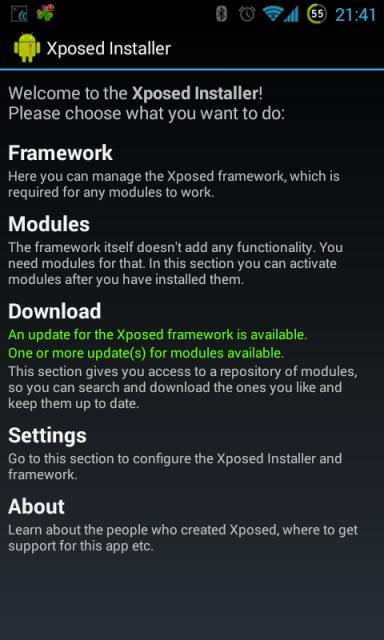
In addition to bringing official support for Android 4.4, Xposed 2.4 final also brings a few other improvements and bug fixes. Perhaps the most noticeable will be significantly improved framework performance. The UI also received a revamp, as there is now a debug log viewer and diagnostics to verify that Xposed is active and working.

It is important to note that even in version 2.4 final, Xposed is not compatible with the new ART compiler. And at this time, it is unclear if it will ever be made compatible, as it would require a major rewrite if it is even possible at all. So in order to prevent boot loops, the Xposed framework automatically resets you to Dalvik if you accidentally enable ART. And if you do wish to try ART, you will first have to disable the framework entirely.

To get started, simply head over to the application thread. And to learn more about version 2.4, head over to this post detailing all of the changes.

_________
Want something on the XDA Portal? Send us a tip!Google+

Via xda-developers.com

More aboutXposed Framework 2.4 Exits Beta, Brings Official KitKat Support and Bug Fixes

Read XDA Portal Like a Boss with Unofficial XDA Reader

Posted by Unknown

Read XDA Portal Like a Boss with Unofficial XDA Reader

The XDA Portal is a place where you can find some of the latest mobile development news. Our team spends hours searching for topics and letting you know about what's going on here at XDA. This is why we are delighted to present an application to more easily access all of the Portal news on your Android device.

XDA Recognized Developer EatHeat wrote a handy application to read the news feed from the XDA Portal. This app is light, fast, and offers a lot of features such as loading an image and text in both the list and the detailed views, showing the 10 latest posts from the Portal, and the ability to swipe from within detail view to proceed to the next news item.

The unofficial XDA Reader app features the ubiquitous Holo UI, so the app's visuals are top notch. The app can also be themed with one of four built-in themes, allowing you to change the look within seconds. Themes can even be previewed without restarting the application. With this app, reading the XDA Portal will be more enjoyable and you won't miss anything important.

If you are looking for an application to read our work, make your way to the original thread and give XDA Reader a shot.

_________
Want something on the XDA Portal? Send us a tip!Google+

Via xda-developers.com

More aboutRead XDA Portal Like a Boss with Unofficial XDA Reader

Google Nexus Devices Vulnerable to DoS Attacks, Protect Yourself with Simple App

Posted by Unknown

Google Nexus Devices Vulnerable to DoS Attacks, Protect Yourself with Simple App

Due to their expedient updates and lack of potentially vulnerable carrier and OEM addons, Nexus devices are considered to be among the safest Android devices. Being certified by Google mean a lot, but everything has some vulnerabilities, and newest Nexus devices are no exemption.

According to Romanian security researcher Bogdan Alecu, the Nexus lineup is vulnerable to a denial-of-service attacks based on a special type of SMS. This attack relies on Flash SMS, short messages displayed on the screen without being stored in the inbox. These are most often seen in pre-paid contract plans, used by a carrier to send messages with recent costs.

As it turns out, Flash SMS messages sent in rapid succession can cause some unexpected behavior like freezing, crashing, or even rebooting. The newest Nexus phones will reboot after approximately 30 messages sent in a short time. Users won't be able to realize that they device was attacked without looking at the screen. Sometimes some data loss occur, so many important calls can be missed because of this.

Alecu claims that Google was alerted about this problem about a year ago and promised to fix it in Android 4.3. Unfortunately, they didn't fulfill their promise, and the issue is still present in KitKat on the Nexus 5. The situation is even more abnormal, as non-Nexus device are unaffected. The security researcher claims that he tested almost 20 various devices, and only Nexus devices were vulnerable.

The Google Play Store offers plenty of apps that can send Flash SMS messages, including one made by Bogdan Alecu himself. Luckily, Alecu was kind enough to release a proof of concept application that protects Nexus devices from these attacks as well.

These DoS attacks that are described by Bogdan Alecu are not the most malicious and dangerous. An attacker can't control your device. However, the potential for data loss, pranking, and even stalking may make this a rather annoying glitch. Hopefully, Google will look into this issue and fix it as soon as possible.

[Thanks to XDA Recognized Contributor D™ for the tip]

_________
Want something on the XDA Portal? Send us a tip!Google+

Via xda-developers.com

More aboutGoogle Nexus Devices Vulnerable to DoS Attacks, Protect Yourself with Simple App

HTC One Developer and Unlocked Models Now Receiving Android 4.4 KitKat!

Posted by Unknown

HTC One Developer and Unlocked Models Now Receiving Android 4.4 KitKat!

Although it may seem like only yesterday, Android 4.4 KitKat was officially launched an entire month ago, alongside the release of the highly anticipated Google Nexus 5. Since then, we've seen copious amounts of work to bring these KitKat goodies over to older devices. Most of this effort has come in the form of unofficial ports, but the new Google-owned Motorola shocked us all by delivering Android 4.4 to the Moto X in record time, beating out both Google Play edition devices in the process.

Motorola's fast turnaround time is certainly quite an impressive feat, and one that bodes well for the future of the company. That said, we shouldn't expect much different from a Google subsidiary. Furthermore, the Moto X is pretty much as close to vanilla Android as you can get in a phone nowadays, outside of the Nexus lineup and Google Play edition devices.

Now, HTC is leading the pack with its Android 4.4 rollout for the HTC One. The update is now being rolled out to all developer edition devices, as well as unlocked units not purchased from carriers. While this says nothing about carrier-branded devices, we can't imagine that carriers will enjoy the bad publicity of lagging far behind the unlocked variants.

Naturally, this update to KitKat also features HTC Sense 5.5. This comes as the first official Android 4.4 update to any truly OEM-skinned device, demonstrating that OEM customizations do not necessarily have to result in Android firmware update delays.

Readers, what are your thoughts on HTC's impressive update turnaround time? Let us know in the comments below!

Good work, HTC. We hope other manufacturers can follow in your footsteps.

[Source: HTC Twitter Account]

_________
Want something on the XDA Portal? Send us a tip!Google+

Via xda-developers.com

More aboutHTC One Developer and Unlocked Models Now Receiving Android 4.4 KitKat!

Add Screen Recording to Your KitKat Project ROM

Posted by Unknown

Add Screen Recording to Your KitKat Project ROM

Native screen recording is one of the new features of Android 4.4. Google finally decided to give its users the ability to capture a video of the contents of their screens. This is very useful in various situations, such as presenting a new feature or simply demonstration some instructions.

Unfortunately, the ADB command to do this is not the most convenient solution, as screen recording is limited to 30 seconds only. Luckily, this amazing feature can be added to almost every source-built ROM, thanks to XDA Senior Member 0xD34D, who decided to share his commits from ChameleonOS.

We won't lie to you; it's not easy-peasy. You need to know how to build a ROM and use GitHub, as those commits need to be cherry-picked from the original repo. But it's really worth it to try to build your own ROM, especially when there are plenty of good guides for using GitHub and ROM building. When the feature is added, it can be triggered by pressing volume up and power button.

If you are interested in adding this feature to your personal ROM project or simply wish to add it to one of the more popular ROMs, make your way to the original thread and learn more.

_________
Want something on the XDA Portal? Send us a tip!Google+

Via xda-developers.com

More aboutAdd Screen Recording to Your KitKat Project ROM

Updates to Virtuous Ten Studio and Remote Theme Injector

Posted by Unknown on Friday, November 29, 2013

Updates to Virtuous Ten Studio and Remote Theme Injector

Well over a year ago now, we brought you news of a tool that solved the problem of users not being able to distribute themes for paid apps. Remote Theme Injector did exactly as its name suggests and "injects" the necessary themed elements into an APK, thereby allowing themers to make their work on paid apps available without distributing warez. The tool was often updated by its developer, XDA Senior Moderator and Recognized Developer Diamondback, whose name you might recognise from another project, Virtuous Ten Studio.

The Remote Theme Injector has since been incorporated into VTS, adding yet another useful feature into an already incredibly versatile piece of software for a variety of Android projects. VTS itself is essentially an IDE and a whole lot more, aimed at everyone from ROM developers to smali gurus, and now themers. It is capable of not only decompiling, modifying, and recompiling applications, but also modifying the m10 files that are a major component of HTC's Sense UI, as well as the unpacking/repacking of boot images. That's barely scratching the surface of what VTS is capable of, and I highly recommend checking out the VTS home page and XDA forum thread for more information.

The updated RTI bundled with VTS takes advantage of these features, and now allows for smali modifications to be included as part of the application themes. For a perfect example of just what is possible with RTI, check out the most recent batch of TapaTalk Pro/Free themes by XDA Recognized Developer and Themer Whiskey103. Whether you have the compulsive desire to ensure that all your installed apps maintain a strict theme or just fancy giving TapaTalk a quick makeover, this is definitely something worth looking into.

_________
Want something on the XDA Portal? Send us a tip!Google+

Via xda-developers.com

More aboutUpdates to Virtuous Ten Studio and Remote Theme Injector

Floating Music Controls with Beat Player

Posted by Unknown

Floating Music Controls with Beat Player

A device's music player is one of the most important apps for almost everyone. This is because most of us love music and listen to it on various mobile devices and in various places. However, finding a good, free player is not an easy task. And finding a free and innovative player is almost impossible.

XDA Senior Member dakdroid came up with some interesting ideas and created an innovative player: Beat. The application uses floating controls similar to Facebook Chat Heads. Because of this, a small control panel is always visible, no matter which application is opened in the foreground.

The floating control panel is not its only unique function. In the era of cloud services, many of our songs are kept on Dropbox or Google Drive. Beat can stream the music directly from the above. Furthermore, not all free players have equalizers and visualizations. Beat has them, and allows you to select or create a preset to get the most out of your favorite music. The application uses Metro-styled tiles, which are fully customizable. Different list styles, colors, and sizes can also be selected.

Make your way to the application thread and give it a shot. Don't forget to provide your feedback in the thread.

_________
Want something on the XDA Portal? Send us a tip!Google+

Via xda-developers.com

More aboutFloating Music Controls with Beat Player

Bring Back Battery Statistics on KitKat with Xposed Module

Posted by Unknown

Bring Back Battery Statistics on KitKat with Xposed Module

Android 4.4 has been quite a hot topic for the last four weeks. Many of you already have it on your devices in the form of an official update or unofficial port. It brought a lot of improvements, but also made few previous features unavailable. One of these was the ability for non-system applications to access battery statistics.

Previously, external applications were able to access battery statistics to show how much our applications and games affected battery life. Luckily, XDA Forum Member gsamtan wrote an Xposed module to restore this ability in aftermarket battery monitors.

According to the author, this module uses the Xposed framework to provide an alternate implementation of the com.android.server.am.BatteryStatsService.getStatistics() method, which doesn't enforce that the calling application has the BATTERY_STATS permission. It sounds a bit tricky, but the installation process is very simple. Naturally, this requires both root access and for Xposed Framework to be installed. The module is safe and won't do any harm to your device. And with it, you will be able to control your applications the old fashioned way.

If your favorite battery stats app stopped working after updating to KitKat, head over to the module thread and learn how to bring the functionality back.

_________
Want something on the XDA Portal? Send us a tip!Google+

Via xda-developers.com

More aboutBring Back Battery Statistics on KitKat with Xposed Module

HTC One & Galaxy S4 GPe Get Android 4.4 KitKat, Android Getting RAW Imaging?! – XDA Developer TV

Posted by Unknown

HTC One & Galaxy S4 GPe Get Android 4.4 KitKat, Android Getting RAW Imaging?! – XDA Developer TV

The Google Play Edition of the HTC One was updated to Android 4.4 KitKat. Then, the Samsung Galaxy S 4 Google Play Edition got official KitKat too! That and much more news is covered by Jordan, as he reviews all the important stories from this week. Included in this week's news is the announcement that kernel source for the previously mentioned KitKat devices are available, and how KitKat was also ported to the Google Nexus One. That's not all that covered in today's video!

Jordan talks about other videos released this week on XDA Developer TV. XDA Developer TV Producer TK released an Xposed Tuesday video for BootManager, XDA Senior Recognized Developer AdamOutler showed us how to launch an app with Google Now, and TK gave us an Android App Review of Dial2Draw. Pull up a chair and check out this video.

Links to stories mentioned:

  • HTC One Google Play Editions Joins KitKat Team, OTA Available to Download
  • Galaxy S 4 GPe Joins HTC One GPe, Receives KitKat OTA
  • Kernel Source for the HTC One and Samsung Galaxy S 4 Google Play Editions Running KitKat
  • Android 4.3 Returns to the AT&T Galaxy S 4, OTAs Captured
  • Android 4.3 (M919UVUEMK2) Rolling out to the T-Mobile Galaxy S 4
  • Legendary Google Nexus One Gets Android 4.4 and Joins Its Younger Brothers
  • Google Confirms Android Will Get RAW Imaging and Burst Mode
  • CyanogenMod Installer Pulled from Play Store, Lives On in Open Source Glory
  • OmniROM Nightlies Launched: 15 Devices, New Features
  • XDA Xposed Tuesday: App Startup Control with BootManager – XDA Developer TV
  • How to Make an App Launch with Google Now – XDA Developer TV
  • Android App Review: 1-2-3 Draw Your Number with Draw2Dial – XDA Developer TV

Check out Jordan's YouTube Channel and Jordan's Gaming YouTube Channel

_________
Want something on the XDA Portal? Send us a tip!Google+

Via xda-developers.com

More aboutHTC One & Galaxy S4 GPe Get Android 4.4 KitKat, Android Getting RAW Imaging?! – XDA Developer TV

Give Your Battery Some Extra Life with OnePowerGuard Pro

Posted by Unknown

Give Your Battery Some Extra Life with OnePowerGuard Pro

Since the beginning of Android, hardware changes have been easy to notice. Quad- and octa-core devices are nothing unusual now, and RAM and storage capacities make phones as powerful as some traditional PCs in certain respects. Unfortunately, they all have one major weakness: battery life. Even the biggest batteries still last a day or two of intensive use on phones and maybe few days on tablets.

Aftermarket kernel improvements can save a bit more of battery, which is a good beginning. Luckily, XDA Senior Member onexuan wrote an application to optimize battery usage in many ways. OnePowerGuard Pro gives users a chance to conserve the battery in six predefined modes, which turn on or off selected services depending on day time, usage, or other personal preferences.

Onexuan states that his application tweaks the phone on kernel-level and optimizes many of factors that can cause battery drain for an overall reduction of 70-80%. Naturally, the app requires your phone or tablet to be rooted. It's easy to say that something does wonders, but the best way to verify it is trying.

If your battery seems to let you down, you may want to give OnePowerGuard Pro a shot by visiting the application thread for additional details.

_________
Want something on the XDA Portal? Send us a tip!Google+

Via xda-developers.com

More aboutGive Your Battery Some Extra Life with OnePowerGuard Pro

Get News Fast with NewsJet

Posted by Unknown on Thursday, November 28, 2013

Get News Fast with NewsJet

The tempo of life is incredibly fast nowadays. Having to keep pace and an overall lack of time are main reasons why people use news feed readers. Information needs to be extremely fast and reliable… fast like a jet.

Many of you browse various news sites to get information about politics, technology, and sports. Browsing when mobile, however, can become difficult when connection speeds are less than ideal and pages are relatively heavy. In these situations, a good old-fashioned RSS reader is still one of best way to get information. Luckily, there are quite a few Android apps designed to read your news feed. One of them, NewsJet, was recently made by XDA Forum Member nikanorov.

The main purpose of NewsJet is to serve you news feed from popular services like BazQux, Feedly, InoReader, and The Old Reader. To use NewsJet, you need to have an account on at least one of these services. The application simply retrieves data from the service and presents it in the nice and aesthetic way. It's the perfect way to keep in touch with all the recent events, without using a PC or fast Internet connection.

If you are looking for solid and fast RSS reader, visit the application thread and give NewsJet a shot.

_________
Want something on the XDA Portal? Send us a tip!Google+

Via xda-developers.com

More aboutGet News Fast with NewsJet

Countdown to Your Favorite Events with this Simple Countdown App

Posted by Unknown

Countdown to Your Favorite Events with this Simple Countdown App

Big events in life hold a strong meaning to us. And when we plan such events, we start counting the days and minutes.

You may remember XDA Senior Member  MOST2K2's application APPoint. Now, he brings us another productivity tool—this time in the form of a simple, yet customizable countdown widget that can be placed on your home screens.

As stated by the developer:

A simple countdown widget to never miss an important meeting, birthday, vacation.
You can add more than one event at the same time of course!

This app is a great way to stay focused on upcoming events. The app itself is available in both lite and premium versions, and is compatible with Android 2.2 or higher.

If you've been looking for a simple, home screen countdown widget, make your way over to the application thread for more information and download links.

_________
Want something on the XDA Portal? Send us a tip!Google+

Via xda-developers.com

More aboutCountdown to Your Favorite Events with this Simple Countdown App

Android App Review: 1-2-3 Draw Your Number with Draw2Dial – XDA Developer TV

Posted by Unknown

Android App Review: 1-2-3 Draw Your Number with Draw2Dial – XDA Developer TV

Smartphones are smart because they are more than just phones, but let us not forget that they are indeed phones. You can use them to make calls. If you are the type of person who makes a lot of calls to a certain group of contacts or you just want to dial with swag, we have a solution for you.

XDA Forum Member FanKryations offers gesture-based dialer. In this video, XDA Developer TV Producer TK reviews Draw2Dial. TK shows off the application and gives his thoughts, so check out this app review.

Be sure to check out other great XDA Developer TV Videos

_________
Want something on the XDA Portal? Send us a tip!Google+

Via xda-developers.com

More aboutAndroid App Review: 1-2-3 Draw Your Number with Draw2Dial – XDA Developer TV

Google Play Store Now Highlights Chromecast Apps… All Seven

Posted by Unknown

Google Play Store Now Highlights Chromecast Apps… All Seven

Despite its flaws, the $35 Google Chromecast is a great little device for the price. While it has loads of untapped potential for those of you lucky enough to have root access, many of us are quick to forget about the device's default functionality.

Google is now perhaps hoping to remind us of the device's functionality by highlighting Chromecast-enabled applications in the mobile Google Play Store app. Strangely, this option isn't very visible. To view it on your device, head over to the Apps section of the Play Store. Next to Games and Editor's Choice, you will see a new Chromecast tab. However, most devices need to be tilted to landscape mode in order to see the option.

Currently, there isn't too much in the way of officially supported applications. So far, these include HBO Go, Pandora, Hulu Plus, Netflix, YouTube, Google Play Movies & TV, and Google Play Music. That said, the Google Cast SDK is launching soon, so we can expect the list to grow somewhat in the near future.

Were you one of the lucky few to achieve root before the almost unavoidable OTA? Are you happy with your Chromecast and its default functionality? Feel free to let us know in the comments below!

[Via Google Operating System Blog]

_________
Want something on the XDA Portal? Send us a tip!Google+

Via xda-developers.com

More aboutGoogle Play Store Now Highlights Chromecast Apps… All Seven

Happy Thanksgiving from XDA-Developers!

Posted by Unknown

Happy Thanksgiving from XDA-Developers!

For those of you celebrating, we here at XDA-Developers would like to take a minute to wish you a Happy Thanksgiving! Whether you're spending the Holiday with a large group of friends and family or you're relishing the company of a select few, we hope you have a grand time full of ROMs, kernels, device hacking… oh and of course, food.

Now as tonight's evening binge fest quickly approaches, it's a great opportunity to remember the reasons why we're thankful. So we now turn it over to all of you: What mobile device-related "thing" are you most thankful for this year? Is it a particular device, a developer, or some mobile innovation? Finally, we have one more question for you all. Are you planning on waking up early and doing any Black Friday and/or Cyber Monday shopping? If so, what's caught your fancy? We'd love to hear from you in the comments below!

_________
Want something on the XDA Portal? Send us a tip!Google+

Via xda-developers.com

More aboutHappy Thanksgiving from XDA-Developers!

OmniROM Nightlies Launched: 15 Devices, New Features

Posted by Unknown

OmniROM Nightlies Launched: 15 Devices, New Features

At this year's Big Android Barbeque, a new player in the multi-device custom ROM world was announced. This was of course OmniROM, an open source project created by some of the greats in the Android development world such as XDA Senior Recognized Developers Xplodwild, Chainfire, Dees_Troy, and others.

Over the last few weeks, we've seen Android 4.4-based OmniROM builds appear for several devices. Now, the experience is about to get even more exciting, as nightlies are now available for 15 popular devices! The full list, along with links to their download pages can be found at the end of this post.

Along with the nightlies, there are exciting new features in OmniROM. These include a new non-intrusive incoming call notification, improvements to DSP Manager, per-app permission settings, and ActiveDisplay.

To get started, visit the official OmniROM Downloads Page (or the direct links below). And if you're looking to learn more about the new features, head over to the official OmniROM blog.

_________
Want something on the XDA Portal? Send us a tip!Google+

Via xda-developers.com

More aboutOmniROM Nightlies Launched: 15 Devices, New Features

Android 4.3 Returns to the AT&T Galaxy S 4, OTAs Captured

Posted by Unknown on Wednesday, November 27, 2013

Android 4.3 Returns to the AT&T Galaxy S 4, OTAs Captured

Remember how AT&T pulled the Android 4.3 update for the AT&T variant of the Galaxy S 4 (I337) a couple of weeks ago? While there was no official word as to why, many users speculated that the same issues facing the international SGS3′s 4.3 update were plaguing the AT&T S 4. These included issues such as wake up lag, random freezing, battery drain, Bluetooth audio issues, stuttering music playback, freezes, poor multitasking, and WiFi issues.

Thankfully, it appears as if the issues have been resolved and the OTA is rolling out once again. This time, with a new version number. Rather than the previously available Android 4.3 I337UCUEMJ9 build, today's update comes in at I337UCUEMK2.

In case you haven't received your update already, you're in luck, as these builds have since been mirrored for your sideloading pleasure. Naturally, there are two incremental OTAs available: one for users on the previous 4.3 build (MK2) and one for users on the latest 4.2.

XDA Forum Member mqlin went ahead and mirrored the update for those already running the previous Android 4.3 OTA for the device (MJ9). This is a small, 28 MB update to take you all the way to MK2. And if you're running the older build, XDA Forum Member pvtolson has you covered with the full 727 MB update.

If you've already gotten the update, please feel free to leave your feedback in the comments below. Also, don't forget to join in the discussion over in the AT&T Galaxy S 4 forum!

_________
Want something on the XDA Portal? Send us a tip!Google+

Via xda-developers.com

More aboutAndroid 4.3 Returns to the AT&T Galaxy S 4, OTAs Captured

CyanogenMod Installer Pulled from Play Store, Lives On in Open Source Glory

Posted by Unknown

CyanogenMod Installer Pulled from Play Store, Lives On in Open Source Glory

Not too long ago, we talked about the CyanogenMod Installer. For those who don't remember, the CM Installer basically served as the easiest and most efficient way to install CyanogenMod onto your device. While most of our readers are more than capable of installing aftermarket firmwares the old fashioned way, the CM Installer was primarily aimed at users who want as easy of an experience as possible.

At first, the CM Installer was freely available on the Google Play Store. Now, however, Google has notified the CM team that their app was in violation of Google Play's developer terms. As such, the CM team voluntarily removed the app for the time being, while a more favorable solution is reached. Thus far, it appears as if the underlying cause is that it "encourages users to void their warranty."

But naturally, this can't stop the community. For starters, you could always just sideload it onto your device and install it like any other APK. To do so, just head over to the official CyanogenMod website to download the APK and the CM Installer Wiki to learn more about supported devices. Alternatively, you could even build it yourself by downloading its source code over on GitHub.

What are your thoughts on this removal and Google's app removal policies in general? To us, Google's stated reasoning (encouraging users to void their warranty) seems perhaps a bit too subjective. However, we hope that with sufficient disclaimers, the app will once again be allowed in the Play Store.

[Source: CyanogenMod Blog]

_________
Want something on the XDA Portal? Send us a tip!Google+

Via xda-developers.com

More aboutCyanogenMod Installer Pulled from Play Store, Lives On in Open Source Glory

Legendary Google Nexus One Gets Android 4.4 and Joins Its Younger Brothers

Posted by Unknown

Legendary Google Nexus One Gets Android 4.4 and Joins Its Younger Brothers

In recent days, we've informed you about a variety of official KitKat updates. They all had one thing in common: Every update was delivered to some brand new devices like the HTC One or Samsung Galaxy S4 Google Play editions, each with powerful CPUs and newest drivers. But what happens with much older and unsupported devices? Do they gather dust? Not a chance at XDA.

The Google Nexus One, the company's first flagship device from early 2010 (read more here) recently received an Android 4.4 port. The update was made by XDA Recognized Developer texasice and his team. It's based on AOSP, with additional features to enhance the functionality of the ROM. All these features can be disabled with just one switch to give a relatively pure AOSP experience. A few words about bugs, because unfortunately they are present: The new ART compiler is broken and should not be used because it causes bootloops. The graphics drivers aren't fully working, and screenshot functionality is broken. The camera also doesn't work perfectly. The good news is that the rest is working, and Android 4.4 can almost be used as a daily driver other than the above issues. Let's hope that all these issues will be fixed, to make this ROM even more bug free.

If you still use a Nexus One or have it somewhere hidden away in your desk, make your way to the ROM thread and give this amazing piece of work a try.

_________
Want something on the XDA Portal? Send us a tip!Google+

Via xda-developers.com

More aboutLegendary Google Nexus One Gets Android 4.4 and Joins Its Younger Brothers

Create Your Own Mosaics on Android with ZaBa Photo Mosaic

Posted by Unknown

Create Your Own Mosaics on Android with ZaBa Photo Mosaic

Our devices have turned from the communicators they were meant to be a decade and a half ago into multimedia powerhouses capable of doing most of what we do with other gadgets and larger equipment. Of course, the all-in-one aspect and reduction in component size come at a cost (normally quality), but that is a topic for another discussion. For all practical purposes, our devices are powerful enough to do what we want to do without having to be stuck in a room or waiting for others to do stuff for us.

One thing that has truly grown on mobile devices over the last decade or so has been the camera. The sensors have been getting better and better, lenses have become not only more durable, but also enable us to take better pictures, and apps in general enable us to be more creative with how we do things. Today, we will talk about an app that enables you to do something with that gigantic stash of pictures in your SD card (no, not that stash…).

A photo mosaic is basically a picture, which is composed entirely of smaller pictures, arranged in such a manner that the eye perceives the formation as a different picture than the ones used to form it. The arrangement of pictures is something that is normally left for PCs, as it requires quite a bit of processing power to get something done efficiently, that will look half decent.

XDA Forum Member zagonico just released an app that enables you to perform this same task, but on your mobile device. Why is this good? Well, for starters, you no longer need a computer in order to create these. On top of that, it saves you a few minutes worth of transferring gigs of pictures into your computer's HDD. Yes, you could connect the device to the PC via USB or even take out the card and plug it in the PC, but that hinders your overall speed due to data transfer rates via USB/card reader being considerably slower than those that come from reading off the internal drive. And last but not least, you can do it any time, any place. The app uses rather decent resolutions for the small pictures, so the resulting image looks quite nice. It also allows the use of grayscale and sepia effects for added creativity.

The dev has stated that he tried it on a LG L9 and a SGS2, both of which presented different completion times for the same project. In other words, your mileage may vary depending on your device's hardware. Please take it for a spin and report your results in the thread so that others will know what to expect whenever they try this on their device(s). Also, feedback and bug reports are welcome.

You can find more information in the original thread.

_________
Want something on the XDA Portal? Send us a tip!Google+

Via xda-developers.com

More aboutCreate Your Own Mosaics on Android with ZaBa Photo Mosaic

How to Make an App Launch with Google Now – XDA Developer TV

Posted by Unknown

How to Make an App Launch with Google Now – XDA Developer TV

We've covered How to Build an Android App in the past. We've showed you how to install Eclipse and Android SDK and how to write a root app. We even showed you how to develop with Arduino and the Google ADK. There is a lot of thought that needs to go into building an Android app. Building an Android App is not hard, but it is certainly not easy.

In this video, XDA Senior Recognized Developer AdamOutler shows an example of some of the things you can do with some code. AdamOutler makes an app that allows him to launch web pages from Google Now. He talks code, explains what things are and shows you how it works. So if you've ever wanted to build an Android App, check this video out.

Resources:

Be sure to check out other great XDA Developer TV Videos

_________
Want something on the XDA Portal? Send us a tip!Google+

Via xda-developers.com

More aboutHow to Make an App Launch with Google Now – XDA Developer TV

GravityBox Xposed Module Updated to Support KitKat

Posted by Unknown

GravityBox Xposed Module Updated to Support KitKat

We have been writing about Xposed a lot lately, and this is all well deserved. Most of you have either heard about it, or have already installed it. Xposed Framework gives almost unlimited freedom in adding your favorite features into almost any ROM, no matter if it's custom or stock. Xposed was recently updated to support Android 4.4 KitKat. And now, many of these modules can be used on Nexus 5 or other devices running KitKat.

One of the most popular modules comes from XDA Senior Member C3C076. We are naturally talking about GravityBox, a tweak box for Android greater than 4.1. Since our last article about this project, quite a few things have been added and refined. The most noticeable change was adding an experimental support of KitKat, which took place in version 2.7.4 .

The developer also informed us that he will create an exclusive branch for KitKat devices as soon as his Nexus 5 is delivered. C3C076 mentioned also that he will focus mainly on KitKat project. Because of this, Mediatek devices, for which originally GravityBox was developed, will be eclipsed by ongoing development for newer devices. To use this module, your device must be rooted and newest version of Xposed Frameworks must be installed.

If you want to add some excellent features known from custom ROMs like CyanogenMod or Paranoid Android, make your way to development thread and give GravityBox a try.

_________
Want something on the XDA Portal? Send us a tip!Google+

Via xda-developers.com

More aboutGravityBox Xposed Module Updated to Support KitKat

Google Confirms Android Will Get RAW Imaging and Burst Mode

Posted by Unknown

Google Confirms Android Will Get RAW Imaging and Burst Mode

One thing that's lacking in Android devices is the ability to capture and save RAW image files and take multiple pictures with burst mode. Sure some devices feature burst mode, but it's not built into the default Android camera application. This is about to change in the future, as Google spokesperson Gina Scigliano confirmed early rumors that such support will be making its way to Android in a future update.

"Android's latest camera HAL (hardware abstraction layer) and framework supports raw and burst-mode photography. We will expose a developer API in a future release to expose more of the HAL functionality," Scigliano said.

With support for RAW image files, users of Android devices will be able to take full advantage of their images free from compression and processing. This allows significantly more post-processing flexibility, especially compared to the lossy compressed JPG images. Of course, those who do not need to tinker with their photos won't be experiencing the full potential and benefits of such support, but it's good to know that there will be the choice in the future.

Similarly for burst mode, choice is the main benefit. We are all well aware that in addition to the many OEMs that have already implemented their own burst mode into their camera software, there are dozens of third party apps that do the same thing. Nevertheless, having native burst mode is definitely a step forward for Android.

Scigliano also mentioned that the "team is aware of the issues and is working on a software update" in regards to Nexus 5 camera responsiveness. However, there is no definite timeline or explicitly set date for both the release of the RAW and burst mode support, and a possible fix to problems of the Nexus 5 camera.

[Via Cnet]

_________
Want something on the XDA Portal? Send us a tip!Google+

Via xda-developers.com

More aboutGoogle Confirms Android Will Get RAW Imaging and Burst Mode

Haven’t Received Your Galaxy S 4 GPe KitKat OTA Yet? Download it Here

Posted by Unknown on Tuesday, November 26, 2013

Haven't Received Your Galaxy S 4 GPe KitKat OTA Yet? Download it Here

Not too long ago, we announced that the Samsung Galaxy S 4 Google Play edition was finally starting to receive its official Android 4.4 KitKat OTA. This news originally came directly from the Android Google+ page. And while the update arrived sooner than the OEM-skinned variants of these same devices, the timing wasn't exactly stellar. After all, the Moto X managed to score KitKat before either of the Google Play edition devices.

Despite the less than ideal update timing, the two Google Play edition devices still managed to receive the update far before most consumer devices get their own official KitKat builds. However, not everyone with an SGS4 GPe has already gotten their OTA.

Thankfully, XDA Recognized Contributor oldblue910 was kind enough to both share the OTA link and mirror it on his own hosting. This is, of course, an incremental update to KRT16S from the previous official JWR66Y Jelly Bean build. Naturally, you must be stock, unrooted, and running the stock recovery to (directly) use this update. That said, it may also be of use for those looking to port the update over to the standard Galaxy S 4.

If you haven't already received your OTA, you should make your way over to oldblue910′s Firmware Archive thread to get in on the action.

_________
Want something on the XDA Portal? Send us a tip!Google+

Via xda-developers.com

More aboutHaven’t Received Your Galaxy S 4 GPe KitKat OTA Yet? Download it Here

Maximize Available Device Storage with Cassini

Posted by Unknown

Maximize Available Device Storage with Cassini

Storage space isn't quite as much of a problem nowadays compared to before. Phones and tablets are being pushed out the door with some comfortable internal memory specs such as up to 64 GB. This is even more true if you insert a sizeable MicroSD card on expandable devices. That said, not all OEMs include external storage or large caches of internal storage, so some owners who enjoy a considerable music library or movie collection continue to be bothered by the 'low internal storage' notification.

Although not a miraculous instant fix for those suffering such woes, XDA Senior Member divinemamgai's Cassini may alleviate the situation to a certain degree. A PC-based tool, Cassini minimizes the size of the apps you have installed by compressing the app's image files. This results in less space used up by apps, and more space for your photos, music, and movies. According to divinemamgai, all system apps except for LatinIME.apk will work with Cassini, while some apps from the Play store will be compatible such as ZPlayer, Textra, and Solid Explorer.

Before installation, a brief setup process is required, including running Java 7, creating a new system variable, and editing your path—nothing complicated. With this, you'll be able to install the tool and be on your way.

If you would like to give Cassini a go, check out the utility thread for more information and download.

_________
Want something on the XDA Portal? Send us a tip!Google+

Via xda-developers.com

More aboutMaximize Available Device Storage with Cassini

Control Your In-App Fonts with PerAppFonts Xposed Module

Posted by Unknown

Control Your In-App Fonts with PerAppFonts Xposed Module

The Xposed frameworks gives a tremendous amount of freedom, when it comes to selecting which modules to use. It's a powerful tool, which offers hundreds of modules available to download as standalone applications. And with a recent update to work with Android 4.4, it's available to even more users.

The display font is a UI element that is very easy to change. However, changing it on your system partition results in a global change, so every application will use the same font. To prevent such situation, XDA Senior Member zst123 created an Xposed module that allows users to change the font for individual applications.

This module offers 8 different sets of fonts that can be used with applications. These fonts are: Monospace, Serif, Sans, Roboto Condensed, Storopia, Rosemary, Roboto Slab, and the default system font currently in use. Those fonts were seen in various OS revisions such as Gingerbread and KitKat. You can also use custom fonts placed on your SD Card or internal storage. The only requirement is to have Xposed Frameworks installed, and sometimes a reboot is needed. More details can be found in the original thread.

If your in-app fonts are boring, make your way to the original thread and give this module a try.

_________
Want something on the XDA Portal? Send us a tip!Google+

Via xda-developers.com

More aboutControl Your In-App Fonts with PerAppFonts Xposed Module

Android 4.3 (M919UVUEMK2) Rolling out to the T-Mobile Galaxy S 4

Posted by Unknown

Android 4.3 (M919UVUEMK2) Rolling out to the T-Mobile Galaxy S 4

No, it's not Android 4.4 KitKat, but at least it's a small step in the right direction. We've gotten word that the Android 4.3 update is now rolling out to the T-Mobile variant of the Galaxy S 4. This comes nearly an entire month after we saw the same update roll out to the Verizon model.

The rollout was first discovered by XDA Senior Member macaumen, who shared shared screenshots and installation details for the new update. Not too long after, the update was then pulled and mirrored by the fine folks over at Sammobile. Thankfully, XDA Senior Member omnifarious located and shared the link for others to jump into the update party a bit early. Alternatively, the update can be downloaded manually through Kies. Instructions on how to do that can be found in the T-Mobile link below.

As seen in previous Android 4.3 builds for most modern Samsung devices, this M919UVUEMK2 build features KNOX, as well as various other updates and tweaks. More information on the update can be found on T-Mobile's Update Support Page.

What are your thoughts on the timing of this update? Are you upset that Verizon's update 4.3 update came nearly a month earlier? Let us know in the comments below, and get in on the discussion over at the T-Mobile Galaxy S 4 forums.

_________
Want something on the XDA Portal? Send us a tip!Google+

Via xda-developers.com

More aboutAndroid 4.3 (M919UVUEMK2) Rolling out to the T-Mobile Galaxy S 4

XDA Xposed Tuesday: App Startup Control with BootManager – XDA Developer TV

Posted by Unknown

XDA Xposed Tuesday: App Startup Control with BootManager – XDA Developer TV

Many Android enthusiasts are almost fanatical about what they have installed on their system and what they don't. In fact, there are some of us who want a certain app to be installed so we can run it at will, but we don't want the app to load on system startup. Using the Xposed Framework, you can do just that!

In this episode of XDA Xposed Tuesday, XDA Developer TV Producer TK reviews BootManager. XDA Senior Member defim created this Xposed Module to help you control the apps that load on system startup. TK shows off the module and gives his thoughts, so check out this app review.

Be sure to check out other great XDA Developer TV Videos

_________
Want something on the XDA Portal? Send us a tip!Google+

Via xda-developers.com

More aboutXDA Xposed Tuesday: App Startup Control with BootManager – XDA Developer TV

Turn Your HTC One into a Google Play Edition

Posted by Unknown

Turn Your HTC One into a Google Play Edition

Just yesterday, we covered how Google had finally decided to update the HTC One Google Play edition to Android 4.4 KitKat. We say "finally" because HTC had stated that the update was ready ten days earlier on their official Twitter account.

Regardless of timing, the update is a good thing—even if the Verizon, T-Mobile, and AT&T variants of the OEM-skinned Moto X managed to receive their updates before either of the two Google Play edition devices. But up until now, this only helped the few who actually purchased the Google Play edition devices. Now thanks to a guide by XDA Forum Moderator and Recognized Developer graffixnyc, you can essentially turn your standard HTC One into an HTC One Google Play edition.

We're not going to lie to you. This is going to be a somewhat complicated process, and it's not meant for the faint of heart. As such, you need to already be S-Off. You also need to have a working knowledge of ADB and Fastboot. And as stated in the OP, "This procedure is not easy and is not really noob friendly, well flashing the RUU is not really difficult but it's the prerequisites that are more complex/risky." In other words, proceed with caution. And if you're confused, it's best to turn around and back away slowly.

Make your way over to the original thread to get started. Just please do yourself a favor and read through the entire OP and make sure you know what you are doing before getting started. Nobody likes ending up with a paperweight.

_________
Want something on the XDA Portal? Send us a tip!Google+

Via xda-developers.com

More aboutTurn Your HTC One into a Google Play Edition

Microsoft Doesn’t Want Three Windows OS Versions

Posted by Unknown

Microsoft Doesn't Want Three Windows OS Versions

Which company has not one, not two, but three operating systems being actively developed at the same time? Microsoft does, and they're getting tired of it.

The strongest suggestion of this comes with Microsoft executive Julie Larson-Green's statement that "We [Microsoft] have the Windows Phone OS. We have Windows RT and we have full Windows. We're not going to have three," at the UBS Global Technology Summit last week. The straightness of the statement strongly hints at a potential axing of an existing OS. And given each OS's relative success, it's not difficult to surmise which.

Although the bluntness may come off as rather shocking, we all should have seen it coming sooner or later, with trails of bread crumbs here and there. This is evident with comments made by Terry Myerson, executive vice president of Microsoft, who said that "We [Microsoft] should have one set of developer APIs on all of our devices. And all of the apps we bring to end users should be available on all of our devices," in September.

So which OS will be axed? Well, all the fingers point towards Windows RT, the lonely and confusing child that never quite knew who it wanted to be. And Microsoft doesn't know either, with Larson-Green admitting "We didn't explain [Windows RT] super-well. I think we didn't differentiate the devices well enough." She went as far as saying that "[Microsoft] should not have called it Windows."

Windows RT will most likely be 'gently' merged with Windows Phone rather than suffer an immediate death. According to the Verge, Windows RT in some shape or form will be seen on mobile devices in the future, with Myerson complimenting the long battery life and large connectivity options and potential of ARM-based devices, on which Windows RT runs.

Despite this, troubling comments have been uttered by Larson-Green at the same summit that will possibly impact the potential of Windows and any future Windows OS being developer-friendly, or at least to an extent that is remotely close to Android. As she explains,

"you look at iPad in particular, and it's a turnkey, closed system. It doesn't degrade over time….It doesn't get viruses. It's not as flexible, you can't do as much with it, but it's a more seamless experience, even though more simplified….So we believe in that vision and that direction and we're continuing down that path."

This is a strong hint that Windows will probably be trying to keep to themselves in the corner of the room, much like Apple. It doesn't bode well for developers who are hoping that maybe, just maybe, Microsoft may make Windows more open to development.

What are your thoughts on Microsoft's vision and future plans? Have they gotten it right, or are they just digging themselves a deeper hole? Share them with us below.

Via [PC World] and [The Verge]

_________
Want something on the XDA Portal? Send us a tip!Google+

Via xda-developers.com

More aboutMicrosoft Doesn’t Want Three Windows OS Versions

Kernel Source for the HTC One and Samsung Galaxy S 4 Google Play Editions Running KitKat

Posted by Unknown

Kernel Source for the HTC One and Samsung Galaxy S 4 Google Play Editions Running KitKat

Yesterday, we saw Google release the Android 4.4 KitKat OTAs for its two Google Play edition devices: the HTC One GPe and the Samsung Galaxy S 4 GPe. While these releases are great for GPe device users looking to experience Google's latest and greatest on their rather expensive phones, and even for those with standard devices looking to enjoy GPe-based ROMs, they're not helpful to those interested in creating source-build KitKat-compatible ROMs and Kernels for their devices. Thankfully, HTC and Samsung have both released the GPL-compliant kernel source code for their devices running KitKat.

The Samsung goods can be found on Samsung's Open Source Release Center, and the link of interest is the one labeled GT-I9505G_NA_KK. For HTC, the goods can be found on HTCDev. From there, simply select the HTC One Google Play edition as your device, and Android 4.4 as your OS. In addition to the kernel source, HTC also includes the framework support files for the device, weighing in at a healthy 371.7 MB.

Were you waiting for Samsung and HTC to release the kernel source? Are you planning on building your own KitKat ROM or kernel? Let us know in the comments below, and don't forget to visit the  HTC One and the Samsung Galaxy S 4 forums to get in on the action.

_________
Want something on the XDA Portal? Send us a tip!Google+

Via xda-developers.com

More aboutKernel Source for the HTC One and Samsung Galaxy S 4 Google Play Editions Running KitKat

Galaxy S 4 GPe Joins HTC One GPe, Receives KitKat OTA

Posted by Unknown on Monday, November 25, 2013

Galaxy S 4 GPe Joins HTC One GPe, Receives KitKat OTA

Earlier today, we talked about how the HTC One Google Play edition finally received the Android 4.4 KitKat goods in official capacity thanks to an OTA update courtesy of our benevolent search overlords in Mountain View. This was just ten days after HTC's Twitter account stated that the update was ready, pending Google's approval. These events naturally made us wonder when the KitKat update would make its way over to the other GPe device, the Samsung Galaxy S 4 GPe. Thankfully, that day is today.

Just under two hours ago, Google announced on its official Android Google+ page that the update to Android 4.4 KitKat is now rolling out to both Google Play edition devices. Just like we saw on the HTC One GPe's  KitKat update, this release is essentially the same as what we've seen on the Nexus 5, with the exception of the missing Google Experience Launcher. But just as before, getting the launcher on your S4 GPe is incredibly simple. Just download the missing APK from the N5 factory images, side load the app, and profit.

Head over to the Samsung Galaxy S 4 forum and leave us a comment down below to get in on the discussion. And if you happen to spot the captured update link in the forums, don't forget to send us a tip!

[Source: Official Android Google+]

_________
Want something on the XDA Portal? Send us a tip!Google+

Via xda-developers.com

More aboutGalaxy S 4 GPe Joins HTC One GPe, Receives KitKat OTA

Jcase Roots the Moto RAZR i WITHOUT Bootloader Unlock!

Posted by Unknown

Jcase Roots the Moto RAZR i WITHOUT Bootloader Unlock!

For the most part, there aren't too many Intel-powered Android smartphones on the market. There's nothing inherently wrong with them, although things are a bit tricky for older NDK-produced apps that haven't been cross-compiled. However, there is one relatively popular model that featured Intel's Atom Z2460 chip, and that's the Motorola RAZR i.

Recently, we talked about how Motorola was doing the right thing and reinstating warranties on developer edition devices that have had their bootloaders unlocked via Motorola's unlocking service. Unfortunately though, this only applies to developer edition devices. Standard Motorola devices that are unlocked will have their warranties void, just as before. And previously on the RAZR i, this was the only way to obtain root access.

Now thanks to XDA Senior Recognized Developer jcase, you no longer have to unlock your bootloader in order to root your device. Jcase developed a seven-step root exploit method that will get you rooted without a bootloader unlock. The method involves a few adb push and adb shell commands, and they're clearly laid out by the developer.

If you were holding off on rooting your RAZR i because you didn't want to void your warranty, you may want to give Jcase's method a shot. To get started, simply head over to the original thread and follow the seven easy steps. Developers interested in viewing the source code behind the exploit can do so by making your way over to Jcase's GitHub.

[Many thanks to reader Dagonban for the tip!]

_________
Want something on the XDA Portal? Send us a tip!Google+

Via xda-developers.com

More aboutJcase Roots the Moto RAZR i WITHOUT Bootloader Unlock!

Easily Set up Your Moto X with the Moto X Toolkit

Posted by Unknown

Easily Set up Your Moto X with the Moto X Toolkit

Getting a new phone can be likened to a ritual in many ways. After ripping apart the delivery packaging and bubble wrap, delicately removing the sticky tape, opening the phone's box, finally holding the glorious new device in your hand, and then feeling the slight jolt of vibration when you turn it on for the first time, you come to realize that there's still quite a long way to go before it's ready.

So rather than sitting at the PC for the next couple of hours researching the individual steps for the more commonly accessed actions, you may want to check out XDA Senior Member stillthisguy's Moto X Toolkit. With this PC-based tool, Moto X owners are able to perform an extensive list of some of the more common actions. Actions include but are not limited to:

  • Installing device drivers on your PC
  • Backing up and restoring apps
  • Flashing stock firmware
  • Flashing a custom recovery (only on an unlocked bootloader)
  • Installing PwnMyMoto and RockMyMoto
  • Pushing and pulling files to and from your Moto X

If you've just received your brand new Moto X and want a tool that streamlines the setup process, check out stillthisguy's Moto X Toolkit in its original thread for more information and download.

_________
Want something on the XDA Portal? Send us a tip!Google+

Via xda-developers.com

More aboutEasily Set up Your Moto X with the Moto X Toolkit

AT&T/T-Mobile Moto X Gets Android 4.4, Oppo N1 Easily Rooted, Sony Expands KitKat Rollout – XDA Developer TV

Posted by Unknown

AT&T/T-Mobile Moto X Gets Android 4.4, Oppo N1 Easily Rooted, Sony Expands KitKat Rollout – XDA Developer TV

The T-Mobile and AT&T variants of the Moto X get Android 4.4 KitKat, hitting the public not long after it was released for the Verizon model! That and much more news is covered by Jordan, as he reviews all the important stories from this weekend. Included in this week's news is the announcement that Sony is expanding its KitKat rollout list to include more Xperias and that the Xposed Framework now works with Android 4.4!

In other important news, Jordan talks about the article talking about how XDA Elite Recognized Developer jcase has rooted the Moto X Android 4.4 KitKat. There is another article talking about how jcase also rooted the Oppo N1 with just a single APK. Be sure to check out other videos on on XDA Developer TV. Pull up a chair and check out this video.

Links to stories mentioned:

  • Sony Xperia SP to Get Android 4.4 KitKat; Xperia T, TX, V, ZR 'Under Investigation'
  • T-Mobile Moto X Joins Verizon Model with KitKat OTA, AT&T Coming Soon
  • AT&T Pushes Android 4.4 KitKat to Moto X
  • Sprint and US Cellular Galaxy S III Android 4.3 Rollout Begins
  • Android 4.3 Pushed to Sprint Galaxy Note II, Update Captured
  • Jcase Roots Moto X Android 4.4 KitKat Update with SlapMyMoto
  • Jcase Lets You Root Your Oppo N1 with Only an APK
  • Xposed Framework Now Compatible with Android 4.4
  • TWRP Now Available for the Oppo N1
  • TWRP Ported to the Samsung Galaxy Gear Smartwatch
  • Motorola Partners with 3D Systems for Project Ara Component Manufacturing

Check out Jordan's YouTube Channel and Jordan's Gaming YouTube Channel

_________
Want something on the XDA Portal? Send us a tip!Google+

Via xda-developers.com

More aboutAT&T/T-Mobile Moto X Gets Android 4.4, Oppo N1 Easily Rooted, Sony Expands KitKat Rollout – XDA Developer TV

HTC One Google Play Editions Joins KitKat Team, OTA Available to Download

Posted by Unknown

HTC One Google Play Editions Joins KitKat Team, OTA Available to Download

The Android 4.4 craziness is ongoing. More and more devices are getting official updates to KitKat. Today, we are happy to announce that the Google Play edition of HTC One is now a member of the KitKat family. A few days ago, we wrote about how HTC had delivered a GPe KitKat code to Google, and they were waiting for Google to push the update. It appears that wait is over, as the first batches of HTC One devices have already received their OTA updates.

Soon, all HTC One devices should receive the update. But if you want to get in on the action early, XDA Senior Member saturn_de posted a link to the OTA zip. This update is 320 MB, and it contains all the KitKat goodies we've seen on the Nexus 5 except Google Experience Launcher. Fear not, as it can easily be taken from the system dump of Nexus 5.There are also plenty of alternatives available on the forum with even more customization. The update can be sideloaded or directly flashed to the phone with the stock recovery. All you need to do is put the package on your local storage and apply the update.

If you can't wait to get the newest update for your HTC One Google Play edition, download the update here and share your opinion with us in the comments.

_________
Want something on the XDA Portal? Send us a tip!Google+

Via xda-developers.com

More aboutHTC One Google Play Editions Joins KitKat Team, OTA Available to Download

Rooted and KNOX-Free 4.3 for the Sprint Galaxy S III

Posted by Unknown

Rooted and KNOX-Free 4.3 for the Sprint Galaxy S III

Two days ago, we wrote about how the Sprint Samsung Galaxy S III was finally receiving its update to Android 4.3 Jelly Bean. While the Moto X and the current fleet of Nexus devices have already received updates to Android 4.4 KitKat, any step forward is a step in the right direction, even if it is still one step behind.

Unfortunately for Sprint SGS3 owners, the officially released 4.3 build also brought with it Samsung's KNOX technology. Thankfully, XDA Recognized Contributor CNexus was quick to modify the stock 4.3 MK3 ROM to remove KNOX and deliver it pre-rooted for those looking to save themselves from the hassle of doing it manually.

The ROM is available in Odexed and Deodexed form. The Deodexed ROM is rooted, and there are both rooted and unrooted options for the Odexed ROM (unrooted will be ready for download soon). After flashing through a custom recovery, flash the WiFi fix and KNOX remover. One thing of note is that installing the WiFi fix currently breaks screen rotation, but this is currently being worked on.

If you were holding off on the 4.3 update for your Sprint SGS3 because of KNOX, make your way over to the original thread to get started with this KNOX-free near-stock build.

[Many thanks to Senior Moderator kennyglass123 for the tip!]

_________
Want something on the XDA Portal? Send us a tip!Google+

Via xda-developers.com

More aboutRooted and KNOX-Free 4.3 for the Sprint Galaxy S III

Add a Dash of Retro with Old School Rotary Dialer

Posted by Unknown

Add a Dash of Retro with Old School Rotary Dialer

Not too long ago, we talked a bit about dialers and how they have shaped a large chunk of what we do here at XDA. They are an integral part of our devices, and such, they need to cover all the basics: They need to be visually appealing, functional, and easy to use. There are a few alternative dialers out there in the Play Store, but many of them are so cumbersome and filled with options that they need built-in tutorials. A tutorial… for a dialer? One thing is to add functionality. Overloading it with options and making it borderline unusable is something entirely different. That said, the core of these apps remains the same, despite all the added "flair." It is a matter of how to use this core function that makes all the difference.

Right now, we are going to take a step in the opposite direction and talk about Old School Rotary Dialer by XDA Forum Member sylsau. This app emulates the use of, yes you guessed it, an old rotary phone. The app has all the sounds you would expect from the old mechanized communicator, including the unforgettable taca-taca-taca-taca noise as the disk returns to its original position. Other commonly used functions are there and easily accessible, such as quick dial, save number, and all the core functions that you would expect on a dialer.

While this is not conceptually novel, it certainly does provide a decent, free alternative to other overly bloated dialers. The dev is simply looking for feedback, so if you are looking to drastically re-shape how you use your phone to call others and would like to lend a hand and offer your two cents/report bugs, now is your chance. Enjoy your trip down memory lane.

You can write more information in the original thread.

_________
Want something on the XDA Portal? Send us a tip!Google+

Via xda-developers.com

More aboutAdd a Dash of Retro with Old School Rotary Dialer

Get a Taste of KitKat with KK Launcher

Posted by Unknown on Sunday, November 24, 2013

Get a Taste of KitKat with KK Launcher

With a launch of the Google Nexus 5 and the release of the Google Experience Launcher, Android users were allowed to enjoy the new translucent status bar and other goodies offered by Android 4.4 KitKat. Of course, many of you have used similar third-party modifications in custom ROMs years before, but now these features are available for regular users to enjoy as well. Many developers realized that the new Google Experience Launcher has a big potential, but lacks functionality. That's why new launchers are springing up all over the place.

One of these launchers was created by XDA Forum Member kkappteam. KK Launcher offers a variety of customization options like setting up desktop text size, hiding the search bar, and modifying icon scale. The functionality can be expanded because this launcher supports icon themes designed for other launchers such as Apex, Go, Nova, and ADW. The performance is simply amazing. Scrolling is very smooth, and transitions are handled in blink of an eye. Another great thing is that the developer seems to be listening suggestions and implement them into new releases.

If you are looking for an actively developed launcher featuring lots of customization, you should consider visiting the application thread and giving KK Launcher a try.

_________
Want something on the XDA Portal? Send us a tip!Google+

Via xda-developers.com

More aboutGet a Taste of KitKat with KK Launcher

Slide Launcher Launches Only When You Need It

Posted by Unknown

Slide Launcher Launches Only When You Need It

We'd like to think we've gotten launchers all figured out on our Android devices. And for the most part, we'd be correct. A launcher normally consists of multiple sliding panels, where widgets and shortcuts can be placed, an app dock for your most accessed apps, an app drawer that's opened with a grid-like icon, and maybe some custom themes and icons to choose from. Of course, these aren't strict requirements. We've covered plenty of fantastic launchers with their own twists and perks, but they're more or less modifications of your standard launcher template.

Which is why XDA Senior Member Suxsem's Slide Launcher is such an intriguing concept. Despite billing itself as a "launcher," Slide Launcher strays away from the standard in many ways, one of which is the fact that it only runs when you want it to. This is achieved with its ability to launch only when you slide up from the home capacitive button, overlaying itself over the app that's currently running. This means that unlike your conventional launcher, Slide Launcher doesn't run in the background eating up RAM and battery when you're not using it. It also means that you can have Slide Launcher run concurrently with another launcher if you wish.

Once activated, Slide Launcher displays a personalized arrangement of shortcuts to apps, contacts, and actions such as a direct call or message. If you're running a Paranoid Android ROM, apps can also be launched in halo mode, which is another nifty feature. As far as customization goes, you can adjust and change just about every element of the launcher, from icon arrangements and size, to background transparency and color, to haptic feedback.

Slide Launcher is definitely a launcher you'll want to check out if you're looking for something different and unprecedented, or even as an alternative to the popular sidebars. Suxsem has made the app free to download, and is compatible with Android 4.0 and newer. For more information, visit the application thread.

_________
Want something on the XDA Portal? Send us a tip!Google+

Via xda-developers.com

More aboutSlide Launcher Launches Only When You Need It

Improve Photos on LG G2 Photos with Jishnu’s Camera Mod

Posted by Unknown

Improve Photos on LG G2 Photos with Jishnu's Camera Mod

The flagship LG G2 was released not too long ago. Powerful hardware—almost identical to its younger sibling, the Google Nexus 5—places G2 in the top league of Android devices. But while the G2 packs great camera hardware, the stock camera software is a bit less than ideal.

A camera mod released by XDA Recognized Contributor Jishnu Sur™ improves the photo quality significantly. For example, the stock camera app shoots video at 14 FPS in low light, which results in a choppy picture. After the mod, the framerate is back at 30.

Increased low light video FPS is just one of the many improvements. A detailed technical changelog is available in the thread. With this mod, the G2′s camera works like it should have from the beginning. Of course, it's possible to revert back to stock camera application. Jishnu Sur™ was kind enough to provide a flashable zip that restores the original app.

If you own the LG G2 (and possibly LG G Flex), head over to the mod thread and give the enhanced camera a shot.

_________
Want something on the XDA Portal? Send us a tip!Google+

Via xda-developers.com

More aboutImprove Photos on LG G2 Photos with Jishnu’s Camera Mod

The Evolution of Android – Part II

Posted by Unknown

android-evolutionAndroid is six years old now. One week ago, we presented the first part of the Android story. Now, it's time to continue the journey.

A long time ago in a galaxy far, far away—located in Mountain View, the first version of the operating system dedicated for tablets was born. Google called it 3. 0 Honeycomb and presented it alongside the Motorola Xoom.

For the first time, the company decided to leave the source code closed. Clearly, they were trying to implement some unique features—and they did. Notification area toggles were introduced and graphics rendering was transferred to the Graphic Processing Unit (GPU), making the system much more responsive with increased UI performance. And speaking about performance, that was the first time where more than one core was used in a popular Android device—a trend which has continued now with our ongoing specifications war.

Google-Galaxy-Nexus

The next version introduced by Google was 4.0 Ice Cream Sandwich. Aimed at both phones and tablets alike, Google launched the OS alongside a very popular device: the Samsung Galaxy Nexus. ICS was released on October 19th, 2011. For the first time, the Linux 3.0.1 kernel was used, and most of features known from Honeycomb were ported. The GNex lacked physical buttons, which were replaced by software equivalents. The purpose of this was to maximize the available 4.65″ screen area. Users were able to unlock the phone just by looking at their devices, and Holo, which was first showcased in rudimentary form in Honeycomb, was refined.

Android-Jelly-Bean-Logo

Half a year after ICS was introduced, Google unveiled Android 4.1 Jelly Bean. Google released 4.1 with the Asus-manufactured Google Nexus 7. Jelly Bean was spread into three major updates: 4.1, 4.2, and 4.3. These three combined eventually went on to became the most popular version of the operating system, currently accounting for more than 50% of Android devices that have access to Google Play.

Android 4.1 brought various improvements such as Project Butter, richer notifications, indoor maps, Google Now, and much more. Android 4.2 was first seen on the incredibly popular LG-sourced Google Nexus 4. Then, the Asus-made Google Nexus 7 (2013) first showcased Android 4.3, which brought various enhancements such as the previously covered SELinux. Along the way, the camera software received various updates such as the swipe-to-dismiss UI paradigm, Photosphere, and more.

InnovationM-Android-Release-History

Around this time, much speculation arose that the next version of Android would be version "5.0 Key Lime Pie." However, we now all know that the next version eventually became Android 4.4 KitKat.

The new OS was released on Halloween 2013, alongside the highly anticipated LG-sourced Google Nexus 5. There were a substantial number of feature additions in this version, but one of the main objectives was to make the OS run better on lower end devices, such as those with only 512 megs of RAM. The new ART compiler was also introduced in 4.4,  and it's quite possible that it will replace Dalvik in the future after further refinement.

However, not all is well with Android's latest version, as many are worried that in an attempt to regain some control over the platform, Google may make the system almost unusable without their closed source applications. Unfortunately, they have already decided to abandon many of the previous AOSP applications in favor of closed source, Google applications. These include Chrome, Hangouts, and the new Google Experience Launcher. While this may not mean much for end users now, nobody knows what this will hold for the future of the platform.

Over the last six years, Android has changed from that cute little green robot to the massive force that it is today. Google is now the biggest player in the mobile market, and the majority of new smartphones are running Android. This success is driven in part by the freedom and customization that the software affords.  New OEMs can make modifications such as TouchWiz or Sense, and add extra extra features on top of the already feature-packed OS. That said, we can only hope that Google will rethink its course regarding replacing open source applications with proprietary counterparts, as this eventually takes away the freedom that we have all grown to love.

_________
Want something on the XDA Portal? Send us a tip!Google+
Via xda-developers.com

More aboutThe Evolution of Android – Part II

Xposed Framework Now Compatible with Android 4.4

Posted by Unknown

Xposed Framework Now Compatible with Android 4.4

Every now and then, stock ROMs may lack something that we love. Custom ROM developers often make magic happen with code and offer helpful solutions, but not everyone is either able or willing to load a custom ROM.

You've surely heard about Xposed Framework by XDA Recognized Developer rovo89.We've written about Xposed extensively , and we even have a regular Xposed Tuesday feature, showcasing various example modules.

Getting into some of the technical details, Xposed Frameworks is a modification of /system/bin/app_process to load JAR files on startup, which allows developers to create applications with single modifications. It's a perfect alternative to running a custom ROM simply to load our favorite mods.

Very recently, rovo89 updated his work to support Android 4.4 KitKat. It's still in beta stage, but rovo89 expects the final version to be ready very soon. Modules compatible with previous versions should continue to work if they don't rely on AOSP internals that have changed in KitKat. However, it's not compatible with ART. That said, it's possible that ART compatibility will be added in the future. But for now, nothing is certain.

If you are a happy KitKat user and want to use your favorite modules with it, make your way to the development thread and get the newest APK to install.

[Big thanks to Senior Moderator ApriliaM3 for the tip!]

_________
Want something on the XDA Portal? Send us a tip!Google+

Via xda-developers.com

More aboutXposed Framework Now Compatible with Android 4.4

Crunch Numbers in Style with aCalculator

Posted by Unknown

Crunch Numbers in Style with aCalculator

Although a calculator is one of those taken for granted pre-installed apps that you are likely to find on most devices, the bundled apps are often quite simplistic and useful only for simple calculations. Those of you who might need something a little more heavy duty are certainly not short of choice when it comes to finding a more capable number crunching application. And if that's something that you do need, you might want to check out aCalculator by XDA Recognized Developer zFr3eak.

aCalculator is a simple, yet very functional and stylish alternative to the bland OEM offerings. In addition to the basics, it supports a number of math operations likely to boggle the mind of a numerical plebeian such as myself. Most notably:

  • sin, cos, tan, asin, acos, atan
  • pi, x², %, √
  • ln, e^x, log

There are also other useful features such as a history, storage for up to five variables, support for radians and degrees, and more. The UI of the application is clean and stylish, with both a Holo dark and light theme and support for all sizes of device from phone through to tablet. Yes that's right, I'm acknowledging phablets as a category all of its own now.

The developer hopes to continue development of the app and add even more operations, as well as support for graph view, so please do check this one out and offer some feedback if this is something that you're likely to find useful. aCalculator is 100% ad-free and available in the application thread.

_________
Want something on the XDA Portal? Send us a tip!Google+

Via xda-developers.com

More aboutCrunch Numbers in Style with aCalculator

Android 4.3 Pushed to Sprint Galaxy Note II, Update Captured

Posted by Unknown on Saturday, November 23, 2013

Android 4.3 Pushed to Sprint Galaxy Note II, Update Captured

A few days ago, we covered the release of Android 4.3 Jelly Bean for the international Samsung Galaxy Note II LTE N7105. We immediately began to wonder when 4.3 update would make its way to some of the more popular carrier-branded variants.

Now, it appears as if that time is here, as Sprint has begun the Android 4.3 rollout for the Sprint Samsung Galaxy Note II. As this appears to be a staged rollout, not everyone will see the update when checking manually. However, XDA Senior Member npesa92 was gracious enough to pull the update from his /cache folder and upload it for everyone to enjoy.

The update comes in at version LP900VPUBMK4, and it is in the form of an incremental update from the previous LP900VPUBMC2 build. And as you may gather from the build version, this will only work on the Sprint-branded Galaxy Note II (SPH-L900). And naturally, you must be on stock firmware and recovery to flash this.

To get in on the update action a bit early, head over to the original thread.

[Many thanks to XDA Senior Moderator kennyglass123 for the tip. Image courtesy of XDA Senior Member dallastx.]

_________
Want something on the XDA Portal? Send us a tip!Google+

Via xda-developers.com

More aboutAndroid 4.3 Pushed to Sprint Galaxy Note II, Update Captured

Jcase Lets You Root Your Oppo N1 with Only an APK

Posted by Unknown

Jcase Lets You Root Your Oppo N1 with Only an APK

Earlier today, we covered a relatively simple root method for the Oppo N1. Unfortunately, however, that root method wasn't exactly ideal, as it used the kingoroot root method to do the heavy lifting. And in addition to the potential hazards of that approach, it offered no real advantages over installing TWRP by Senior Recognized Developer Dees_Troy and then flashing Senior Recognized Developer Chainfire's SuperSU.

Now, however, XDA Senior Recognized Developer jcase presents a simple exploit-based root method based on research conducted by Saurik and Giantpune. The tool lets you achieve root on your N1 by simply installing and executing the provided APK. Once that is done,  you wait one minute, install SuperSU from Google Play, and uninstall the APK using ADB (or a terminal emulator).

If simple root access is what you're after and you don't need to have the power and versatility of a custom recovery, jcase's root exploit is your best bet for achieving root on the Oppo N1 simply and easily. Make your way over to the original thread to get started.

_________
Want something on the XDA Portal? Send us a tip!Google+

Via xda-developers.com

More aboutJcase Lets You Root Your Oppo N1 with Only an APK

Control Your Android Device with Tilts and Flips

Posted by Unknown

Control Your Android Device with Tilts and Flips

There's certainly been a new wave of apps focused on alternative device navigation and control, harnessing the previously overlooked potential and capabilities of internal sensors. The most obvious and popular options would definitely be the proximity sensor, originally used only to prevent unintentional contact with the phone screen during calls. With it, we've covered many apps and mods that utilize the sensor to allow users to perform a whole host of actions.

One alternative that we haven't seen many novel uses for is the accelerometer. Most commonly used for screen rotation, XDA Senior Member voriax decided to utilize it in Magus, an app that triggers actions on your Android device in response to tilts and flips.

With Magus activated, you'll be able to perform a series of tilts and flips to compose Emails, mute audio, open the default picture gallery, and pause and play music. These combinations can be customized through the designated settings panel, and can be turned on and off, and deleted if you wish. Magus also has a wide range of settings, including adjusting the sensitivity of the gravity sensor, activating 'pocket protection,' and more.

It's a pretty revolutionary idea actually, as it creates more choices for those who are looking for alternative ways to control their devices, or aren't able to use a device otherwise because of disabilities. The latter has been attested to by voriax, who cites that Magus has been used by those with visual impairments to perform actions that we take for granted, such as dialing a phone number.

If you would like to give this a go, make sure to visit the application thread for more information and download.

_________
Want something on the XDA Portal? Send us a tip!Google+
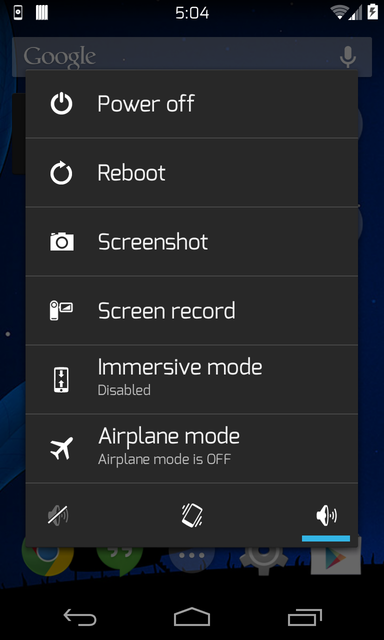
Via xda-developers.com

More aboutControl Your Android Device with Tilts and Flips