Easy File Transfer Between PC and Device with Websharing 2.0

Posted by Unknown on Monday, September 30, 2013

Easy File Transfer Between PC and Device with Websharing 2.0

Many moons ago, a developer known as XDA Forum Member tliebeck released a pretty interesting file manager called FX File Explorer, which among other things, allowed you to view and organize your media files in a more intuitive way without having to guess what you were looking at. This same dev also had another app under the name of WebSharing 1.0. This app along with most of its features was a perfect companion to the aforementioned file manager. As time went by, so did the development of WebSharing and its capabilities, leading us to today and a brand new version of the app. As it is commonplace with the Internet era lingo, the app has reached a level of evolution which grants it the "2.0″ designation.

Ok, so what is WebSharing anyways? Lets just say that if you are one of those people who absolutely hates having to carry around USB cords and who also happens to hate having to choose between MTP and USB Mass Storage mode, you will absolutely love this. The app, in a nutshell, allows the user to transfer files between a device and a computer that are connected to the same WiFi network through nothing else than a web browser. It is that simple. Connect to the WiFi access point of your choice and presto: You are free to roam around your device's internal folders without the need to physically connect the device to the PC.

The app allows for the transfer of the files through WiFi (so, you know you will get decent data transfer speeds). The use of HTML5 allows for a much faster and more fluid experience. If you are concerned that someone might be able to catch your files during the session, worry not. The app comes with a secure connection that will provide you (on the device) with a randomly generated password that needs to be entered into the browser in order to view the device's contents.

The app is currently in beta stages, and there are quite a few ways to sign up for the trial (including a direct download in the thread itself). Please help the dev out and provide feedback, bugs, ideas, or whatever you would like to contribute with.

  • Files can be uploaded by dragging them into the browser window.

  • You can drag multiple files in at once.

  • If you use Google Chrome, you can upload entire folder hierarchies by dragging them into the browser.

  • You can drag in more files while files are uploading, they'll be added to the queue.

  • You can navigate to other folders while files are uploading, and then drag files into those locations. They'll be added to the queue as well.

  • You can also use the "File" menu to upload files if you'd prefer not to use drag-and-drop.

  • Older browsers can still use legacy file upload controls.

  • You can click anywhere in the upload progress area to see a detailed view of upload progress.

  • In 2.0, the multiple file upload system is now a free feature (in 1.x, only the paid version allowed multiple file upload via a Flash-based control).

  • All of this is provided in the free version, without any limitations.

You can find more information in the original thread.

_________
Want something on the XDA Portal? Send us a tip!Google+

Via xda-developers.com

More aboutEasy File Transfer Between PC and Device with Websharing 2.0

Droid Manager Given Major Overhaul and New Functionality

Posted by Unknown

Droid Manager Given Major Overhaul and New Functionality

A little over a year ago, we took a look a Windows-based Android management utility created by XDA Recognized Developer DeepUnknown known as Droid Manager. Back then, the multi-purpose Android utility stood out by offering the ability to perform quite a few ADB-based tasks quickly and easily.

Since then, DeepUnknown has been hard at work, dramatically improving his application to bring in new features and more. One of the most interesting new features is Nandroid backup management, where you can easily create a new backup, list current backups, and delete existing backups. You can now also backup and restore installed apps, view boot animations prior to applying them, share files and folders via WiFi, and much more. The new version has even gained the ability to send any file on the connected device to your PC, provided that the included helper application is installed on the Android device. Finally, the utility has been given a completely new UI, in order to best present these new features.

If you've been looking for a general purpose Android management utility for your Windows PC that does almost any ADB-related task you could want, head over to DeepUnknown's utility thread and give Droid Manager a shot.

_________
Want something on the XDA Portal? Send us a tip!Google+

Via xda-developers.com

More aboutDroid Manager Given Major Overhaul and New Functionality

Porting Sony Small Apps to CM 10.1, Sony Rooting Toolkit, Sony Add-on SDK 2.0 Released! – XDA Developer TV

Posted by Unknown

Porting Sony Small Apps to CM 10.1, Sony Rooting Toolkit, Sony Add-on SDK 2.0 Released! – XDA Developer TV

The Sony Add-on SDK 2.0 has been released, and it brings new APIs for the Sony SmartWatch 2 and Xperia Z1. That and much more news is covered by Jordan, as he reviews all the important stories from this week. Included in this week's news is an article about an easy rooting Toolkit makes rooting simple on Sony devices. In more Sony news, he talks about the guide on how to port the Sony small apps and task switcher to CM10.1.

Jordan talks about the other videos released this weekend on XDA Developer TV. XDA Developer TV Producer Jayce released a video answering his frequency asked questions, and later he released a video talking about how to combat procrastination. Pull up a chair and check out this video.

Links to stories mentioned:

  • How to Port Sony Small Apps and Task Switcher to CM10.1
  • Easy Rooting Toolkit Makes Rooting Simple on Sony Devices
  • Sony Add-on SDK 2.0 Brings New APIs for SmartWatch 2 and Xperia Z1
  • iCube Brings a Modern Take on Labyrinth Games
  • Most Asked Questions About Becoming a Developer – XDA Developer TV
  • Why You'd Rather Be Coding – XDA Developer TV

Check out Jordan's YouTube Channel and Jordan's Gaming YouTube Channel

_________
Want something on the XDA Portal? Send us a tip!Google+

Via xda-developers.com

More aboutPorting Sony Small Apps to CM 10.1, Sony Rooting Toolkit, Sony Add-on SDK 2.0 Released! – XDA Developer TV

Tinted Status Bar Brings App-Specific Color Changes

Posted by Unknown

Tinted Status Bar Brings App-Specific Color Changes

If you've been following the rumor mill surrounding Android 4.4 KitKat, you've surely seen the unverified leaked images of the new status bar. Rather than being a static shade, many think that the next revision of the OS will feature a dynamically colored status bar that changes depending on the app currently in view. This isn't a new feature, however.

We've seen options to allow for this implemented by the Paranoid Android team for quite some time. However, it would be nice to see this in first party form, as well as being made accessible to all users on the latest OS. Until then, XDA Senior Member MohammadAG has us covered with an Xposed module aimed at doing exactly that.

Naturally since this is an Xposed module, you'll need XDA Recognized Developer rovo89's powerful Xposed Framework (thread) to get started. After that, it's largely a plug and play affair.

Since this module uses app-specific colors and naturally not every app has been added to the database, there will be a bit of tweaking required for less common applications. So far, there are 9 apps added with default colors across 13 activities, but if you'd like to see more, you can add them in through the developer's Google Drive. However, future apps can be written to make use of MohammadAG's status bar module by using a special intent that allows status bar and icon color to be specified.

Make your way over to the module thread to get started.

_________
Want something on the XDA Portal? Send us a tip!Google+

Via xda-developers.com

More aboutTinted Status Bar Brings App-Specific Color Changes

Location-Based Notifications for Yourself or Others

Posted by Unknown

Location-Based Notifications for Yourself or Others

Not too long ago, Google Now and Google Keep both acquired the ability to set location-based reminders. This is a great feature, as a reminder can only ever be as useful as its predefined triggers. One major issue with the two aforementioned apps, however, is their requirement for relatively new versions of Android (4.0 or greater). Since a sizeable chunk of the Android pie (32%) is made up of Android 2.x users, there has to be a more inclusive solution.

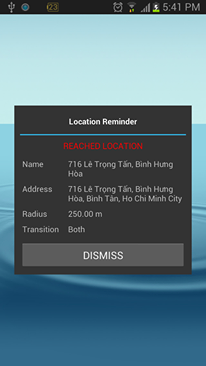
Thankfully for users running older versions of Android, XDA Forum Member safet.me created Location Reminder. As you would expect from an app promising location-based reminders, Location Reminder allows you to set predefined locations to trigger notifications. Unlike other solutions, however, Location Reminder allows for much more granular control of trigger parameters such as radius and transition. Furthermore, different actions can be set to take place upon reaching the destination such as sounding an alarm or sending a text or email message to a predefined address. These two features make Location Reminder potentially useful to any, rather than just those stuck on older versions of Android.

Head over to the application thread to get started.

_________
Want something on the XDA Portal? Send us a tip!Google+

Via xda-developers.com

More aboutLocation-Based Notifications for Yourself or Others

Solo Launcher Offers Impressive Gestures and Customization

Posted by Unknown on Sunday, September 29, 2013

Solo Launcher Offers Impressive Gestures and Customization

Perhaps the most widespread form of device customization that we have on the Android platform is the ability to install a custom launcher. If there's one UI modification that pretty much all of us have tried, it's replacing the stock launcher with an aftermarket solution. After all, while the stock launcher on Ice Cream Sandwich and up is both intuitive and smooth, this wasn't always the case.

On older versions of Android, the stock launcher's performance often lagged behind aftermarket solutions such as ADW and LauncherPro. Now that Android's built-in launcher has evolved considerably, it's far more than good enough. Furthermore, many of our favorite aftermarket launchers such as Nova and Apex have evolved from the more recent versions of Android's stock launcher. So how does a new launcher hope to stand out?

XDA Forum Member Geek4IT has developed Solo Launcher, with the hopes of making it stand out among the sea of other options. At first glance, Solo looks very much like Android's native launcher. The completely free launcher allows for extensive customization, with over 250 settings in total.

Like many other options, it shows unread notification counts on app icons, and supports 9 types of complex gestures such as double finger scrolling and more. Setting it apart from some of the other free offerings, Solo lives up to its name by serving as the one source for your launcher needs. By this, I mean that it comes with a plethora of built in themes, wallpapers, lock screens, fonts, and widgets. And if thsoe aren't enough, it also supports Nova, Go, and Apex themes as well.

If you've been looking to try out a new launcher, head over to the application thread.

_________
Want something on the XDA Portal? Send us a tip!Google+

Via xda-developers.com

More aboutSolo Launcher Offers Impressive Gestures and Customization

Mi File Explorer Given Massive Update to v4

Posted by Unknown

Mi File Explorer Given Massive Update to v4

About a year and a half ago, we wrote about how the much lauded MIUI File Explorer was ported to other devices and given root access capabilities. Since then, XDA Senior Member HootanParsa's project has grown and matured in many ways. Along with changing its name to Mi File Explorer, HootanParsa's app has been completely reworked with an entirely new codebase, rather than the ported MIUI file explorer seen at the project's inception.

Now, the project has hit its fourth version (4.0.1, to be exact), and it offers a dramatically upgraded feature set. As of version 4, it gained a Holo-compliant user interface, along with two additional list view modes and a visual skin selector. In addition, it also gained useful network abilities such as a SMB (Windows share), SFTP, and WebDav explorer. It also added modules for various cloud services such as Box, DropBox, SugarSync, SkyDrive, Google Drive, Ubuntu One, Copy, iDrive, and much more. And in the app's minor point revision to 4.0.1, Mi File Explorer gained the ability to search for local IPs in SMB, as well as various bug fixes and optimizations.

From the great visuals to the powerful supported operations, there's much to love about Mi File Explorer. Head over to the original thread to get started with this great file explorer.

_________
Want something on the XDA Portal? Send us a tip!Google+

Via xda-developers.com

More aboutMi File Explorer Given Massive Update to v4

Why You’d Rather Be Coding – XDA Developer TV

Posted by Unknown

Why You'd Rather Be Coding – XDA Developer TV

Many of our readers out there have the desire to become developers. Many have an idea for an app, but they never actually get around to doing anything. This could be called procrastination. This could be called the new Grand Theft Auto V video game. This could be the final episode of Breaking Bad. Whatever you call it, it is bad.

In today's video, XDA Developer TV Producer Jayce talks about this curse and preventor of productivity. Jayce talks about this problem, defines it, and gives it a name. Jayce then gives some ideas on how to overcome this hurdle and what you can do to become successful. Check out this video to learn more.


Resource Links:

Be sure to check out other great XDA Developer TV Videos.

Check out Jayce's HowToBecomeTV YouTube Channel

_________
Want something on the XDA Portal? Send us a tip!Google+

Via xda-developers.com

More aboutWhy You’d Rather Be Coding – XDA Developer TV

Hone Your Sudoku Skills with Sudo+

Posted by Unknown

Hone Your Sudoku Skills with Sudo+

Earlier we featured a new take on an old favorite with iCube by XDA Forum Member UnnyHog. The game let us relive the simple joys of old fashioned labyrinth games, but with gorgeous 3D graphics and a reworked input method. However, there are times when we would like to use our thinking caps a little more, and for those instances, games like Sudoku can be great brain games.

Let's face it, though, playing Sudoku with a paper and pencil can quickly become tedious. After all, it becomes a procedure to sit down, find a suitable table or desk, and play, rather than simply pulling your phone out of your pocket. Of course, there are probably hundreds of Sudoku games available in the Play Store. However, XDA Forum Member pofufo brings us a new take that has a very polished interface with a pop-up input method, cell annotation, intelligent hints, and more.

The game is quite streamlined, with a simple tap allowing you to enter a number, a long tap for annotations, and a double tap to add a highlight. The game also features automatic progress saving and the ability to undo and redo moves. Best of all, Sudo+ is free with absolutely no limitations and advertisements.

Head over to the game thread and give your mind a challenge. While you're there, be sure to leave feedback for the developer!

_________
Want something on the XDA Portal? Send us a tip!Google+

Via xda-developers.com

More aboutHone Your Sudoku Skills with Sudo+

TWRP Recovery Themes for 720p Devices

Posted by Unknown

TWRP Recovery Themes for 720p Devices

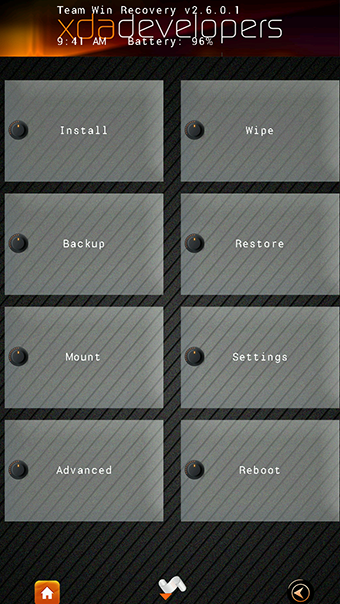
Sometimes, it's those little tweaks that fill us with the most joy inside—you know, little goodies like boot animations, themed icons, and the like. After all, our mobile devices are growing so incredibly powerful that not even manufacturer-supplied bloatware can hold them back from delivering acceptable levels of performance. Because of this, many have taken to creating and applying themes all throughout their OS in the form of themed apps, launchers, and icons.

Not too long ago when we were talking about TWRP2, we mentioned that it had recently acquired theme support. At the time, we laughed, wondering why anyone would actually want to actually theme their recovery. Again, though, it's those little things that seem to matter most.

XDA Senior Member Primokorn created a set of beautiful TWRP themes compatible with 720p devices. One in particular caught our eye, and you can see it in the image to your right… Need I say more?

Head over to the original thread to get the TWRP goods. If you'd rather create your own theme for the recovery, be sure to visit their theming guide as well.

_________
Want something on the XDA Portal? Send us a tip!Google+

Via xda-developers.com

More aboutTWRP Recovery Themes for 720p Devices

iCube Brings a Modern Take on Labyrinth Games

Posted by Unknown on Saturday, September 28, 2013

iCube Brings a Modern Take on Labyrinth Games

Ever since purchasing my first smartphone approximately ten years ago, I've had hundreds of mobile games installed across nearly two dozen different mobile devices. However, a special place in my heart will always be reserved for HTC's Teeter.

Although primitive by today's standards, Teeter provided a uniquely simple yet consuming experience. Since then, we've seen ports for Windows Phone and Android, but not too much has been done to move the concept forward and take advantage of our advances in 3D rendering and processor speed.

Thankfully, XDA Forum Member UnnyHog has released iCube for Android, which brings the labyrinth puzzle-type action into the third dimension. Just like HTC's 2D classic, the objective of the game is to free your ball from the maze. To do this, you swipe around the screen to modify the orientation of the containing cube maze. While this means that the accelerometer-based controls of yore are now gone, the added precision proves useful given the game's added depth.

Weighing in at 81 puzzles thus far, iCube offers enough challenge to keep players occupied for quite some time. If you're looking for a modern take on that old gem, head over to the game thread and get in on the puzzle action.

_________
Want something on the XDA Portal? Send us a tip!Google+

Via xda-developers.com

More aboutiCube Brings a Modern Take on Labyrinth Games

Quickly Optimize APK and Classes.dex with GOptimize

Posted by Unknown

Quickly Optimize APK and Classes.dex with GOptimize

If you're trying to minimize your load times by lowering I/O time, optimizing your applications' resources may be worth looking into. Naturally, loading smaller APKs leads to less time spent reading the application data. With any form of compressed data, there eventually becomes a tradeoff in compute versus read time in higher levels of compression, but for the most part application loads and general device performance seems to be limited by I/O rather than compute performance.

For this reason, XDA Senior Member gu5t3r created a simple BASH script to help you quickly optimize your applications. It mainly works by compressing your PNGs more efficiently. However, it skips the pesky NinePatch files in order to prevent potential force closes. For PNG compression, the tool uses a combination of TruePNG, pngout, and DeflOpt, and gu5t3r claims that it will result in a net halving of storage space compared to the more standard OptiPNG compression.

The script comes in the form of a Cygwin-based BASH script, and it comes with all of the executables you need to get started easily. Users in the thread have reported significant decreases in file size with no loss in functionality. Will it make any actual noticeable difference in performance? That depends on a number of variable such as your device's I/O speed, CPU power, and application size. That said, it can't hurt to try.

Make your way over to the utility thread to get in on the action.

[Thanks to Senior Member ct_moi for the tip!]

_________
Want something on the XDA Portal? Send us a tip!Google+

Via xda-developers.com

More aboutQuickly Optimize APK and Classes.dex with GOptimize

Most Asked Questions About Becoming a Developer – XDA Developer TV

Posted by Unknown

Most Asked Questions About Becoming a Developer – XDA Developer TV

Becoming a developer is the dream of many. Unfortunately, it remains the dream of most people because they don't quite know how to begin. Over the last months, XDA Developer TV Producer Jayce has given a lot of information about what developers do, how they became developers, and how to learn to become a developer. With all that information being presented, there are bound to be questions.

In today's video, XDA Developer TV Producer Jayce talks about the most asked questions about becoming a developer. Jayce digs deep into his email box and finds the top questions he gets repeatedly. Jayce talks about the questions and gives some answers and advice for those wondering. Check out this video to learn more.

Resource Links:

Be sure to check out other great XDA Developer TV Videos.

Check out Jayce's HowToBecomeTV YouTube Channel

_________
Want something on the XDA Portal? Send us a tip!Google+

Via xda-developers.com

More aboutMost Asked Questions About Becoming a Developer – XDA Developer TV

Voice Out Small App for Xperia Device Text Messages

Posted by Unknown

Voice Out Small App for Xperia Device Text Messages

Just a little while ago, we featured a guide showing users how to bring Sony Xperia small apps to other Android 4.2.2-based ROMs such as CyanogenMod 10.1. As if the more common small apps weren't enough, third party developers will continually bring out additional apps that make use of these device-specific APIs.

One such application coming from XDA Forum Member luisarn serves as a small and lightweight TTS (text-to-speech) client for incoming text messages. Voice Out is both free and ad-free. Like other Sony Xperia small apps, Voice Out open in a small window and allows you to move it to a more convenient location atop your currently running application. The app works by automatically importing text from your clipboard and speaking it out loud. It is currently compatible with three TTS engines: Google, Pico, and Ekho. The last one is added for Chinese (more specifically: Cantonese and Mandarin) language support.

While this may not exactly be a life changing app, it brings a bit more convenience to the text messaging experience by letting you do other things that require your attention while you listen to your texts. Head over to the original thread to get started.

_________
Want something on the XDA Portal? Send us a tip!Google+

Via xda-developers.com

More aboutVoice Out Small App for Xperia Device Text Messages

How to Port Sony Small Apps and Task Switcher to CM10.1

Posted by Unknown on Friday, September 27, 2013

How to Port Sony Small Apps and Task Switcher to CM10.1

If own a Sony Xperia device and have switched out your ROM for an AOSP-derived firmware such as CyanogenMod, you may miss a few OEM-provided pieces of software from time to time. Some of the interesting value-added software provided by Sony include their "small apps," as well as their upgraded task switcher.

Thankfully, XDA Senior Member lukakas has created a guide to help you port these Sony-specific additions to CyanogenMod 10.1 (and perhaps any ROM based on Android 4.2.2). More specifically, the guide allows you to bring the Sony Xperia Z-specific versions of those addons.

The guide is extremely well written, and even features a helpful YouTube video that shows some of these additions in action. The guide walks you through the process of decompiling and modifying android.policy.jar, framework.jar, framework-res.apk, and SystemUI.apk. All of the modifications as well as what to do afterward are clearly outlined and color coded.

Head over to the tutorial thread to get started. Kudos to lukaskas for the well written and easy-to-follow instructions.

_________
Want something on the XDA Portal? Send us a tip!Google+

Via xda-developers.com

More aboutHow to Port Sony Small Apps and Task Switcher to CM10.1

Google Bans Spammy Ads from Play Store

Posted by Unknown

Google Bans Spammy Ads from Play Store

If you're a developer who writes mobile apps for a living, chances are that you've at least experimented with mobile ads in the past. Far more true than on other competing platforms, the Android app developer ecosystem is essentially driven by in-app advertisements rather than upfront payments.

This is a topic we broached some time ago, when we presented a thread with various developers' experiences with different monetization strategies. Long story short: Ads and in-app purchases seem to be far more powerful tools in your monetization arsenal than upfront paid apps.

This should all come as no surprise for a variety of reasons. One of the main driving forces for this primarily ad-based monetization is that most Android users have come to expect free functionality thanks to Google's extremely comprehensive ad-supported services. Starting with class leading search, the company has continued to offer some of the best solutions for maps, email, calendar hosting, translation, note keeping, and much more. Most of the company's services are offered for free to end users, at the expense of mobile ads. So when your core operating system's provider has built an empire based on "free," why would you want to part ways with your hard earned cash for some cell phone fart app that you probably won't use in a month?

While ads may seem like a sort of saving grace to developers in the face of a community that refuses to pay for apps and services, ad-based monetization isn't always a perfect solution. We've talked about some of the problems when ad providers go too far, and the impact this has on the applications' users. Aggressive advertising that breaks an end user's trust is unethical. And aside from the questionable ethics, it's simply not sustainable as a means of monetization. This is because users will simply lose trust for a developer that uses these types of ad networks.

However, the problem with certain implementations of ad-based monetization goes beyond simply shady ad networks. Certain applications, perhaps even ones that you've tried and promptly uninstalled, place annoying and intrusive advertisements in your notification bar or ad-based shortcuts on your home screen. This is simply unacceptable from an end-user perspective. Thankfully, Google is now putting an end to these practices.

According to VentureBeat, Google has made two very important changes to the Google Play Developer Program Policies. Thanks to the changes, applications can no longer place advertisements in the notification bar, and they can no longer create ad-based shortcuts on your launcher. Developers with offending applications now have 30 days to update their apps. Beyond that time, applications found to be in violation will likely be removed from the Play Store.

If you're a developer who currently uses these types of advertisements, your initial reaction may be one of anger towards the new policy change. However, this isn't necessarily a bad thing for you—even if you have to rethink your monetization strategies. In fact, we think it's more than likely a win-win scenario for both end users and developers. End users feel more confident in your applications, and application developers likely acquire more users.

Are you a developer who relies on ad-based monetization? Are you an end user who has experienced these aggressive advertisements in the past? Let us know what you think of these policy changes in the comments section below!

[Thanks to XDA News Writer Samantha for the tip!]

_________
Want something on the XDA Portal? Send us a tip!Google+

Via xda-developers.com

More aboutGoogle Bans Spammy Ads from Play Store

Easy Rooting Toolkit Makes Rooting Simple on Sony Devices

Posted by Unknown

Easy Rooting Toolkit Makes Rooting Simple on Sony Devices

Normally when rooting a non-Nexus device, your first order of the day becomes finding out exactly what its particular rooting instructions are and what tools you need. For most users, this then means downloading a toolkit with the appropriate root exploit, superuser binary and control app, and a custom recovery. However, it's always nice to see a utility that is compatible with a large number of devices.

Well thanks to XDA Recognized Developer DooMLoRD, this is no longer a big issue for a large number of Sony devices. Housed in our recently launched Cross-Device Development forum for Sony Devices, the toolkit has been tested and found compatible with (at least) a grand total of 25 devices across 43 configurations.

Make your way over to the rooting toolkit thread to get started.

It is important to note that for Sony Xperia Z, ZL, and ZR devices running the latest 10.3.1.A.0.244 firmware, the toolkit will not work. This is because the perf_event exploit used in the utility has since been patched. To root these devices, head over to the rooting thread for the Sony Xperia Z/ZL/ZR.

_________
Want something on the XDA Portal? Send us a tip!Google+

Via xda-developers.com

More aboutEasy Rooting Toolkit Makes Rooting Simple on Sony Devices

Easier Chromecast Rooting/Modding, LOLCODE for Android, Half Life on Windows RT – XDA Developer TV

Posted by Unknown

Easier Chromecast Rooting/Modding, LOLCODE for Android, Half Life on Windows RT – XDA Developer TV

You can now root your Google Chromecast easily with FlashCast if you have the correct firmware. That and much more news is covered by Jordan, as he reviews all the important stories from this week. Included in this week's news is an article about generating NVflash blobs for the original Nexus 7 and other ASUS tablets and news about Pie Controls for all devices running Froyo and newer.

Jordan talks about the other videos released this week on XDA Developer TV. XDA Developer TV Producer Kevin released a video reviewing the HTC One, and TK released a video comparing three different Android keyboards and a review of DashDroid. Pull up a chair and check out this video.

Links to stories mentioned:

  • FlashCast Makes Chromecast Rooting Easy
  • Generate Nvflash Blobs for Original Nexus 7 and Other Asus Tablets with Flatline
  • Open Source LOLCODE Editor and Interpreter for Android
  • Pie Controls for All Devices Froyo Onward
  • Grab that Crowbar, it's Half Life on Windows RT
  • Take Control of Your Body with Dietista
  • Device Review: HTC One
  • Keyboard App Challenge: TouchPal X vs SwiftKey vs Google Keyboard – XDA Developer TV
  • Android App Review: Don't Just Share, Dash Your Files Over with DashDroid – XDA Developer TV

Check out Jordan's YouTube Channel and Jordan's Gaming YouTube Channel

_________
Want something on the XDA Portal? Send us a tip!Google+

Via xda-developers.com

More aboutEasier Chromecast Rooting/Modding, LOLCODE for Android, Half Life on Windows RT – XDA Developer TV

Use NFC for App Access and Control

Posted by Unknown

Use NFC for App Access and Control

As we talked about a little while ago, NFC can accomplish far more than "merely" serving as a replacement for your credit card. After all, while incredibly cool, NFC mobile payments make up just one potential use for the technology—and one that not very many devices support in the first place due to the lack of an NFC secure element.

One such alternative use for the technology is automation. Due to having two young children with a penchant for Netflix viewing, XDA Forum Member odwdinc decided to streamline a method to control various apps by using NFC tags. His guide uses physical tags, as well as a few add-on programs to script many complicated input tasks that would otherwise be difficult for young one (or those otherwise unable to use smartphones).

The guide is currently a work-in-progress, as "only" Pandora, Netflix, Skype, and YouTube are supported. Furthermore, the list of URIs that are used are undocumented, and thus may stop working at any time.

The guide currently is aimed at advanced users and those who can contribute. This is because the individual steps for calling the URIs via Tasker and NFC Task Launcher are not yet described. However, if you have experience using these programs and all you need are the commands, this is a great place to start. And if you know of additional URIs to accomplish more tasks with more apps, please feel free to contribute.

Head over to the original thread to get started on the journey towards NFC-based app access and control.

_________
Want something on the XDA Portal? Send us a tip!Google+

Via xda-developers.com

More aboutUse NFC for App Access and Control

Sony Add-on SDK 2.0 Brings New APIs for SmartWatch 2 and Xperia Z1

Posted by Unknown on Thursday, September 26, 2013

Sony Add-on SDK 2.0 Brings New APIs for SmartWatch 2 and Xperia Z1

If you're a developer looking to target the Sony Xperia Z1 or Sony SmartWatch 2, the latest version of Sony's Add-on SDK will undoubtedly be of interest. While having device-specific features inherently brings a set of pros and cons, it's hard to argue with the fact that doing so uniquely tailors the software to work well with the hardware. Sony recently unveiled the second version of its Add-on SDK, which adds support for the new Sony SmartWatch 2 and the new Camera Add-on API.

The new capabilities for the SmartWatch 2 allow users to specify layouts to be displayed on the watch like they would be specified on Android. This also enables smoother scrolling than before in Gallery and ListView. You are also able to specify menus to be displayed on the device, as well as access the compass and light sensor.

The new Camera Add-on API allows you to tailor your camera app to make it accessible directly from the Xperia Z1′s "Smart Social Camera." Doing this, the app gains additional visibility and integration from within the standard camera interface. Furthermore, developers can use the API to integrate the Xperia Z1′s camera features and modes into their own apps. This allows third party camera apps to work particularly well with the device's camera.

To learn more, head over to the Sony Development Blog post detailing the v2 SDK. From there, also visit the posts below to use the new APIs:

_________
Want something on the XDA Portal? Send us a tip!Google+

Via xda-developers.com

More aboutSony Add-on SDK 2.0 Brings New APIs for SmartWatch 2 and Xperia Z1

FlashCast Makes Chromecast Rooting Easy

Posted by Unknown

FlashCast Makes Chromecast Rooting Easy

Some time ago, we wrote about how the folks over at GTVHacker managed to root the Google Chromecast. Shortly thereafter, the secure boot vulnerability was closed, and this root method no longer worked. For this reason, many users refuse to let new Chromecast units connect to the Internet before first rooting and disabling OTAs.

Naturally, if you have already connected your Chromecast and it has already updated its firmware, you cannot root the device at the moment. However, for those lucky enough to have a unit running the original shipping firmware, you now have a streamlined method of acquiring root thanks to XDA Forum Member tchebb and his USB image flashCast.

So what is flashCast, exactly? Well, as described by the developer:

FlashCast is a USB image that provides a standardized way to mod your Chromecast. Think of it like a recovery which runs off of a USB drive. No more struggling with the limitations of the GTVHacker image, which is hard to modify and can only flash the /system partition. FlashCast is based on shell scripts, so it you can use it to do anything you can do with a root shell. It also comes with a comprehensive suite of helper functions, so many tasks actually become much easier than they would be using a regular shell.

In other words, it's an easy and standardized image that works analogously to a recovery. So what do you need to use this? As stated above, you first need a Chromecast with a vulnerable bootloader. In addition, you need the latest version of flashCast, a USB drive of at least 128 MB, and a powered micro USB OTG cable.

Once you have the required components, simply install flashCast to the USB drive with a low-level write using dd on Linux or Win32DiskImager on Windows. From there, use the special instructions to connect the device to the storage, keeping in mind the proper order.

To get started, head over to the original thread. Once again, this will only work with the original shipping firmware and will not work if your device has been updated. However, if you have a brand new, unused Chromecast, it's practically begging to be flashCasted.

_________
Want something on the XDA Portal? Send us a tip!Google+

Via xda-developers.com

More aboutFlashCast Makes Chromecast Rooting Easy

Beginner’s Guide on How to Setup and Use Fastboot

Posted by Unknown

Beginner's Guide on How to Setup and Use Fastboot

One of the most important tools we have for flashing images directly from a PC is fastboot. Almost anyone who's rooted an HTC or Nexus device has used it, either through command line or through an automated tool making use of fastboot.

After all, this is how we execute that fastboot oem unlock command that we all know and love on Nexus devices. However, there's much more that you can do with fastboot. Now thanks to XDA Recognized Contributor demkantor, we have a simple and incredibly easy to understand guide that teaches you how to setup fastboot, what it can do, how you can use it, and why you would even want to use it.

After drawing parallels to ADB and giving beginners a brief overview of what it can do, the initial setup is covered with two options: either manual setup via the Android SDK or a more automated tool to obtain the requisite binaries. After this, basic fastboot commands are covered such as erasing an existing partition or flashing it with an image. Sample output text is provided so that you know what to expect when doing it for yourself for the first time.

If you're a new user who has never used fastboot, now would be a great time to learn. Head over to the guide thread to learn more.

_________
Want something on the XDA Portal? Send us a tip!Google+

Via xda-developers.com

More aboutBeginner’s Guide on How to Setup and Use Fastboot

Android App Review: Don’t Just Share, Dash Your Files Over with DashDroid – XDA Developer TV

Posted by Unknown

Android App Review: Don't Just Share, Dash Your Files Over with DashDroid – XDA Developer TV

There are many different ways to get files to your device: Email, Dropbox, cloud backup, USB cable, FTP, carrier pigeon, and more. But some of these things can be slow, or in the case of the USB cable, difficult to find. Wouldn't it be great if you could transfer files between your devices or your Windows 7 desktop quickly and easily?

XDA Senior Member Uizz.UW  offers up his Android app and companion app to help you with your file transfer needs. In this video, XDA Developer TV Producer TK reviews DashDroid. TK shows off the application and gives his thoughts, so check out this app review.

Be sure to check out other great XDA Developer TV Videos

_________
Want something on the XDA Portal? Send us a tip!Google+

Via xda-developers.com

More aboutAndroid App Review: Don’t Just Share, Dash Your Files Over with DashDroid – XDA Developer TV

Grab that Crowbar, it’s Half Life on Windows RT

Posted by Unknown

Grab that Crowbar, it's Half Life on Windows RT

OK, I must admit before I write anything else that this story hits extremely close to home on the nostalgia front. Having first played the game upon release in 1998 and considering it one of the best games of any genre ever made, Half Life's single player campaign not only forged a new genre of story-driven and immersive first person shooters; It defined the later part of my childhood.

With that disclaimer etched in digital 1s and 0s, I'm delighted to say that it is possible to enjoy this masterpiece of digital entertainment on Windows RT tablets thanks to XDA Forum Member S1yRuleZ. The project is built atop the preexisting WinQuake ARM project by Senior Member bfosterjr. The game itself is occasionally glitchy, but this shouldn't detract from the pure awesomeness of being able to travel between worlds and defeat the Nihilanth and the rest of the Xen forces.

Naturally, users must supply their own game data (PAK files), which can easily be obtained from the original game's ID1 folder. This is because the actual game content is housed within these files, and including them would be less than legal. However, even if you can't find that old installation CD of yours, you can always pick up this relic of a game for practically pennies on your online game distribution network of choice.

Head over to the original thread to get started.

_________
Want something on the XDA Portal? Send us a tip!Google+

Via xda-developers.com

More aboutGrab that Crowbar, it’s Half Life on Windows RT

GravityBox Xposed Module Brings Pie Controls and Much More

Posted by Unknown on Wednesday, September 25, 2013

GravityBox Xposed Module Brings Pie Controls and Much More

Yesterday, we talked about a root-only app by XDA Senior Member EatHeat that brings Pie Controls similar to those seen in Paranoid Android to all devices running Android 2.2 or higher. In the comments section, Senior Member xcheljd let us know about another option that brings Pie Controls to devices that have XDA Recognized Developer rovo89's versatile and powerful Xposed Framework (thread) installed. This tweak pack, however, packs a whole lot more in addition to Pie Controls.

The GravityBox Xposed module by XDA Senior Member C3C076 was originally developed to provide various fixes for various Mediatek MTK6589 bugs. It has developed into far, far more. Naturally, since this is an Xposed module, you must be rooted, running Android 4.0 or greater, and have the Xposed Framework installed.

While GravityBox still delivers its original functionality in the form of various bug fixes, it now also provides features such as Pie Controls, expanded desktop, Status Bar QuickSettings tile management, Status Bar color and transparency settings, and a plethora of other visual and functional tweaks.

If you've been looking for a great general purpose Xposed module to tweak a large number of items, GravityBox should be on your short list to check out. Head over to the module thread to get started.

The full list of features, as provided by the developer, can be found below:

Feature highlight
GravityBox provides 2 main groups of features:
Fixes – help to fight typical MTK6589 bugs like:
— Date&Time settings crash
— Caller ID mismatch
— Split conversation in messaging
— Wakelock in calendar app periodically turning on the screen
— Waelock in messaging app turning on the screen every time new message arrives
— Missing TTS settings in Language&Input
— Missing extended developer options

Mods – the set of additional useful features that make using the system more easy and fun
— CyanogenMod Pie controls
— Expanded Desktop
— Statusbar QuickSettings tile management
— Lockscreen targets
— Statusbar color and transparency
— Statusbar Brightness Control
— Statusbar icon colors
— Additional QuickSettings tiles:
——- Sync on/off, WiFi AP on/off, GravityBox shortcut, Torch, Network mode (2G/3G/2G+3G switch), Sleep, QuickRecord,
QuickApp, GPS on/off, Ringer mode, Volume tile
— Quick pulldown – switches to QuickSettings when status bar is pulled down near edges
— Auto-switch to QuickSettings when there are no notifications
— Center clock in statusbar
— Battery indicator style
— Navigation bar tweaks
— Low battery warning policy
— Disable LED flashing when battery low
— Disable LED while charging
— Auto-hiding of signal icons for empty SIM Slots
— Advanced power-off menu (reboot, recovery)
— Volume key cursor control
— Skip tracks by volume key long-press while screen off (thanks to rovo89)
— More volume levels for music stream
— Option to control safe headset media volume
— Button for clearing all recent tasks at once
— Fullscreen caller photo
— CRT screen off animation
— Minimal brightness setting
— Autobrihtness levels adjustment
— Lockscreen tweaks – show widgets maximized, lockscreen background style (color fill, custom image)
— Lockscreen rotation
— Phone tweaks – flip action, disable vibrate on call connect
— Hardware key actions – menu long-press/double-tap, back long-press, home long-press
— MasterKey vulnerabilities patched (thanks to @Tungstwenty)
— Dithered Holo background
— Option to use solid black Holo background
— Expandable volume panel
— Option to unlink ringtone and notifications volumes
— Notification drawer style (background color, image for portait/landscape, transparency)
— Button backlight modes (default, disabled, always on while screen is on)
— Button backlight notifications (for devices that lack Notification LED)
… more to come

_________
Want something on the XDA Portal? Send us a tip!Google+

Via xda-developers.com

More aboutGravityBox Xposed Module Brings Pie Controls and Much More

Another Round of Updates for First Party Google Apps

Posted by Unknown

Another Round of Updates for First Party Google Apps

A little over a month ago, Google issued a slew of updates for various first party Android apps. Most notably, Search, Maps, Keep, and YouTube received major functional changes. These updates brought Waze integration to Google Maps, picture-in-picture to YouTube, additional and improved cards to Google Now, and location-aware notes in Google Keep. Today, Google has begun rolling out another round of updates for Hangouts, Voice, Search, and Gmail.

At the time of the last round of updates, Google Hangouts also received an update. However, there were no major user-visible changes at that time. Thankfully, an update being rolled out today finally eliminates a major sore spot for many users ever since the app's emergence as a Google Talk replacement. This is, of course, the lack of contact status indicators. On previous builds of Hangouts for Android, one could never really know whether their conversation partners were online. Sure, users could see if their recipients had actually viewed their sent messages. However, there was no real way to know if unviewed messages were due to contacts being offline or being just plain unresponsive / inactive. This was a bit odd, given that contact status indicators were available in Hangouts for the web. Thankfully, today's update brings the aforementioned functionality to the Android app. Still yet to happen, however, is any sort of integration with Google Voice that was rumored some time ago.

On the topic of Voice, Google's call routing service also received an update to its Android app today. Previously, Google Voice lacked the ability to natively send out SMS short code text messages. While the previous build would reroute the message through the native text messaging app and still manage to send out the message to the desired short code recipient, this would then be sent from your native (telecom carrier) number rather than your chosen Google Voice number. Naturally, this could lead to unwanted privacy issues for those who never share their native numbers, and instead rely exclusively on Google Voice. Thankfully, the newest version of Google Voice has addressed this issue and now allows for SMS short code messages to be sent directly from your Google Voice number.

Next up is Google Search, which received several new feature additions in today's update. Perhaps most significantly, today's update has brought with it location-aware websites. In other words, travelling to certain locations will prompt Google Now to display websites related to your location. In addition, you are now able to set reminders based on product release dates. Another new feature is that the flight status card is now able to view flight information in real time. Additionally, Google Now has integration with smart TVs, it can receive car rental reservations from Gmail, and it can tell friends and family when they've left work. The last feature, however, is gradually rolling out to Google Search users.

Last but certainly not least, Gmail received a substantial update today. The biggest change in today's update is the incorporation of Google's acclaimed Card UI, leading to a much cleaner conversation view. In for the ride, today's update also brings checkmarks for multiple message selection, as well as the ability to see right from your inbox whether account sync is enabled. This way, you won't miss that important email just because your phone didn't sync  with the servers yet.

Today's round of updates bring many important and much needed features to many of Google's core first party Android apps. Which of these new features is most important to you? Personally, I think the Hangouts status indicator update stole the show, as this should have been implemented from the start. I guess it's better late than never, though. Share your thoughts in the comments box below.

Head over to the Play Store for the latest versions:

_________
Want something on the XDA Portal? Send us a tip!Google+

Via xda-developers.com

More aboutAnother Round of Updates for First Party Google Apps

Keyboard App Challenge: TouchPal X vs SwiftKey vs Google Keyboard – XDA Developer TV

Posted by Unknown

Keyboard App Challenge: TouchPal X vs SwiftKey vs Google Keyboard – XDA Developer TV

Everyone uses a keyboard on his or her touchscreen device. There are many choices in soft keyboards, and they are all quite similar. But are they the same? Is it worth spending money to get a good keyboard? Why would I want to use anything other than the standard Android keyboard?

In this video, XDA Developer TV Producer TK attempts to answer those questions. TK shows off three applications, XDA Senior Member TouchPal's TouchPal X, the premium SwiftKey app, and the default Android keyboard. TK compares their usability and functionality, and he gives his thoughts on these applications. Check out this keyboard app challenge.

Be sure to check out other great XDA Developer TV Videos

_________
Want something on the XDA Portal? Send us a tip!Google+

Via xda-developers.com

More aboutKeyboard App Challenge: TouchPal X vs SwiftKey vs Google Keyboard – XDA Developer TV

Sony Brings the Knowledge and the Goods in Their Presentations

Posted by Unknown

Sony Brings the Knowledge and the Goods in Their Presentations

XDA:DevCon 2013 is over. Without the great support from our sponsors, the event would not have been nearly as interesting or informative. One sponsor that really stepped up was Sony. Not only did they attend and bring their latest goods for ogling and testing, but they also brought three interesting presentations of our enjoyment.

Their first presentation Karl-Johan Dahlstrom (head of Developer Relations at Sony Mobile) gave was titled "How Sony Supports and Works With Independent Developers." Part of Karl-Johan's job is bridging internal software development with external developers, innovation, and knowledge sharing. Above all, he is responsible for fostering co-innovation through tech and developer mindshare. In his presentation, he talks about and gives examples of how independent developers and Sony can, and have, collaborate through different opportunities and open initiatives. Finally, he talks about the initiatives and activities we do to support independent developers and opportunities ahead.

In their second presentation Sony brought Alin Jerpelea. He and other developers started "Free Xperia Project" trying to offer software alternatives, like CyanogenMod, for Sony devices. In his presentation "Android on Legacy Devices – Use It or Lose It," he talks about how Android support on legacy devices is demanded by a lot of people because manufacturers rarely release Android updates. Developers and members at XDA work hard to support devices on new Android versions. Alin ponders how much should we push those devices. Is it enough to have the latest Android version booted, or do we want more? Alin and the audience talk about whether or not working to get new Android versions on old devices is worth the time. Check out the video to see what they have to say.

Finally, Sony provided one more presentation. Sony Developer Pal Szasz created the CHKBUGREPORT tool for internal needs, and then open sourced the tool for everyone's enjoyment. In his presentation "CHKBUGREPORT: Open Source Bug Reporting Tool," Pal talks about how the tool allows you to get good information out of bug reports. Android is the world's most popular mobile OS, and developers need a good way to deal with bug reports. To see if this former Sony internal tool is right for you, check out this video.

Again, we want to thank Sony for attended and providing us with three excellent presentations. If you want to see more presentations or get a copy of the presentation slides, visit the XDA:DevCon Presentations page.

_________
Want something on the XDA Portal? Send us a tip!Google+

Via xda-developers.com

More aboutSony Brings the Knowledge and the Goods in Their Presentations

Remotely Lock Your Device with Android Device Manager

Posted by Unknown

Remotely Lock Your Device with Android Device Manager

About a month and a half ago, Google launched its Android Device Manager website to help Android locate and erase lost devices. At launch, the web-based utility allowed users to pinpoint a device's location on a map, sound an alarm, and erase its storage. Now, Google has given the web utility a new and very useful trick.

Just as before, Android Device Manager works on devices running Froyo or later, and it installs itself as a Device Administrator (visible in Settings –> Security). Building on previous functionality, however, Android Device Manager now lets you remotely lock your device. This is particularly useful in the event that you misplace your device but find yourself unwilling to wipe its internal storage. After all, if your normally unlocked tablet is in the possession of a friend of yours, you're probably better off securing it remotely than you are wiping all of your precious data.

While many may wonder why this seemingly simple feature wasn't present in the first place, we're just glad to see it there now. You can get started by visiting the Android Device Manager website. You can also learn more over at the official Google blog.

_________
Want something on the XDA Portal? Send us a tip!Google+

Via xda-developers.com

More aboutRemotely Lock Your Device with Android Device Manager

Take Control of Your Body with Dietista

Posted by Unknown on Tuesday, September 24, 2013

Take Control of Your Body with Dietista

Even though Summer is now over, there is no reason why you can't start a fitness plan now. After all, investing in your health is never a bad choice. And since so much of our physical health is determined by the fuel we ingest, it makes sense to tailor it to our individual body goals.

When starting a new diet, most people can easily come up with a few meals that meet their requirements. However, after a few days, diets can become tedious, unappetizing, or just plain boring. Getting started on a new diet plan can often be hard without a dietician. And sadly, today's economy makes hiring external guidance impossible for most.

Luckily, XDA Forum Member tofira created Dietista to function as a virtual dietitian. The app takes your body type and needs into consideration to customize a personal (and flexible) daily menu.

Dietista can be set for losing weight, gaining muscle, or maintaining your current weight. It then keeps track of your progress towards your goals. The app allows you to rate dishes and can even learn your culinary tastes. Finally, the ingredients required to make your meals are exported to a shopping list so that you never find yourself unable to make your meals.

Head over to the application thread to take control of your body.

_________
Want something on the XDA Portal? Send us a tip!Google+

Via xda-developers.com

More aboutTake Control of Your Body with Dietista

Back to School Time with My Calc

Posted by Unknown

Back to School Time with My Calc

It's time for school again, and you know what that means: You and/or your little ones are going to need expensive school supplies. Well, if you have an Android-powered device, you can cross off a fancy calculator from that list.

Some time ago, we covered a TI-89 emulator. However, not everyone needs graphing calculator functionality. Now thanks to XDA Forum Member xmitch's app My Calc, you can have a capable scientific calculator at your fingertips.

My Calc has four layouts: scientific calculator, standard calculator, tip calculator, and percent calculator. It also features a result history, unit conversions, permutations and combinations, trigonometric functions, and other advanced functions. The tip calculator not only calculates tip amount; it also allows you to easily split restaurant bills between any number of people. Finally, the layout is tablet-friendly, so those with larger screened devices will feel right at home.

Whether you are a student looking for a capable scientific calculator or you just want a more powerful alternative to the standard Android calculator, My Calc is worth a look. Get started by visiting the original thread.

_________
Want something on the XDA Portal? Send us a tip!Google+

Via xda-developers.com

More aboutBack to School Time with My Calc

Pie Controls for All Devices Froyo Onward

Posted by Unknown

Pie Controls for All Devices Froyo Onward

Not too long ago, we featured a couple of Xposed modules aimed at emulating some of Paranoid Android's functionality on other ROMs. The first gives you an experience similar to Paranoid Android's open source Halo interface. The second gives you per-app controls for things like dpi, language, and much more. Due to requirements inherent to the Xposed framework, only devices running Ice Cream Sandwich or later could participate.

Now thanks to XDA Senior Member EatHeat, you can have an experience relatively similar to Paranoid Android's Pie Controls on any rooted device running Froyo or later. It is important to point out, however, that this is not Paranoid Android's Pie Controls. As such, you won't find all of the same features and configuration options. However, EatHeat's implementation allows for a good amount of tweaking, both cosmetic and functional. EatHeat's Pie Control allows you to customize visible applications and buttons, color, inner and outer glow, trigger parameters, vibration, and more.

Normally, this is a paid app on Google Play. However, EatHeat has generously made this available for free to the XDA community. Make your way over to the original thread to get started.

_________
Want something on the XDA Portal? Send us a tip!Google+

Via xda-developers.com

More aboutPie Controls for All Devices Froyo Onward

Device Review: HTC One

Posted by Unknown

IMG_4640Before Samsung and Apple were on top of the mobile smart phone world; HTC, Palm, and Blackberry were the Big 3. We all know that Palm quickly disappeared, and that Blackberry is losing market share daily and will be a forgotten memory soon. HTC is still around, but no longer as seen as a leader in mobile devices.

HTC ran into a few problems with their devices, and some may argue that they became greedy by releasing too many devices in one year, rather than perfecting one device like Apple or Samsung. HTC saw this as a flaw and started to make improvements with the HTC One family last year.

Last year's HTC One family featured great design, specs, and was seen as a very underrated line. HTC wanted to build upon that foundation this year with the latest edition to the HTC One family. Can this phone bring HTC back to the top?

Design

One knock on Android to many people may is that the build quality is not up to par with the competitors from Cupertino. So often, we see high end premium phones with the latest specs covered in shiny plastic. Well, HTC was listening when they created the HTC One. The One has a sleek unibody design. The material of choice is lightweight aluminum and Gorilla Glass 2. The device weighs in at 144 grams, which is roughly 5 ounces, and measures in at 5.4 x 2.7 x 0.36 inches. The screen is 4.7 inches with 480 ppi. It is much more narrow than other new Android devices, in hopes of making it operable with just one hand.

One of the strong points of this phone is that being made from aluminum, the device still is relatively light. On the face of the device, at the top and bottom, there are matching speaker grilles. Within the top speaker grille, there is a multi-colored notification LED.  The back of the device is slightly curved to make it more natural to hold in your hand. The model being used for this review is the silver edition. Depending on the carrier, there is an array of different color offerings to find that perfect "One."

IMG_4641

Hardware

The HTC One not only is a good looker, but it is packed with a decent set of specs. It is endowed with the quad-core Qualcomm Snapdragon 600 APQ8064T System-On-a-Chip clocked at 1.7 Ghz. The SoC packs an Adreno 320 GPU, which is adept at gaming and other graphically intense functions. The HTC One also packs a generous 2 gigs of RAM and 32 gigs of storage.

The camera is a modest 4 megapixels, but the aperture is set at f/2.0. The large aperture and larger pixels allow for great low light performance. The camera also records video at 1080p resolution at a smooth 30 fps. The front facing camera is 2.1 megapixels. The bezels house the following:  volume control, micro USB port, micro SIM slot, and 3.5mm headset jack with Beats Audio support.

IMG_4635 IMG_4636

Software

The HTC One ships with Android 4.2.2 JellyBean with the Sense 5 skin overlaid. Some diehard Android fans feel it is stock Android or nothing, but I feel if you give Sense a chance, it may grow on you. As expected, the UI is lite, fast, and well put together. On the surface, the lockscreen looks to be a normal home screen. There is a dock with 5 icons, and there is a lock icon in the middle instead of an app drawer. From there, you are able to drag anything from the bottom bar to the middle of the screen to unlock your device and quickly open that application. You are not able to change the icons at the bottom independently since they mirror your launcher dock.

Your default home screen is Blinkfeed. Blinkfeed is a news aggregator that brings in news that they feel is relevant to you: Facebook updates, news from around the web from recent searches, or articles from websites you are "subscribed to." If you have used pinterest or pocket, you should feel right at home.  The one quirky thing about it is that once you are on Blinkfeed, it has a weather widget on top of your screen. Once you scroll down, the weather disappears. Although on the surface it seems awkward, after using it for a week or so, it became part of my routine when unlocking my phone. At a glance, I can see all my important updates.

Other than Blinkfeed, the general UI is very similar to vanilla Android, with a few exceptions. The menu icons look a bit different, and some options are housed under different categories. Once again, it's one additional thing you would need to learn, but it begs the question "Why change something that people are familiar with?" I'm not sure about you, but I want to be able to pick up any device and know how to navigate the settings. I really don't want to have to relearn anything if I've been using Android for over five years.

In addition to the new UI, the One is packaged with several applications that you may or may not find useful. There is a folder for Amazon products in the application drawer. That folder contains their Appstore, Audible, IMDb, Amazon Kindle, Amazon, and Amazon MP3—all of which cannot be uninstalled easily. However, the most useful application that it comes with is simply called TV. This makes great use of the device's IR blaster. It allows you to pick the type of TV and control it. I was able to successfully turn off all the TVs in the bar during a busy Saturday night, and I'm proud of it .

IMG_4640

Performance

As expressed earlier, the device runs very fast. But this is 2013 and this is a high end phone, so that is to be expected. I felt the results were very strong when running anTuTu Benchmark and also Quadrant. Although these are great numbers today, there are already phones with faster SoCs that net higher benchmark scores. Just food for thought.

13 - 1 13 - 2 13 - 3 13 - 4 13 - 5

Now that you've see the official numbers, let's talk about my real world performance. During my time with the HTC One, there has not been a moment of slow down with general navigation. Each swipe, pinch, and press feels quick and responsive. Gaming on the device felt smooth and fluid as well. The Adreno 320 really comes into play, and kicks the gaming into high gear. Playing Asphalt 8 on my device ran just as smooth as my newer Nexus 7 2013 tablet (which features the similar Snapdragon S4 Pro). There is not much left to be desired in this department.

Battery

The battery is nothing to write home about. It's not terrible by any means, but it's not great. Heavy users should expect 8-10 hours of usage. Moderate users (should be the majority of us) can expect 10-12 hours. If you are a light user, just a few text messages and little to no talk time, then 12-16 hours is easily attainable. This day and age, phones should have at least 3000MaH. Anything less will cause the user to think about battery during the day rather than using the device they way they want.

Conclusion

So often, we purchase a device with compromises. We'd purchase a device for its build quality, specs, or even its included software. In my Android experience, I always felt there was a trade off with every device for some reason. With the HTC One, I do not feel that it is a trade off any in any department. I would say the HTC One is not the best at everything, but I feel that the sum of its parts is what makes this device stand out in my book as a true winner. The HTC One is a solid phone for any type of Android user. This is the device that should bring HTC back to prominence in the mobile landscape.

_________
Want something on the XDA Portal? Send us a tip!Google+

Via xda-developers.com

More aboutDevice Review: HTC One

Android Security Presentation Makes you Think Twice about Your Actions

Posted by Unknown

Android Security Presentation Makes you Think Twice about Your Actions

We have talked about app development, Ubuntu Touch development, NFC and Firefox OS presentations from XDA:DevCon 2013. All of these presentations are of great value for developers and enthusiasts. However, there is a dark secret in your pocket: exploits. These exploits can be used for good, gaining root or unlocking. However, they can also be used for bad, such as stealing your chickens or texting curse words to your mother, or worse.

This presentation has a simple title, but the content is not simple. "Android Security Vulnerabilities and Exploits" presented by XDA Elite Recognized Developer jcase. Jcase is a mobile security researcher and the developer of many Android exploits. There is great reason he is an XDA Elite Recognized Developer. Members of the forum sing his praises and OEMs curse his names.

In his presentation, Jcase talks about how the very exploits we often use to root our phones expose us and others to malicious software such as spyware, bots, keyloggers and other forms of malware. He shows past vulnerabilities in applications and firmware and how they are mitigated today. He shows off some of the tools and methods he uses in identifying vulnerabilities. Finally, he walks the audience through finding a security vulnerability and exploiting it.

If you want to see more or get a copy of the presentations slides, visit the XDA:DevCon Presentations page.

_________
Want something on the XDA Portal? Send us a tip!Google+

Via xda-developers.com

More aboutAndroid Security Presentation Makes you Think Twice about Your Actions

Generate Nvflash Blobs for 2012 Nexus 7 and Other Asus Tablets with Flatline

Posted by Unknown on Monday, September 23, 2013

Generate Nvflash Blobs for 2012 Nexus 7 and Other Asus Tablets with Flatline

Blob files for Nvidia Tegra-powered Asus devices are incredibly useful. This is because they allow us to easily flash images to our devices using Nvflash at an extremely low level.

Given the low level at which APX (Nvflash) mode runs and how this is much more primitive than booting into a standard Android recovery partition, a device with the appropriate blobs is practically unbrickable. Thus, blob files can be used to get us out of seriously sticky situations that would otherwise be unrecoverable without major device surgery involving tools that only XDA Elite Recognized Developer AdamOutler should play with.

Naturally, you'd want to have the appropriate blobs for your device just in case anything goes wrong. Thanks to XDA Recognized Developer rayman (and the rest of the crew on the AndroidRoot.mobi team), this is now possible on the Google Nexus 7 (2012), as well as the Asus Transformer Prime, TF300T, and TF700.

Flatline creates these blobs for the aforementioned devices. A custom recovery image is used to flash a custom bootloader, as well as generating the appropriate blobs. This solution is unique from other Nvflash solutions in that doesn't require a working /data partition for image storage. Rather, blobs can be retriedved from /tmp/AndroidRoot, as explained in the guide linked below.

You can get in on the discussion by visiting the original thread. To go ahead and get started on your own device, visit the developer team's full guide, complete with modified recovery images and all other required files.

[Thanks to OEM Relations Manager jerdog for the tip.]

_________
Want something on the XDA Portal? Send us a tip!Google+

Via xda-developers.com

More aboutGenerate Nvflash Blobs for 2012 Nexus 7 and Other Asus Tablets with Flatline

Open Source LOLCODE Editor and Interpreter for Android

Posted by Unknown

Open Source LOLCODE Editor and Interpreter for Android

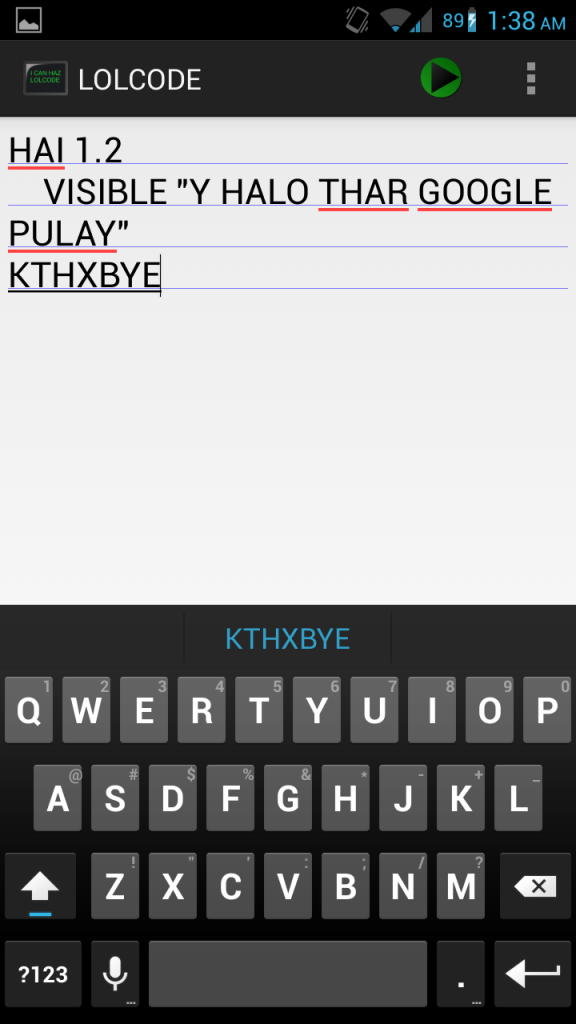
Sometimes, we all need a little bit of lulz in our lives. While most get this from meme-worthy image macros and eccentric YouTube videos, the more developer inclined can satisfy the urge through "interesting" esoteric programming languages such as LOLCODE. This particular esolang, which was originally developed in 2007 by Adam Lindsay, is heavily inspired by the same lolspk slang used in those addictive cat images.

Now thanks to XDA Forum Member bandoncontortion, there is a LOLCODE editor and interpreter for Android. Using the editor, you can code and edit to your heart's content. And with the console, you can execute and test your LOLCODE.

Make your way over to the original thread to get your dose of lulz. And if you'd like to see how it was all done or fork some of that goodness for yourself, take a peek at the source code for the application and interpreter. Please note that the interpreter is based on previous work for Java by Brett Kail.

_________
Want something on the XDA Portal? Send us a tip!Google+

Via xda-developers.com

More aboutOpen Source LOLCODE Editor and Interpreter for Android

Focal Camera App Made Standalone, T-Mobile Moto X Android 4.3 Dump Leaked – XDA Developer TV

Posted by Unknown

Focal Camera App Made Standalone, T-Mobile Moto X Android 4.3 Dump Leaked – XDA Developer TV

An Android 4.3 dump for the T-Mobile Moto X was leaked and is now flashable. That and much more news is covered by Jordan, as he reviews all the important stories from this week. Included in this week's news is an article about an open source active display implementation being released and the open source Focal Camera app being made available in standalone form.

Jordan talks about the other videos released this weekend on XDA Developer TV. XDA Developer TV Producer Jayce released a video talking about the current state of open source, as well as a developer's flow and happiness. Pull up a chair and check out this video.

Links to stories mentioned:

  • Leaked T-Mobile Moto X 4.3 Dump Appears, Now Flashable
  • Open Source Active Display Implementation Added to ChameleonOS
  • Enable Multi-Boot on the Xperia U, SOLA, GO
  • Sony Xperia Z1 Camera Ported to Xperia Z, Z Ultra, ZR, ZL
  • Open Source Focal Camera App Appears in Standalone Form
  • The Current State of Open Source – XDA Developer TV
  • A Developer's Flow & Happiness – XDA Developer TV

Check out Jordan's YouTube Channel and Jordan's Gaming YouTube Channel

_________
Want something on the XDA Portal? Send us a tip!Google+

Via xda-developers.com

More aboutFocal Camera App Made Standalone, T-Mobile Moto X Android 4.3 Dump Leaked – XDA Developer TV

Automaton Updated with Host of New Features

Posted by Unknown

Automaton Updated with Host of New Features

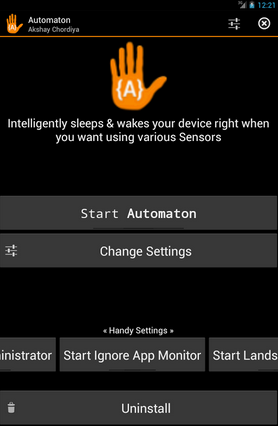
Not too long ago, we took a look at an app by XDA Senior Member Akshay (Aky) that simulates smart cover functionality. Conceived originally as a smarter method of sleeping and waking your device, the app was quickly re-imagined to incorporate additional features under a new name: Automaton.

Since our previous coverage, the developer has been hard at work adding in new features, in addition to unlocking (pun intended) previously paid-only features into the free version of the app. Now, essentially all features from the paid version are available in the free version. When asking the developer what were the biggest highlights in the new version, he replied:

Major Changes:
New advance unlock option
New Sensor modes
Air Gestures
Brand new UI
New tutorial
Say time & it's advance settings
Both Locking -  Unlocking can be used with Gestures too
Ability to change Wakelocks type
Tons of bugs fixes & improvements

Minor:
Added alternate shake sensor option
New Sliders
Navigation Drawer
Toggles

Basically, users (especially of the free version) now have much more customization options. While many of these were available in the past for paid users, now free users can partake in the fun. This includes new gesture types, a more easily navigable interface, additional unlock options, and more.

Just as before, you can use your proximity, magnetic cover, ambient light, and accelerometer sensors to lock and unlock your device. However, now a combination of sensors can be used. For example, you can combine the accelerometer and proximity sensors or the proximity and light sensors for fewer false alarms. You can even calibrate the sensors for even greater precision. And if you decide to download the beta version, you can even try out the app's new air gestures.

Learn more by visiting the application thread.

_________
Want something on the XDA Portal? Send us a tip!Google+

Via xda-developers.com
More aboutAutomaton Updated with Host of New Features

NFC Presentation Leads to Creative Thinking about NFC Technology

Posted by Unknown

NFC Presentation Leads to Creative Thinking about NFC Technology

The past few articles featuring some presentations from the recent XDA:DevCon 2013 have focused on operating systems and app development. From great app development presentations to Ubuntu Touch development and even a Firefox OS presentation, these topics were thoroughly covered. However, that doesn't mean that we forgot about the hardware.

Our next presentation was given by the NFC lady, Pearl Chen. Pearl is known for educating people about many different topics, from web development to Arduino and NFC.  Pearl is a published author and contributed to the NFC and Open Accessory API chapters of Professional Android Sensor Programming published by Wrox.

In her presentation "NFC: Thinking Creatively Beyond Mobile Payments," Pearl talks about how near field communications (NFC) is already here. This is even though the iPhone doesn't have it, so the main stream media thinks it doesn't exist. This technology can be used for much more than waving your phone at the cash register. In this presentation, Pearl leads you though an NFC journey to discover some unexpected ways that NFC can be used on Android phones that go beyond the checkout line. Find out interesting ways you can use NFC in your next app or in your everyday life, and check out the video.

If you want to see more or get a copy of the presentations slides, visit the XDA:DevCon Presentations page.

_________
Want something on the XDA Portal? Send us a tip!Google+

Via xda-developers.com

More aboutNFC Presentation Leads to Creative Thinking about NFC Technology

Pack Together Multiple Memories with PicPac Camera

Posted by Unknown on Sunday, September 22, 2013

Pack Together Multiple Memories with PicPac Camera

Today is Photography Day here on the XDA Portal, or so it seems. Earlier, we covered XDA Elite Recognized Developer XpLoDWilD's new distribution method for the fantastic Focal camera app. Now, we have something to help you capture and display photographs and memories in an entirely different way.

PicPac Camera by XDA Forum Member genliang.guan takes a very different approach than what's seen in most camera apps. Rather than shooting single captures, PicPac is more of a picture combiner. Inspired by photographer Adde Adesokan's Triptychs of Strangers collection, PicPac's main functionality combines three captures into a vertical collage.

The result, while admittedly is somewhat hipster, is quite becoming for a large number of shot types. The app also supports combining nine images together for an even more diverse collage. Although this effect can easily be replicated in post-processing after standard shots have been taken, it's nice to have this done for you in a streamlined manner.

Head over to the application thread to get started. Just please be careful when zipping up those skinny jeans.

_________
Want something on the XDA Portal? Send us a tip!Google+

Via xda-developers.com

More aboutPack Together Multiple Memories with PicPac Camera

Sense 5 Appears on HD2, Device Still Alive and Kicking

Posted by Unknown

Sense 5 Appears on HD2, Device Still Alive and Kicking

To say that the HTC HD2 has survived the test of time would be a severe understatement. The device, which was first released four years ago should by all means already be in a museum. After all, judging by modern device longevity standards, our phones are obsolete often before we buy them thanks to upgraded models and healthy competition.

Despite its advanced age, however, the HD2 is still thriving. There are new builds of operating systems never even intended for the device being ported at lightning pace. The latest addition? None other than HTC's latest and greatest iteration of their Sense overlay.

The porting work comes courtesy of XDA Senior Member gilbert32 and a host of others helping him cited in the first post. It is important to keep in mind that this is not yet daily driver status. Naturally, since the port is still having its kinks worked out, not everything works. Currently, the touchscreen, cellular connectivity, and data work. However, WiFi, Bluetooth, USB mass storage, sound, camera, video playback, and GPS don't yet work. In other words, we would only recommend trying this if you know what you are doing and have a good backup to restore.

If you've still got your hands on an HTC HD2 and would like to play around with Sense 5, or if you're just a former owner looking to pay his or her respects to the venerable device, head over to the ROM thread. We look forward to many years of continued HD2 development here on XDA.

_________
Want something on the XDA Portal? Send us a tip!Google+

Via xda-developers.com

More aboutSense 5 Appears on HD2, Device Still Alive and Kicking