Android 4.4 Coming Soon to the Nexus 4, 7, 10, Moto X, New Droids, HTC One and SGS4 GPe; Not GNex

Posted by Unknown on Thursday, October 31, 2013

Android 4.4 Coming Soon to the Nexus 4, 7, 10, Moto X, New Droids, HTC One and SGS4 GPe; Not GNex

What an exciting day we had yesterday. As was widely speculated, the Google Nexus 5 was finally released, which means that you can finally put that F5 key to rest. However, the new device wasn't the only important announcement yesterday. We were also given a nice dose of the next version of Android, version 4.4 KitKat. Now the question in everybody's mind undoubtedly turns to when their device will get the update. Luckily, we now know the roadmap for certain key devices.

Nexus Lineup: Very soon

The current Nexus devices (Nexus 4, Nexus 7, Nexus 7 (2013), and Nexus 10) will receive an update to 4.4 KitKat "in the coming weeks." At that point, the factory images and proprietary binaries for these devices will also be made available.

Unfortunately, however, the Android 4.4 goods will not be spread to the Galaxy Nexus. At this point, we theorize that this has to do with TI's exit from the mobile SoC market. Thus, it is not in their best interest to produce driver binaries for the latest version of Android. However, given the open nature in the OMAP4, I wouldn't count the device out in terms of aftermarket support just yet.

HTC One: Very soon for Google Play edition, 90 days for carrier variants

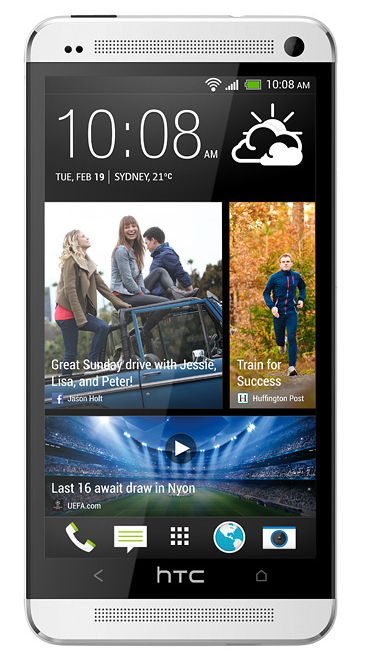
The HTC One will see an expedient update as well. Engadget spoke with Jason Mackenzie (president of HTC America), who stated that the OS update would be coming to the Google Play edition within 15 days and to the North American carrier variants within 90 days. The carrier variants will retain their Sense 5.5 skin as expected.

Samsung: Very soon for Google Play edition, unknown for other versions

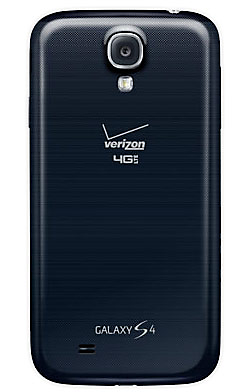
So far, little is known regarding Samsung's plans to update its recent devices to KitKat. However, we do know that the Google Play edition of the S4 will receive its update "in the coming weeks," as stated by Sundar Pichai. That said, we couldn't imagine Samsung falling too far behind HTC in this regard, so it's reasonably safe to assume that updates will be made available for all of Samsung's recent devices in the coming few months.

Motorola: At least it's coming!

Finally, Motorola has plans to update the Moto X, as well as its latest Droid devices (Mini, Maxx, Ultra) to KitKat. There is no timeline as of yet, but at least the update is coming. Unfortunately, it looks like older Motorola devices other than the developer edition of the Razr HD are out of luck. You can check your own device's update status on Motorola's update portal.

While they may take some time to make it to your phone, the Android 4.4 goods are here. By hook or by crook, we'll see Android 4.4 on most (if not all) modern devices. Heck, I'm personally waiting to see 4.4 on the legendary HTC HD2.

Did you already purchase a Nexus 5 to be first in line for the KitKat goods, or are you waiting for the OS to be made available on your existing hardware? Let us know in the comments below!

_________
Want something on the XDA Portal? Send us a tip!Google+

Via xda-developers.com

More aboutAndroid 4.4 Coming Soon to the Nexus 4, 7, 10, Moto X, New Droids, HTC One and SGS4 GPe; Not GNex

Android 4.4 KitKat (KRT16M) Source Code Released, Factory Images and Driver Binaries Available for the Nexus 5

Posted by Unknown

Android 4.4 KitKat (KRT16M) Source Code Released, Factory Images and Driver Binaries Available for the Nexus 5

Remember when the Nexus 7 (2013) launched, there was drama surrounding the delayed release of factory images for the device? Thankfully, the same is not the case for the newly launched Google Nexus 5. Factory Images and Driver Binaries are now available for the device. Furthermore, the source code to Android 4.4 is also  available to those looking to bring the new OS to other devices.

Naturally, this won't be of any direct benefit to most users, as most of us are still impatiently waiting for our Nexus 5 devices to arrive. That said, those looking to get early access to some of the KitKat goodies can do so by peering into these images and extracting all of the APK goodness and ROM developers can start messing with the source, assuming the driver binaries are compatible. In any case, it's great to see that Google has learned from past mistakes and has the factory images available at device launch.

To get in on the action, head over to the Nexus Factory Images Page, the Nexus Binaries Page, and Android 4.4 KitKat Source Code.

_________
Want something on the XDA Portal? Send us a tip!Google+

Via xda-developers.com

More aboutAndroid 4.4 KitKat (KRT16M) Source Code Released, Factory Images and Driver Binaries Available for the Nexus 5

New in Android 4.4 KitKat: Everything You Need to Know

Posted by Unknown

CaptureSo the long awaited Google Nexus 5 is finally here. And with the new device, comes a new version of Android: version 4.4 "KitKat." About two months ago, Google announced the name of their latest version of Android. However, not much was said about the OS, and what would be different from 4.3 Jelly Bean. This comes in stark contrast to the Nexus 5′s hardware, which was pretty much a done deal seemingly forever ago. In any case, both the device and the OS are available now. And as such, all of the remaining details have come to light.

Last night, we covered some of the key features that were (at the time) rumored to be included in today's official launch. The story mainly focused on changes that affect fragmentation, support for new sensors types, and improved NFC support. Many of these and more were confirmed today, along with a host of new features, thanks to the official release of both KitKat and the Nexus 5 and some in-house sleuth work.

voice

Better Google Now Integration

The stock launcher will now feature Google Now front and center. By that, I mean that it will be right on your home screen, just one leftward swipe away. And on the Nexus 5, you will be able to simply say "OK, Google Now" from anywhere on your home screen, and Google Now will start listening to you.

The "OK, Google Now" functionality is similar to what we saw on the Moto X and the most recent Droid devices. However, this is a bit less useful than the previous offering because the device must be powered on and be on the home screen for this to work.

Built-In Printing Supportprint

Aftermarket printing solutions have been able to leverage Google Cloud Print for some time now. However, now printing is built right into the operating system, without the need for any additional apps.

Faster Multitasking

Android 4.4 is slated to improve multitasking performance by optimizing memory management and improving touch screen responsiveness. This, along with efforts to reduce the memory footprint of core apps, should mean that the system will make better use of available computational resources.

Full Screen Immersive Mode

Android has made the overall experience "more engaging" by allowing content to utilize all available screen real estate. Previously, this was only possible in certain types of applications such as video players, where no user input was required.

Now, any application can make use of the full expanse of the screen by fading away both system bars. Previously, any user interaction would bring back the hidden bars. Now, however, the bars can be set to only reappear with a swipe from the top of the screen. This enables applications of any type to make use of this feature, even when user input is required.

kk-proc-device-overview-n5

Low-End Device Support

KitKat has been streamlined, such that every major component has a reduced memory footprint, with new APIs geared at helping app developers create faster and more memory-efficient apps. This includes the new API ActivityManager.isLowRamDevice(), which lets you tune your app's behavior to match the target device's memory constraints. Furthermore, core system process have been trimmed, and new services are configured to run serially and in small groups, to avoid higher memory demands.

This expands on yesterday's news that Android 4.4 would be better suited for devices with limited memory. As stated on the Android Developers Site:

OEMs building the next generation of Android devices can take advantage of targeted recommendations and options to run Android 4.4 efficiently, even on low-memory devices. Dalvik JIT code cache tuning, kernel samepage merging (KSM), swap to zRAM, and other optimizations help manage memory. New configuration options let OEMs tune out-of-memory levels for processes, set graphics cache sizes, control memory reclaim, and more.

That said, despite claims of compatibility with lower end hardware, we find it curious at best that Google is choosing not to update the GSM Galaxy Nexus to 4.4. Google mentions that this is due to the device being outside of the 18-month product lifecycle, but we can't help but feel that this isn't exactly setting a terribly good example for other device providers.

Improved Rendering performance

kk-rs-chart-versionsThanks to changes to the rendering engine, applications that use RenderScript will benefit from the tuning in 4.4. Chief among these changes, Android's SurfaceFlinger was updated from OpenGL ES 1.0 to OpenGL ES 2.0. This brings added performance through the use of multi-texturing, as well as improved visuals with color calibration and more advanced effects.

Improved NFC Payment Support: Host Card Emulation

Yesterday, we mentioned that NFC payment functionality would be extended to devices without NFC Secure Elements. Now, we know how this is possible. Android 4.4 introduces support for Host Card Emulation, whereby standard NFC hardware can emulate ISO/IEC 7816-based smart cards that use the contactless ISO/IEC 14443-4 (ISO-DEP) protocol for transmission. This then makes any device with NFC hardware capable of using the tap-to-pay functionality. That said, not every device will have support. And currently, it looks like only devices with US SIM cards are eligible.

Improved Security

Android 4.4 now uses SELinux enforcing mode in order to block potential policy violations within an SELinux domain. KitKat also improves upon the cryptographic algorithms by adding support for two additional algorithms. Further, Elliptic Curve Digital Signature Algorithm (ECDSA) support was added to the keystore to improve digital signing, and Scrypt Key Derivation Function is used to protect crypto keys used in full-disk encryption.

SMS Provider

App developers can now use a shared SMS provider and new APIs to handle device messaging, as well as message storage and retrieval. The new APIs use the new SMS_Deliver intent to allow app developers to route messages through the user's default messaging app, making the cross-app experience seamless.

New Sensor Modes and Improved Connectivity

Finally, connectivity options and sensor support were bolstered in KitKat. Hardware Sensor Batching is a new optimization that should dramatically reduce power consumption during ongoing sensor activities. This is ideal for low-power and long-running sensor use-cases such as geo-fitness apps and more. Support for step detection and step counter sensors was also added, though this is hardware dependant.

Support for IR Blasters was also added to 4.4, bringing a new API and system service. These will allow app developers to better make use of IR Blasters on supported devices, without the need for device-specific coding.

Finally, Bluetooth saw a nice overhaul with support for HID over GATT (HOGP), which gives applications a low-latency link to select hardware, and MAP, which lets apps exchange messages with nearby devices.

Android Design

Quite a few changes were also made on the design front. These include toning down the blue accents throughout the UI, as well as a few, more subtle changes. A fantastic overview detailing some of the new design features in KitKat can be found below:

While we didn't hear anything on the Wearables front as was previously expected, we were certainly given worthy treats on this Halloween. The enhancements to resource consumption, responsiveness, immersiveness, and overall fit and finish make for a great update. We're excited for what Android 4.4 KitKat brings to the table, and we're even more eager to see what the future holds for the OS.

What are you most excited about in Android 4.4? Let us know in the comments section below!

A full list of new end-user features made available in 4.4 can be found on the Android KitKat website, and more developer-centric features can be found on the Android Developers website.

_________
Want something on the XDA Portal? Send us a tip!Google+

Via xda-developers.com

More aboutNew in Android 4.4 KitKat: Everything You Need to Know

BREAKING: New Runtime Compiler in Android 4.4 to Possibly Bring Better Performance in Future Releases

Posted by Unknown

BREAKING: New Runtime Compiler in Android 4.4 to Possibly Bring Better Performance in Future Releases

Android 4.4 KitKat ushers in several new and exciting features, many of which we talked about last night. One new and unexpected feature addition, however, appears to be a different real time compiler engine. In addition to Dalvik, references to ART have appeared under Android's Developer Options menu. Not too long ago, Google purchased the French company Flexycore. And now, we may just be seeing the very first fruits from this purchase.

As can be seen in the screenshot to your right, there is now a menu allowing you to choose between Dalvik and ART within Developer options. Switching from Dalvik to ART switches from the libdvm.so library to libart.so. And rather than the ODEX files read by the Dalvik VM, ART appears to use OAT files. Accordingly, Android 4.4 source also includes a dex2oat program to convert ODEX files into OAT files compatible with ART.

It is important to keep in mind that this is currently "hidden," as it breaks the emulator. However, it has far reaching potential in that it can compile Android apps into more native code than what's currently available through Android's JIT.

Exciting times, folks. Looks like Android 4.4 will have plenty of new features that are just waiting to be uncovered.

[Many thanks to berwyn for the tip and to Pulser_G2 and Xplodwild for the additional research!]

_________
Want something on the XDA Portal? Send us a tip!Google+

Via xda-developers.com

More aboutBREAKING: New Runtime Compiler in Android 4.4 to Possibly Bring Better Performance in Future Releases

Google Nexus 5 Finally Released! Go Get Yours Now!

Posted by Unknown

Google Nexus 5 Finally Released! Go Get Yours Now!

After a seemingly endless barrage of leaks and rumors, it's finally here folks. The Google Nexus 5 is now available for purchase on the Google Play Store. Now pause for a second, go and order yours, and then make your way back here. Don't worry, we'll wait.

As expected, the device is a powerhouse, featuring a quad-core 2.3 GHz Snapdragon 800 processor. It also packs 2 gigs of RAM and 16 gigs ($349) or 32 gigs ($399) of internal storage. This provides the mojo for a 5″ 1080p (445 ppi) IPS LCD panel. The devices is powered by a 2300 mAh battery. The camera module should be decent as well, featuring an 8 MP sensor and optical image stabilization. And of course, the device will feature Android 4.4 KitKat. All in all, these are superphone-caliber specs for low- to mid-range prices.

Make your way over to the Google Play Store Devices Page to purchase the device (or visit the direct links below). And don't forget to head over to the Google Nexus 5 forums to get in on the discussion.

Are you going to get one? Let us know in the comments section below! And for those curious about the device's innards, be sure to check out this teardown.

Update: Check out the Official Android Blog for more details on the Nexus 5 release!

_________
Want something on the XDA Portal? Send us a tip!Google+

Via xda-developers.com

More aboutGoogle Nexus 5 Finally Released! Go Get Yours Now!

Android App Review: Secure Your ‘Recipe’ with Safe N Secure Notepad – XDA Developer TV

Posted by Unknown

Android App Review: Secure Your 'Recipe' with Safe N Secure Notepad – XDA Developer TV

If you've ever handed someone your phone to someone, whether to show them a funny picture or if they ask to check it out, you know the terror that runs through your mind thinking of what they could stumble upon: your usernames and passwords for different sites, your special 'recipe,' your mistress's phone number, anything.

Well, XDA Forum Member msappz offers a new way to keep your secret life private. In this video, XDA Developer TV Producer Walter White TK reviews Safe N Secure Notepad. TK shows off the application and gives his thoughts, so check out this app review.

Be sure to check out other great XDA Developer TV Videos

_________
Want something on the XDA Portal? Send us a tip!Google+

Via xda-developers.com

More aboutAndroid App Review: Secure Your ‘Recipe’ with Safe N Secure Notepad – XDA Developer TV

Dead Trigger 2 Tegra 3 Graphics Mod (for non-Tegra 3 Devices)

Posted by Unknown

Dead Trigger 2 Tegra 3 Graphics Mod (for non-Tegra 3 Devices)

Some things simply have fantastic timing when it comes to releases. Halloween is the day when we bask in all those creepy monsters and nightmare-ish creatures that come out only during the night. In other to better celebrate this wonderful, candy stuffing holiday, we came across a small tutorial that should make your gore-craving inner zombie tremble in its boots.

As some of you may remember, Dead Trigger was released about a year and change ago, and it was dubbed as one of the best FPS games for handheld devices. The graphics, when Google demoed them in front of a live audience, were simply amazing. However, there was a small, and that was that the app needed to run on Tegra 2-equipped devices in order to display all the blood and flying pieces of God-only-knows-what. Long story short, it turns out that while powerful, the Tegra 2 did not really have anything special that made the blood richer. Rather, it was in fact a software lock that would automatically lower the image quality if the device was not running NVIDIA's hardware. A simple work around was found, and the world was happy once again.

Fast forward to 2013. As it turns out, the sequel to Dead Trigger (Dead Trigger 2) also suffers from the same predicament, but with the only difference that now the hardware of choice is the successor in the Tegra family, the Tegra 3. Much as it was the case before, there is yet again a simple fix to get your Halloween thirst for blood satisfied once again thanks to XDA Forum Member A N D Y.

Andy penned a simple tutorial that involves some slight editing of a few values in a xml file. The file is located in the /data/data/com.madfingergames.deadtrigger2/shared_prefs folder and it is called, you guess it, com.madfingergames.deadtrigger2.xml. (You will need some kind of file manager with Root explorer capabilities in order to get there). Once inside, simply put the values suggested by the dev in the entries that require them, save the changes, change some permissions and voila! You have high quality blood jumping at you front right and center.

This mod should work for most devices. Needless to say, Dead Trigger 2 does require somewhat good hardware in order to run properly, so make sure that you have enough horsepower before you put your device on its knees by making it process more than it can handle. Please leave some feedback regarding your experience and which device(s) you tried this on.

You can find more information in the original thread. Have fun and happy Halloween!

_________
Want something on the XDA Portal? Send us a tip!Google+

Via xda-developers.com

More aboutDead Trigger 2 Tegra 3 Graphics Mod (for non-Tegra 3 Devices)

Android 4.4 KitKat to Target Wearables, Ease Fragmentation, and Improve Support for NFC and Lower End Devices

Posted by Unknown

Android 4.4 KitKat to Target Wearables, Ease Fragmentation, and Improve Support for NFC and Lower End Devices

The Google Nexus 5 is so close that we can almost taste its KitKat-laden goodness. But while the device itself has been leaked nine ways 'til Tuesday, relatively little has come to light about the device's OS, Android 4.4 KitKat. We've seen a few leaked images here and there, but we've not heard much about the key changes differentiating KitKat from the incumbent Jelly Bean. Now, Amir Efranti, over at JessicaLessin.com has managed to geta closer look at the OS.

Fragmentation

So what are the biggest changes this time around? For starters, Google is well aware of the fragmentation issue. In fact, one need only go so far as the Android Developers Dashboard to see the distribution of different OS versions and API levels.

Google first started lessening the importance of being on the latest Android version by decentralizing its core experience. By this, I mean that key first party apps such as Gmail and Maps were moved to the Play Store and updated accordingly. Next, Google added Google Play Services and provided devices running Gingerbread and up access to some of the latest libraries. Now, Google is tackling fragmentation by making the OS work better on entry-level devices with as little as half a gig of RAM.

Wearables

Next up? Wearables! We recently heard that Google was nearing completion in its Smartwatch project. Thus, it should come as no surprise, that wearables will gain increased focus. Furthermore, it is expected that KitKat will support three new sensor types: geomagnetic rotation vector, step detection, and step counter. And it is also expected that some of the changes may make it easier for future smartwatches to be more useful and power efficient.

NFC

NFC support is also expected to see major change. By now, we've all seen Google Wallet in action. Heck, many of us may even be rocking a device with an NFC secure element. However, the overall support for the technology has been disappointing. Caught between carrier and hardware restrictions, not many people are actually able to use Google Wallet to pay for things at vending machines and other supported terminals.

KitKat is rumored to take another stab at the situation, by taking carriers out of the equation. According to documents referenced by Amir Efranti, developers will be able to emulate credit card functionality without storing credit card data in the NFC secure element. Obviously this raises the question as to where exactly this data will be stored. Further, we think it's safe to assume that this is just a feature that will be opened up to NFC app developers, and not something that will necessarily make it into the next builds of Google Wallet.

IR Blaster and Bluetooth Additions

The Samsung Galaxy S 4 and the HTC One both prominently feature built-in IR blasters. This functionality is quite frankly awesome. But since Android lacks a standardized API for IR blaster support, the implementations so far have been very disjoint. KitKat will hopefully alleviate this by creating said API, and allowing future app developers to tap into the system's native IR blaster hooks. Finally, Bluetooth will also see two new features: Bluetooth HID over GATT and Bluetooth Message Access Profile. These should allow Android to be able to interface more efficiently with more devices than before.

Now that we have a few more leaked details about Android 4.4 KitKat, we can't wait to get our hands on Google's latest tasty treat. What features in 4.4 are you most excited about? Or are you really just excited for the Nexus 5? Let us know in the comments section below!

Source: JessicaLessin.com

Update: Amir is fielding some questions over on his Google+.

_________
Want something on the XDA Portal? Send us a tip!Google+

Via xda-developers.com

More aboutAndroid 4.4 KitKat to Target Wearables, Ease Fragmentation, and Improve Support for NFC and Lower End Devices

Stop the Snooping with Screen Locker

Posted by Unknown on Wednesday, October 30, 2013

Stop the Snooping with Screen Locker

Don't you hate it when you pass your device over to a friend, only to find them perusing through all of your private photos and personal data? You could always choose to keep your device to yourself, but this isn't always ideal. Rather, wouldn't it be nice if you could simply make it so that your friends can only see what you want them to see?

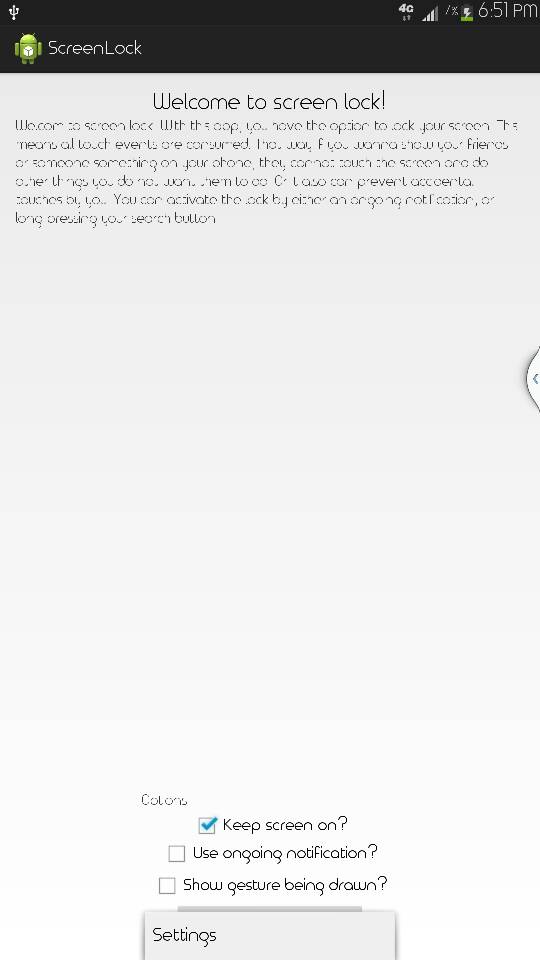
Born out of necessity, XDA Senior Member elesbb created an app that accomplishes this very task. When activated, the aptly titled Screen Locker app locks your screen and disables device touch input. It also disables your status bar and hardware button presses. Thus, users are locked into viewing the screen that you left them with, and only the appropriate pattern can unlock the device.

The initial setup is a cakewalk. You simply open the app, enable the option for a persistent notification (necessary to activate the protection if you lack a hardware search key), and create an unlock gesture. Then, simply back out of the application, find anything you wish to share, and lock your device using the ongoing notification (or a long press of your hardware search key). To unlock the device, simply draw the pattern you created anywhere on your screen.

To prevent prying eyes, head over to the application thread and give Screen Locker a shot.

_________
Want something on the XDA Portal? Send us a tip!Google+

Via xda-developers.com

More aboutStop the Snooping with Screen Locker

Easily Mute Your Camera Shutter without Root

Posted by Unknown

Easily Mute Your Camera Shutter without Root

Sometimes, silence is golden. This especially holds true when you're trying to capture prized memories of loved ones. Naturally, having a camera shutter make a sound would ruin the moment and turn a candid into something a bit more staged.

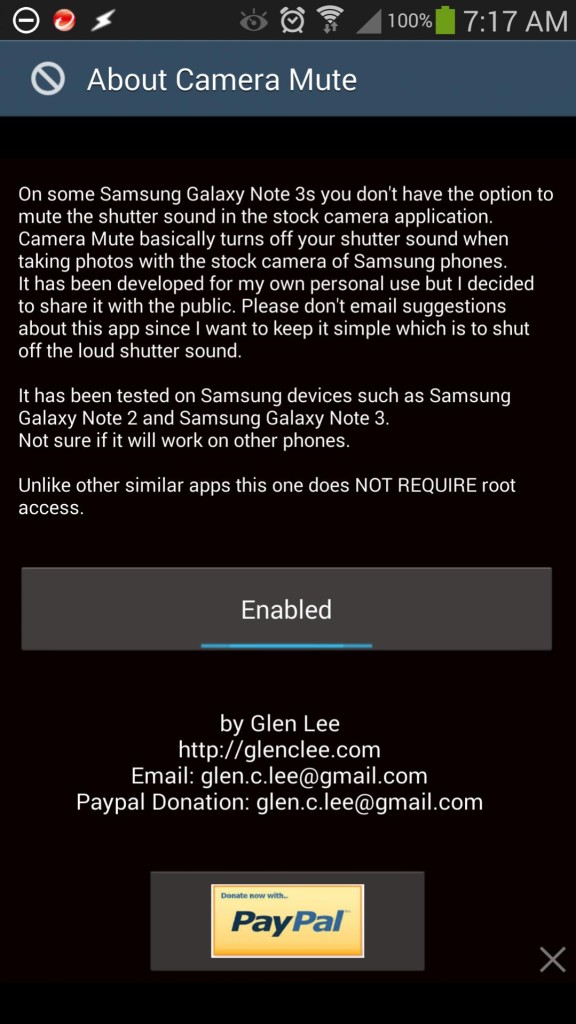
We've covered a few ways of muting your camera shutter in the past. However, these have all required root access, something which unfortunately not everyone has. Now thanks to XDA Senior Member providence, there is a simple and non-root option that mutes your phone's audio when you enter your camera app and unmutes the phone's audio when you exit the app.

While this solution was originally created for use with the author's Note 3, it should work on practically any other device, as long as the muting app recognizes that you've in fact opened your phone's camera app. So if you use your phone's default camera app. it'll probably work for you. The app created using Tasker, but obviously does not require Tasker to run.

Head over to the application thread to get started. Please note, however, that in some regions muting your camera shutter is not permitted. Please obey local laws and don't use such a mod in these regions.

_________
Want something on the XDA Portal? Send us a tip!Google+

Via xda-developers.com
More aboutEasily Mute Your Camera Shutter without Root

What’s New on the Nvidia SHIELD? – XDA Developer TV

Posted by Unknown

What's New on the Nvidia SHIELD? – XDA Developer TV

Just over three months ago, Nvidia released the Nvidia Shield to the world. XDA Developer TV Producer Jordan got his hands on it and did an unboxing, review, and a couple gameplay videos. However, there were admittedly some hiccups for Nvidia in their first foray into device manufacturing.

Luckily for us, Nvidia took our "constructive" criticisms and listened. They released an update that has addressed a majority of the problems. The update fixes everything from the much needed ability to move games to the SD Card to the odd solution of living room gaming entitled console mode. So if you want to see the many improvements that Nvidia has released, check out this video.

Check out other SHIELD related content:

Be sure to check out other great XDA Developer TV Videos

Check out Jordan's YouTube Channel and Jordan's Gaming YouTube Channel

_________
Want something on the XDA Portal? Send us a tip!Google+

Via xda-developers.com
More aboutWhat’s New on the Nvidia SHIELD? – XDA Developer TV

How to Add Animations to Your Application

Posted by Unknown

How to Add Animations to Your Application

Transition animations are the spice of life. Ok, well maybe not life itself, but they certainly can help make a mundane task just a little more exciting. After all, it's no secret that most of us like a little bit of eye candy. And like the Mac OS X genie effect in this article's title image, animations help tell a story. They better frame what's happening in your app, and show this in a context that we can more intuitively understand.

Because of this, it's important to judiciously make use of animations when developing an app. No, we're not advocating for 1990s-style marquee text, but a little animation here and there can help add that last bit of polish to your application in progress.

As such, XDA Forum Member a-ssassi-n created a quick guide that shows you how to add a few animations to your application. So far, a-sassi-n has included four animations in his tutorial: blink, fade-in, fade-out, and cross-fade. A-sassi-n has also stated plans to add more effects in subsequent posts.

To start spicing up your application, visit the tutorial thread!

_________
Want something on the XDA Portal? Send us a tip!Google+

Via xda-developers.com

More aboutHow to Add Animations to Your Application

Sense 5 Toolbox Brings Tons of Tweaking via Xposed

Posted by Unknown

Sense 5 Toolbox Brings Tons of Tweaking via Xposed

If you're an HTC Sense stalwart (not that there's anything wrong with that), and you've been longing for a bit more customization on your Sense 5 (or 5.5) ROM, there's a fantastic multi-purpose toolbox for you. XDA Senior Member langer hans created an Xposed-based toolbox that brings you a handful of customizable mods.

One of the main features of the Sense 5 Toolbox is that it allows you to rearrange your quick control (EQS) tiles. And once you've found a setup that works for you, you can backup the tile order so that your next ROM flash doesn't clear the order. There are also a handful of other modifications such as tweaks to your physical buttons, an advanced power menu, transparency settings for various UI elements, an AOSP-style recent apps menu, and much, much more. Basically, if you can think of it, it's probably already in this toolbox.

While the module was originally intended for use with Recognized Developer mike1986.'s ARHD ROM for the HTC One, this module should be compatible (at least for the most part) with pretty much any device running Sense 5.5 and without too many other modifications.

If you've been looking for a great, general purpose Sense toolbox, this one is definitely worth a shot. Visit the toolbox post to get in on the action.

_________
Want something on the XDA Portal? Send us a tip!Google+

Via xda-developers.com

More aboutSense 5 Toolbox Brings Tons of Tweaking via Xposed

USB Reverse Tethering Guide, No Software Required

Posted by Unknown on Tuesday, October 29, 2013

USB Reverse Tethering Guide, No Software Required

Usually when you think of the word "tethering," you think of using your mobile device's data connection to provide the glorious Internet awesomeness of memes and lolcat images to your desktop or laptop computer. Often times, however, you may find yourself in need of Internet access on your mobile device in an area lacking WiFi or network connectivity. In these cases, you must reverse tether.

XDA Forum Member phamthanhnam created a detailed guide for rooted users that allows you to share your PC's Internet connection with your mobile device over USB. This works with Windows, Linux, and Mac, and it does not require any additional tools. However, you must enter in some terminal commands on your mobile device.

As stated above, you need to be rooted. Further, your device must support USB tethering (under Wireless  & Networks). Often, this is disabled by stock ROMs, but can be easily re-enabled. You also need a PC with a working Internet connection, a USB cable, and a terminal emulator on your Android device. Alternatively, you could enter the Android terminal commands via ADB rather than terminal emulator, if you have it installed.

Now, we're not going to lie. There are quite a few steps required to make this work. However, the end result is reverse tethering without having to install ANY additional bloat-inducing software.

Grab a cup of coffee and make your way over to the guide thread to get started.

_________
Want something on the XDA Portal? Send us a tip!Google+

Via xda-developers.com

More aboutUSB Reverse Tethering Guide, No Software Required

Galaxy Note II MultiTool Brings Plethora of Tweaking Options

Posted by Unknown

Galaxy Note II MultiTool Brings Plethora of Tweaking Options

If you've ever longed for a multipurpose toolkit that does it all on the Samsung Galaxy Note II, a new offering from XDA Recognized Contributor dr.ketan may be exactly what you're after. OK, so the toolkit won't do everything, but it should be enough to get most new users started and well on their journey towards device customization.

The toolkit comes in the form of an AROMA installer package. As you would expect, you run the toolkit by "flashing" it from your custom recovery as you would flash any other update. Once in the utility, there is a menu of 17 functions, with over 300 possible choices available.

Currently, the toolkit allows you to root the device, install busybox, backup and restore your EFS partition, change your recovery/kernel/modem, backup and restore system apps and framework, remove bloatware, bypass lock screen security, clean your device, and more. And within each general category, there are various selections to make. For example, when choosing to flash a recovery, a selection of different recovery options are available. The same goes for kernels, and so on.

There are versions for both the N7100 and N7105, so be sure to pick the right one for your model. To get started, head over to the appropriate thread for your device below:

[Many thanks to reader David Yountz for the humorously creative tip!]

_________
Want something on the XDA Portal? Send us a tip!Google+

Via xda-developers.com

More aboutGalaxy Note II MultiTool Brings Plethora of Tweaking Options

A Morning with Google+ Event Highlights: SMS and Location Sharing in Hangouts, New Features for G+ Photos

Posted by Unknown

conferenceAbout an hour ago, the Google+ team held an event where Vic Gundotra discussed the past, present, and future of various products tied in some way to Google+. While the much anticipated Google Nexus 5 was not announced (sorry guys), we learned more about the growing momentum of Google+, changes to the Google Hangouts experience, and additions to Google+ Photo tools.

Growing Momentum of Google+:

Capture

Google+ has seen a tremendous increase in users. There are now 540M 30-day active users now, up from 390M at this year's Google I/O. Similarly, there are now 300M active users "in the stream," up from 190M at I/O 2013.

Along with the increased overall Google+ usage, photo uploads have gone up dramatically. There are now 1.5 billion photos uploaded every week to Google's servers.

Since July, there have been 20 major updates to the overall Google+ experience. Continuing this momentum of product growth and updates, there are 18 new features today announced for Hangouts and Photos.

New Additions to the Google Hangouts Experience:

The Google Hangouts experience is multifaceted. It includes features like Hangouts on Air, the Hangouts mobile app, and Hangouts video chat. The Hangouts on Air experience has been updated with new features for hangout planning, promoting, and inline conference management. These tools allow event leaders to give users a dedicated landing page while waiting for the event, as well as giving event leaders dedicated controls while in the hangout itself to mute or drop certain participants.

Capture1

The Hangouts video chat experience was also bolstered. Now, Hangouts video chat defaults to HD quality on all devices, and the Auto Awesome effect has been extended to live video. The effect brightens up faces during instances of back lighting, even if it means increased video noise, and there are a bevy of additional video filters.

Lastly for Hangouts, and by far most interestingly, Google is issuing a dramatic update to its Hangouts mobile app. SMS integration, which has been long since rumored, is finally here. The update also brings animated GIF support and a nifty location sharing feature. Location sharing works with a simple "place button," which injects your location via Google Maps.

Dramatic Updates to Google+ Photos:

Vic started his segment on Google+ Photos by talking about the problems with modern day digital photography. Now that we have access to virtually unlimited amounts of storage, it's not uncommon for folks to take hundreds of photos per day. Thus, storing, sorting, editing, and telling a story with all of these images becomes quite burdensome. Google+ Photos aims to solve some of these problems.

Google hopes to solve some of your f/stop blues by giving you an online repository with full-resolution image storage. This contrasts with other social networks such as Facebook and Twitter, which automatically downsize images. Furthermore, automatic image uploading, which has been available on Android for some time, is now coming to iOS as well.

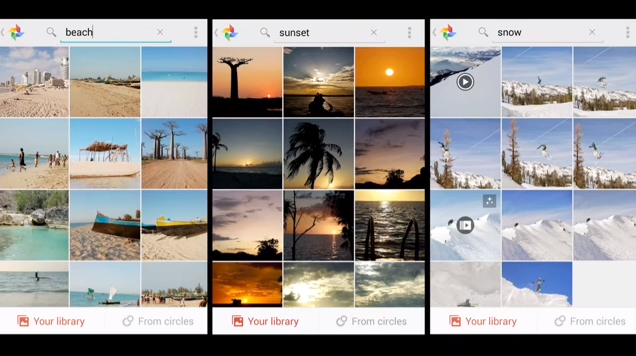
The next photography problem that Google hopes to solve relates to sorting and finding your images. Now, Google+ will automatically save and organize your images by sifting through your photos and boosting the visibility of "treasured" photos featuring important people, less blur, and duplicate removal. Further, Google has made finding your images easier than before by enhancing their "Computer Vision" technology. The software can now recognize even more keywords such as "Vespa," "concert," and so on—and you can even search your and your circles' pictures.

Capture3

Google's photo editing offerings were also given an overhaul today. Google realizes that not everyone has time to edit every photo, so there needs to be a spectrum of options available to users looking to edit their work. If you have limited editing time available, there's Auto Enhance. If you have a few minutes, there's Snapseed. And if you have "hours," there's the Nik Collection.

auto enhance

Auto Enhance was given a new option, allowing users to dial it up or down at will. The option allows users to turn it off or set it to low or high, and this can be controlled on an album-by-album basis. For those with a little more time, Snapseed has added a new filter for faux HDR images, which claims to be the first pixel edge contrast implementation (rather than tone mapping) done on a mobile device. Finally, the for-pay Nik Collection has a new feature called Analog Efex Pro, which emulates the look and feel of classic camera and lens combinations.

action2

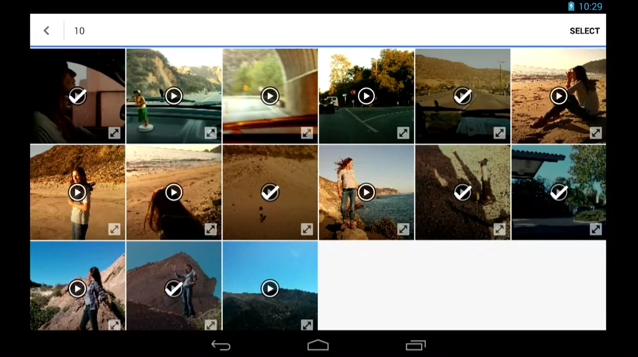
Auto Awesome was also given an overhaul. There are now three types of effects for still images: Auto Awesome Motion, Auto Awesome Action, and Auto Awesome Eraser. Motion is what has been available for some time now, and it takes various still images and converts them into animated GIFs automatically. Action takes still frame action shots and blends them together for a very pleasing motion effect. And Eraser, as you would expect, can remove unwanted subjects from your still images.

awesome video

Auto Awesome was also extended to video. Videos are now automatically processed, and the feature adds music and automated scene cuts that are in time with the music. And if you'd like to tweak the output, you can manually select highlights, movie type, and movie length.

While many of us were hoping for a stealth Nexus 5 / KitKat announcement, today's updates to Photos and Hangouts are bound to be well received. And for SMS integration, it's about damn time.

autoawesomeui

What do you think of today's updates? Are you still bummed that there's no Nexus 5 today, or will the Hangouts update hold you over for now? Let us know in the comments section below!

Those who wish to watch the full video can do so below:
The fun starts at around the 12 minute mark.

_________
Want something on the XDA Portal? Send us a tip!Google+

Via xda-developers.com

More aboutA Morning with Google+ Event Highlights: SMS and Location Sharing in Hangouts, New Features for G+ Photos

XDA Xposed Tuesday: Wanam Module – XDA Developer TV

Posted by Unknown

XDA Xposed Tuesday: Wanam Module – XDA Developer TV

You may have already heard of XDA Recognized Developer rovo89's Xposed Framework (thread). In fact, we recently talked about the Xposed Framework in an Android Basics 101 video. The great thing about Xposed framework is you can cherry pick from the available Xposed modules what you want to have activated at runtime, and no permanent modifications are made. The real question is how do you know what modules are worth your time? Well, we are here to help.

In this episode of XDA Xposed Tuesday, XDA Developer TV Producer TK reviews Wanam Module. XDA Recognized Developer wanam compiled a bunch of TouchWiz tweaks in this Xposed Module. TK shows off the module and gives his thoughts, so check out this app review.

Be sure to check out other great XDA Developer TV Videos

_________
Want something on the XDA Portal? Send us a tip!Google+

Via xda-developers.com

More aboutXDA Xposed Tuesday: Wanam Module – XDA Developer TV

Disable Noise Suppression on the HTC One

Posted by Unknown

Disable Noise Suppression on the HTC One

HTC promised superior phonecall sound quality on their flagship HTC One when they unveiled the dual-membrane microphones and the accompanying Sense Voice software. Consisting of a High SPL membrane and a High SNR membrane, the set up is supposed to rid of any unwelcome, outside sound interference in recording and calls by 'assigning,' different noise levels and sensitivities to their respective microphones.

With all this technology, it's unfortunate that many HTC One users have suffered low quality sound including muffled and robotic-sounding voices during calls, rather than the promised better sound quality. This may be attributed to the fact that noise suppression kicks in when the device is at certain angles and positions, such as on your shoulder.

In order to combat the issue, XDA Senior Member grgsiocl has created a mod that essentially disables the noise suppression software. It has been tested to work with deodexed devices running 4.2.2 and 4.3. However, before you dive right in right away, it's also recommended to take a look through the thread to see whether device variants or individual ROMs may be compatible or not. If the mod has had undesired consequences or you simply don't notice any difference, grgsiocl has also provided a handy flashable zip file for Android 4.2.2 that reverts the effects.

To find out more, visit the original thread.

_________
Want something on the XDA Portal? Send us a tip!Google+

Via xda-developers.com

More aboutDisable Noise Suppression on the HTC One

Motorola Announces Modular Smartphone Project Ara

Posted by Unknown on Monday, October 28, 2013

Motorola Announces Modular Smartphone Project Ara

Remember that far-reaching and seemingly unrealistic Phonebloks concept by Dave Hakkens from early last month? The vast majority of us shrugged off the idea as unrealistic.

There are many reasons why one would think an idea such as Phonebloks would never come to fruition. After all, there are quite a few hurdles getting in the way, not the least of which is the fact that given the current model of smartphone production and planned obsoletion, it is not in an OEM's best interest to produce something that can actually last. As electronics are becoming cheaper and cheaper, they are also becoming increasingly disposable.

Furthermore, smartphones are designed to be small, lightweight, and make efficient use of their limited physical volume. Because of these key issues, modular interfaces similar to what we've seen in the desktop computing realm have not extended over to mobile. Although it's important to note that these aren't so much technical hurdles, as they are implementation setbacks.

Well, it looks like despite the apparent roadblocks, Motorola has been conjuring up something similar in their Advanced Technology and Projects group for over a year. As a followup to their cross-country MAKEwithMOTO project trip, Ara is about developing a free and open hardware platform for the creation of a modular smartphone. In their words:

After the trip, we asked ourselves, how do we bring the benefits of an open hardware ecosystem to 6 billion people?

Meet Ara.

Led by Motorola's Advanced Technology and Projects group, Project Ara is developing a free, open hardware platform for creating highly modular smartphones. We want to do for hardware what the Android platform has done for software: create a vibrant third-party developer ecosystem, lower the barriers to entry, increase the pace of innovation, and substantially compress development timelines.

Our goal is to drive a more thoughtful, expressive, and open relationship between users, developers, and their phones. To give you the power to decide what your phone does, how it looks, where and what it's made of, how much it costs, and how long you'll keep it.

Motorola anticipates that the basic building blocks, the Module Developer's Kit (MDK) will be available this winter. This will allow (presumably hardware) developers to create modules for the Ara platform. And to help bolster the effort, the Project Ara team has been working with Dave Hakkens (the Phonebloks guy) to leverage the Phonebloks community because in their mind, "The power of open requires both [hardware and software]."

Despite how unrealistic this all seems with current technology and implementations, this has the potential to be quite interesting—especially if there is sufficient developer and OEM support. We can't help but feel a bit skeptical that OEMs would be willing to commoditize their offerings and then only compete on raw specs and price, rather than value added feature and marketing buzzwords.

What are your thoughts on this? Do you think this is realistic? Would you buy a modular phone, even if it meant an initially higher investment? We are highly excited to see what the future holds for Project Ara, even if we are a tad bit skeptical about how practical it will be, as well as how it will compete with regards to physical size.

Let us know your thoughts in the comments section below!

You can learn more by visiting the official Motorola blog.

[Many thanks to everyone who sent in the tip!]

_________
Want something on the XDA Portal? Send us a tip!Google+

Via xda-developers.com

More aboutMotorola Announces Modular Smartphone Project Ara

Verizon Updates Galaxy S 4 to Android 4.3 (VRUEMJ7)

Posted by Unknown

Verizon Updates Galaxy S 4 to Android 4.3 (VRUEMJ7)

Verizon is the first major US Carrier to update their variant of the flagship Samsung Galaxy S 4 to Android 4.3 in official capacity. Who would have thought, right? Yes, this is Verizon—the same company that responsible for adding bloatware (albeit limited amounts) to an allegedly Nexus device. The same Big Red responsible for Android 4.3 still not being available for the aforementioned "Nexus" phone, despite Android 4.4 being just around the corner. It's just a bit ironic that a device lacking the Nexus brand gets the update before a device built on the underlying promise of expedient system updates.

In any case, the update is being rolled out starting today, only a little over a week after it first appeared for the International version of the device. The build ID is VRUEMJ7, and Samsung is calling it Software Update 3. The release brings the device up to Android 4.3, and as expected, it brings Samsung KNOX as well as SELinux. It's not all bad, though. The new update enables LTE Band 4, and it adds support for the Galaxy Gear.

If you're running the stock, unrooted ROM, you should be receiving an OTA soon (assuming you haven't already). Users. And shortly after the update is captured, you can bet that developers will push out pre-rooted builds here.

Source: Samsung (via Droid-Life)

_________
Want something on the XDA Portal? Send us a tip!Google+

Via xda-developers.com

More aboutVerizon Updates Galaxy S 4 to Android 4.3 (VRUEMJ7)

AOSP Status Bar Toggles on Xperias Running 4.2 with Xposed

Posted by Unknown

AOSP Status Bar Toggles on Xperias Running 4.2 with Xposed

With the latest Android 4.2 update for the few Xperia devices in the last couple of months, came a much welcomed enhancement to the otherwise lackluster status bar toggles. Rather than restricting users to the inadequate four default toggles, Sony has loosened the reins by allowing up to 15 toggles to be added, removed, and rearranged. The most obvious problem with this, however, is the clutter that inevitably spawns from the combination of multiple rows of toggles and a couple of ongoing notifications.

It's probably one of the reasons why XDA Senior Member MohammadAG created an Xposed module for the Xperia Z1, replacing these toggles with AOSP ones. That means out with the clutter, and in with the individual panels for the notifications and suite of toggles. As a cherry on top, the new set up is entirely compatible with the popular Gravity Box Xposed module and its whole variety of customization options, so you don't have to miss out on whatever personalization you had previously with your status bar and toggles.

The module has also been reported to work with various other Xperia devices running Android 4.2 with the default Sony firmware, including the Xperia Z and ZL. The other requirement is to have XDA Recognized Developer rovo89's Xposed Framework up and running.

If you'd like to give this a spin, check out the original thread for more details and download.

_________
Want something on the XDA Portal? Send us a tip!Google+

Via xda-developers.com

More aboutAOSP Status Bar Toggles on Xperias Running 4.2 with Xposed

Android 4.3 (UCUEMJ2) Update Leaked for the Galaxy S III I747

Posted by Unknown

Android 4.3 (UCUEMJ2) Update Leaked for the Galaxy S III I747

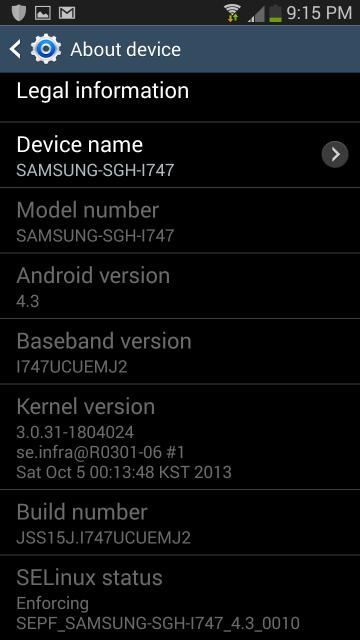
Firmware updates and leaks seem to be popping up left and right these days. We recently saw a leaked update to Android 4.3 (XXUEMJ5) for the Samsung Galaxy Note II, corresponding to the XXUEMJ5 update that was officially released to the Galaxy S 4 a week earlier. Now, there is a similar update for the I747 variant of the Samsung Galaxy S III, albeit with a different build display ID.

XDA Recognized Developer designgears shared the leak in our forums in Heimdall-flashable form. As has been seen on recent Samsung firmwares for other devices, this brings SELinux and KNOX to the device.

Then for those who would prefer to only flash the update or the bootloader/modem, XDA Recognized Developer loserskater repacked the update, separating the pieces. He shared a pre-rooted ROM with KNOX disabled as well. These updates, as well as the bootloader/modem repack can be flashed through recovery.

If you have an Galaxy S III I747 (AT&T, Rogers, Bell, Telus variants), head over to the threads below to get in on the action:

[Many thanks to MercilessLTD for the tip!]

_________
Want something on the XDA Portal? Send us a tip!Google+

Via xda-developers.com

More aboutAndroid 4.3 (UCUEMJ2) Update Leaked for the Galaxy S III I747

Android 4.3 Leak for Galaxy Note 2, Increasing Volume on Xperia Z1 – XDA Developer TV

Posted by Unknown

Android 4.3 Leak for Galaxy Note 2, Increasing Volume on Xperia Z1 – XDA Developer TV

The great Samsung sieve has given us another Android 4.3 leak, this time for the Samsung Galaxy Note II. That and much more news is covered by Jordan, as he reviews all the important stories from this week. Included in this week's news is an article reporting and Xposed module that will give AOSP lock screens to some TouchWiz users and the announcement of new forum for the jumbo-sized HTC One Max.

In other important news, Jordan talks about increasing the volume on your Sony Xpera Z1. Also, if you haven't already checked out the Big Android BBQ presentations given by two XDA Elite Recognized Developers, make sure to check out XpLoDWilD's "Developments in the Open Source Community," and Dees_Troy's "Software Architecture and Design." Be sure to check out other videos on on XDA Developer TV. Pull up a chair and check out this video.

Links to stories mentioned:

  • Android 4.3 (XXUEMJ5) Firmware Leaks for the Galaxy Note II
  • AOSP Lock Screen on Certain TouchWiz Devices with Xposed
  • Increase the Volume on the Sony Xperia Z1
  • Forum Added for the Jumbo-Sized HTC One Max
  • XpLoDWilD Talks about Open Source at this Year's Big Android BBQ – XDA Developer TV
  • Dees_Troy Talks about Software Architecture at this Year's Big Android BBQ – XDA Developer TV

Check out Jordan's YouTube Channel and Jordan's Gaming YouTube Channel

_________
Want something on the XDA Portal? Send us a tip!Google+

Via xda-developers.com

More aboutAndroid 4.3 Leak for Galaxy Note 2, Increasing Volume on Xperia Z1 – XDA Developer TV

Samsung Galaxy Note 3 Camera Ported to Galaxy S 4

Posted by Unknown

Samsung Galaxy Note 3 Camera Ported to Galaxy S 4

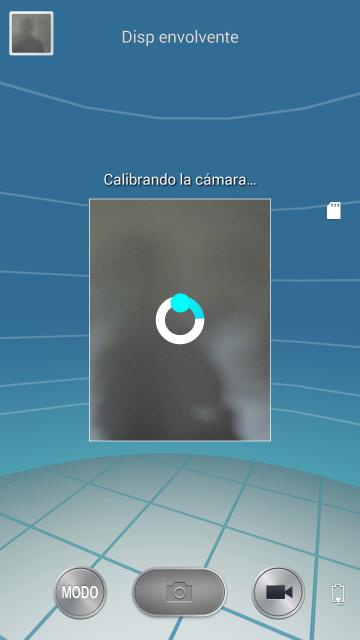
With the arrival of the Galaxy Note 3, Samsung has also introduced their newest camera software addition, Surround Shot. A mode that draws parallels to Photosphere introduced with Android 4.2, it allows users to stitch together multiple individual photos of the surrounding environment into one, spherical image. The downside? It's exclusive to the Note 3.

Despite this, XDA Senior Member LastStandingDroid has made sure that users of the Galaxy S 4 will also be able to enjoy such novelty by backporting the Note 3′s camera app to the S 4. Tested to work with Android 4.3 with Samsung's Touchwiz, it has been reported that all features of Note 3′s camera app are working as they should, including the aforementioned Surround Shot. Installation is simple, requiring users to flash the provided zip file through a custom recovery, and it is always a good thing to make a Nandroid backup before hand. Sadly but somewhat expectedly, users of any AOSP-derived ROM will not be able to get their hands on the port, as LastStandingDroid has made such incompatibilities clear in the forum post.

So if you're a user of the Galaxy S4 running Touchwiz and Android 4.3, and would like to give give the Note 3 camera a spin without having to change devices, visit the original thread for more information and download.

_________
Want something on the XDA Portal? Send us a tip!Google+

Via xda-developers.com

More aboutSamsung Galaxy Note 3 Camera Ported to Galaxy S 4

Like it Loud? Boost the Note 3′s Maximum Volume

Posted by Unknown

Like it Loud? Boost the Note 3′s Maximum Volume

Yesterday, we featured a quick recovery-flashable modification for the Sony Xperia Z1 that boosts the device's maximum volume. As it turns out, however, Xperia Z1 users aren't the only ones who like it loud.

Although the Samsung Galaxy Note 3 has a more than adequate built-in speaker, some still would prefer to boost its maximum volume. And even for those who think the internal speaker is loud enough, they may not be satisfied with the maximum volume on their connected audio devices such as dock devices and HDMI speakers. Thankfully, XDA Senior Member jovy23 created a similar mod for the Note 3.

Currently, the modification only works on Snapdragon-powered Note 3 devices (N9002 and N9005), rather than those featuring the Exynos 5 Octa 5420 processor (N9000). For supported devices, the installation is as simple as flashing a recovery-flashable zip. And for the curious, the zip replaces the snd_soc_msm_Taiko_CDP file within the /system/etc/snd_soc_msm path with one of three versions.

There are three different versions for three different boosted volume levels, as well as a revert-to-stock zip. We can only assume that this works only on the stock TouchWiz ROM and its derivatives, but if you're running a Note device, you probably wish to stick with this software anyway for the S Pen support.

Make your way over to the modification thread to get started.

_________
Want something on the XDA Portal? Send us a tip!Google+

Via xda-developers.com

More aboutLike it Loud? Boost the Note 3′s Maximum Volume

Pause Your Music by Simply Flipping Your Device

Posted by Unknown on Sunday, October 27, 2013

Pause Your Music by Simply Flipping Your Device

Let's say your music is blaring and you need to quickly turn it off because you need to attend to something more important. If your music is coming from your mobile device, silencing it would ordinarily mean either turning on the screen and pausing the music with your  lockscreen music controls or fumbling with the volume buttons to silence it as quickly as possible. Unfortunately, neither of these options are quick enough when you're in a hurry.l

XDA Senior Member Fredericosilva created a simple app that allows you to more efficiently silence your music with a simple gesture. Aptly titled Flip2Pause, the application… well… pauses your music when you flip your device. You don't need to turn on your screen to pause the music; simply flip the device, and the music will pause in most media players.

The app's functionality does not need root, but could conceivably use some extra battery power when active. That said, disabling the app is extremely easy. When active, Flip2Pause places an ongoing notification in your status bar. Clicking the notification turns off its functionality.

Get started by visiting the application thread.

_________
Want something on the XDA Portal? Send us a tip!Google+

Via xda-developers.com

More aboutPause Your Music by Simply Flipping Your Device

Android 4.3 (XXUEMJ5) Firmware Leaks for the Galaxy Note II

Posted by Unknown

Android 4.3 (XXUEMJ5) Firmware Leaks for the Galaxy Note II

We recently brought you news that the Android 4.3 (XXUEMJ5) update was rolling out to the Samsung Galaxy S 4. We knew that it wouldn't be long before the update love was spread to Samsung's older devices. While it's not yet here in official capacity, it is available in leaked form for the Galaxy Note II.

XDA Recognized Developer Faryaab has posted the leak to our forums, courtesy of Sammobile, along with simple instructions on how to get it up and running on your device. The build is intended for the international Galaxy Note II (GT-N7000), and it brings many new features that were previously seen on the Galaxy S 4 and Galaxy Note 3, such as Samsung Wallet. As expected, this release brings Knox to the previously Knox-free device.

Keep in mind that there may be various bugs and instabilities due to the fact that this is pre-release software. However, installing this will not increase your binary counter, so those worried about future warranty support shouldn't worry too hard.

Head over to the firmware thread to get in on the leaked action.

_________
Want something on the XDA Portal? Send us a tip!Google+

Via xda-developers.com

More aboutAndroid 4.3 (XXUEMJ5) Firmware Leaks for the Galaxy Note II

Increase the Volume on the Sony Xperia Z1

Posted by Unknown

Increase the Volume on the Sony Xperia Z1

A couple of months ago, we covered a mod that increased the external and internal volumes of the Sony Xperia Z, a possible remedy for those who may have had issues with its sound capabilities. Well, despite having a largely improved external speaker on the phone's successor, the Xperia Z1, users longing for that extra 'umph' may be interested in a mod by XDA Senior Member auras76.

Auras76 created a similar mod to that previously covered called Volume Boost XZ1, which increases various volumes on the device. Provided in a single and simple flashable zip, the mod increases the volume of the:

  • external speaker
  • headphone volume
  • calls

As always, it is recommended to create a Nandroid backup before you proceed with the installation to guard against any software or hardware incompatibility issues. Auras76 has also kindly provided a flashable zip file to reverse the mod's effects if one chooses to do so.

However, one should also keep in mind that listening at high volumes  for long periods of time is, in most cases, unhealthy both for yourself and possibly for the external speakers. Nevertheless, if you would still like to check out this mod, make your way over to the forum thread for more information and download.

_________
Want something on the XDA Portal? Send us a tip!Google+

Via xda-developers.com

More aboutIncrease the Volume on the Sony Xperia Z1

Link SMS Notification and Ringer Volumes

Posted by Unknown

Link SMS Notification and Ringer Volumes

One strange behavior in Android that you've likely never noticed on Android relates to incoming text messaging sounds. In order to adjust your incoming text message notification volume, you normally need to adjust your notification volume rather than your incoming call volume. However, a text message is more related to your device's "phone" functionality than, let's say, an incoming Hangouts notification. Therefore, it makes sense to have your ringer volume adjust your incoming text message sound instead.

The reason for this behavior is that incoming text message sounds are processed through the notification audio stream, rather than going through the ringer audio stream. Thus, changing ringer volume does not affect incoming text messages. Thanks to XDA Senior Member OXINARF, however, this is no longer an issue.

OXINARF's modification comes in the form of an Xposed module, so naturally, you'll need to have XDA Recognized Developer rovo89's Xposed Framework (thread) installed. After that, simply install and activate the module, reboot, and enjoy your slightly more logical volume management. While originally intended for the Samsung Galaxy S III, the developer says that it should work on pretty much any device.

More information can be found in the module thread. The module is open source, so if you would like to build from it, head over to the project's Github.

_________
Want something on the XDA Portal? Send us a tip!Google+

Via xda-developers.com

More aboutLink SMS Notification and Ringer Volumes

Pickloc Geo Social Network App Now with Facebook Integration

Posted by Unknown

Pickloc Geo Social Network App Now with Facebook Integration

Not too long ago, we took a look at a new kind of social networking app by XDA Senior Member Vahndroid84. Named Pickloc, the app allows users to create virtual bulletin boards based on a current location. Future visitors to the location are then able to see the location-specific board, as well as add their own notes.

While Pickloc worked as intended to allow user interaction with the user-created boards, there was something lacking that would otherwise make it even more social: Facebook integration. As of yesterday's update to 1.4, Pickloc now allows you to share your posts and locs (bulletin boards) on your Facebook wall. While the core functionality is the same, now your Facebook friends will be able to easily see your Pickloc postings, even if they are not yet users of the app.

Make your way over to the application thread to give the latest version a try.

_________
Want something on the XDA Portal? Send us a tip!Google+

Via xda-developers.com

More aboutPickloc Geo Social Network App Now with Facebook Integration

AOSP Lock Screen on Certain TouchWiz Devices with Xposed

Posted by Unknown on Saturday, October 26, 2013

AOSP Lock Screen on Certain TouchWiz Devices with Xposed

It's no secret that Samsung has seen incredible success with its Galaxy line of Android phones. In fact, the company's profitability makes up such a large slice of the Android pie, that the Android ecosystem is quickly turning into the Samsung ecosystem. While much of Samsung's success is due to their heavy marketing presence, the rest is down to the various innovations found in their products and how they cater well towards their users. That said, not everything is perfect for every user with Samsung's offerings. And to the many who prefer vanilla Android, TouchWiz is a drawback rather than an asset.

Sure, you can wipe your default firmware and install a custom, AOSP-based ROM on your device. In fact, that's what a good number of us do when installing source-built ROMs such as Paranoid Android, Omni, and PACRom. However, we don't always want to leave behind the value-added OEM software. Instead, we can get back the look and feel of stock Android, while keeping the default ROM and OEM apps alive.

XDA Senior Member MohammadAG has created a simple modification that allows you to get back the AOSP lock screen on your TouchWiz device. While this mod was originally developed for the Samsung Galaxy Note II, it should also work on the Galaxy S II and Galaxy S III.

Since this is an Xposed module, you will need to have XDA Recognized Developer rovo89's Xposed Framework (thread) installed. After that, you simply activate the module, reboot, and enjoy your AOSP lock screen.

Make your way over to the module thread to get started.

_________
Want something on the XDA Portal? Send us a tip!Google+

Via xda-developers.com

More aboutAOSP Lock Screen on Certain TouchWiz Devices with Xposed

Easily Download Content from Instagram and Vine

Posted by Unknown

Easily Download Content from Instagram and Vine

If you're an Instagram user, you've probably noticed how difficult it is to save an image to your computer. Sure, you could always take a screenshot of what's displayed onscreen or peer into the HTML source on the desktop website, but these are rather inconvenient. Plus, if you simply take a screenshot, you end up having to crop your capture to only include the subject of interest. The same goes for the relatively new video sharing service Vine. You could easily set up a video capture program to save content to your device, but that's far from convenient.

To help you save your favorite Instagram and Vine content locally, XDA Senior Member MohammadAG created two simple modifications that do all the hard work for you. Since these mods are Xposed modules, you will need to have XDA Recognized Developer rovo89's Xposed Framework (thread) installed. Once the modules are installed, simply activate them in Xposed installer and restart. And once you've restarted, a simple click on a Vine video or Instagram picture is all it takes to save the content to your local storage.

To get started, head over to the Instagram Downloader and Vine Downloader module threads.

_________
Want something on the XDA Portal? Send us a tip!Google+

Via xda-developers.com

More aboutEasily Download Content from Instagram and Vine

Create a Custom Soft Keyboard Layout for Your App

Posted by Unknown

Create a Custom Soft Keyboard Layout for Your App

For the vast majority of situations, preexisting keyboard layouts are more than adequate. After all, most input fields in most apps require the input of letters or numbers, and pretty much all aftermarket keyboard solutions have adequate layouts for both situations. However, if you're authoring an app that requires a more purpose-built keyboard, the standard layouts may no longer suffice.

XDA Senior Member SimplicityApks recently created a math analysis tool called FunctionCapture. In creating his app, he quickly found that requiring users to use the default keyboard layouts would prove too cumbersome. Instead, he decided to create his own keyboard layout, tailored for the functions required by his app.

After learning how to create a custom layout, SimplicityApks then shared the instructions in an easily comprehensible manner. Much of the guide is based on a previously created tutorial by developer Maarten Pennings, which the OP has then expanded to include why you perform certain steps.

If you are designing an app that requires non-standard user input, you may want to look into using a custom soft keyboard layout. To learn how to implement this in your own app, head over to the tutorial thread.

_________
Want something on the XDA Portal? Send us a tip!Google+

Via xda-developers.com

More aboutCreate a Custom Soft Keyboard Layout for Your App

Share Prerecorded Images and Videos via Snapchat

Posted by Unknown

Share Prerecorded Images and Videos via Snapchat

We've known for some time that Snapchat isn't exactly the most secure image sharing app available, especially if the recipient is running a rooted device. But there's another, far less malicious form of deception possible in Snapchat: sending pre-recorded images and videos through the app, as if they were just taken.

XDA Senior Member stammler created a fun Xposed module that allows you to share any saved image or portrait video from within Snapchat. It works by adding an entry for Snapchat in your share menu. So when you view an image or video, all you have to do is click share and select the appropriate application. The application then intercepts the command and works its magic, making it look like you just snapped an image or video that was previously recorded. And naturally, since this is an Xposed module, you will need to have XDA Recognized Developer rovo89's Xposed Framework (thread) installed.

To get started, simply head over to the module thread. And if you wish to take a look at the source, visit the project's Github.

_________
Want something on the XDA Portal? Send us a tip!Google+

Via xda-developers.com

More aboutShare Prerecorded Images and Videos via Snapchat

Launch Many News Sources with All News

Posted by Unknown

Launch Many News Sources with All News

Sometimes, we need all the help we can get to keep up with the non-tech news. After all, we're generally too busy learning about the latest gadgets and their cool hacks to bother reading about the coming and going of a government shutdown. That said, it's important to stay informed. And thankfully, there are tools out there that make staying informed just a little bit easier.

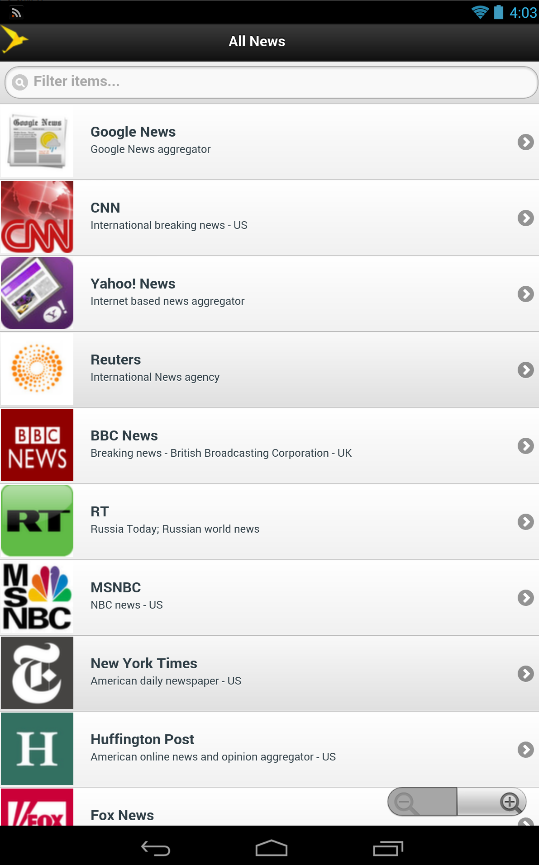
XDA Forum Member mopages created All News to help you access many major news sources all from one application. The app functions as a very purposeful bookmark applet, and it allows users to access 29 news sources from the app's main menu. Clicking on a news loads its mobile webpage. And since this is all housed within this app, rather than as a bookmark in your browser, you can keep your browser bookmarks clean and only access these news sources when you're specifically in the mood for news.

The current list of news sources are as follows:

Google News, CNN, Mail Online (The Daily Mail), Yahoo News, Reuters, Sky News, BBC News, RT (Russia Today), MSNBC (NBC news), New York Times, Huffington Post, Fox News, Washington Post, PressTv, LA Times, ABC News, USA Today, The Onion Network, Haaretz, The Sun, Al Jazeera, The Independent, The Guardian, Metro, Financial Times, The Hindu, Espress (Sunday and daily express), Mirror Online, The Times.

You can get started by visiting the application thread.

_________
Want something on the XDA Portal? Send us a tip!Google+

Via xda-developers.com

More aboutLaunch Many News Sources with All News

Keep Your Private Notes Hidden with Safe N Secure Notepad

Posted by Unknown

Keep Your Private Notes Hidden with Safe N Secure Notepad

Normally, one's cell phone is a rather personal item. After all, these little connected devices are able to access a world of information about their owners once unlocked. Despite this, many of us still have to routinely share our mobile devices with friends and family.

In order to gain some privacy when sharing your device, you could install per-app password protection. Alternatively, you could simply hover over anyone using your device. However, the best way of hiding something is when others don't even know it's there in the first place.

To that end, XDA Forum Member msappz created Safe N Secure Notepad. The application installs like a normal app. And once you run it for the first time and configure the security command, it hides itself from your applications menu. To run it again, you then have to enter a user-configurable code into your dialer. Since the code to access the application runs from the dialer, this won't work on tablets. However, it is reasonable to assume that if you load an aftermarket dialer app onto your tablet, this will likely work.

If you want to hide your most important notes from others using your devices, head over to the application thread and give Safe N Secure Notepad a shot.

_________
Want something on the XDA Portal? Send us a tip!Google+

Via xda-developers.com

More aboutKeep Your Private Notes Hidden with Safe N Secure Notepad

Simple Xposed Module Puts CPU Temp in Status Bar

Posted by Unknown on Friday, October 25, 2013

Simple Xposed Module Puts CPU Temp in Status Bar

As our mobile devices become more and more similar to our fully fledged desktop computers every day, we are paying more attention than ever to their internal hardware. After all, it wasn't all that long ago that a quad-core 2.3 GHz processor or 2 gigs of RAM was considered state of the art in the desktop realm.

With the increased processing power available on our mobile devices, it's nice to be able to keep tabs on the state of their internal hardware. This is especially useful given the high amount of thermal throttling in modern mobile SoCs. As such, XDA Recognized Contributor m11kkaa created a simple status bar CPU temperature monitoring app that installs as an Xposed module.

Since this is an Xposed module, you will need to have XDA Recognized Developer rovo89's Xposed Framework (thread) installed. Once installed, you are able to configure where the notification shows up, as well as the update interval.

Unfortunately, due to this module being relatively fresh out of the oven, compatibility is a little touch and go. For example, I was not able to get this to work on my Nexus 7 2013 with Xposed 2.3 installed, but it worked just fine for others in the module's thread, and the developer is actively trying to add support for more devices. In any case, if you're looking for a lightweight CPU temperature monitor, it's worth a shot. Hopefully it'll work for you. And if it doesn't, there is a built in debugging feature that outputs information that you can send the developer.

You can learn more in the module thread.

_________
Want something on the XDA Portal? Send us a tip!Google+

Via xda-developers.com

More aboutSimple Xposed Module Puts CPU Temp in Status Bar

Easily Access the Android VPN Settings Menu

Posted by Unknown

Easily Access the Android VPN Settings Menu

If you frequently connect to a VPN in order to remotely access your home or office internal network, you have probably gotten used to navigating to the VPN page in your settings menu. Normally in stock Android, the process involves going to Settings, clicking "More" under Wireless and Networks, and finally going into the VPN page.

Thankfully for those who wishing to save a few taps, XDA Forum Member luisarn created a simple shortcut application that takes you directly to Android's stock VPN page. The app, which is really more of an extremely time-saving shortcut, weighs in at just 21 KB. Those keeping track will be quick to note that many custom launchers and shortcut creation apps allow users to make direct shortcuts to certain activities within the Settings app. However for those without such tools installed, luisarn's app is an extremely lightweight and simple solution to an otherwise cumbersome problem.

Make your way over to the application thread for easy access to Android's VPN menu.

Please note that all this does is bring you to Android's built in VPN settings page. This means, you can only use PPTP, L2TP, and IPSec VPNs. OpenVPN users will still need a dedicated app. And to avoid the VPN Warning dialog with said app, I would suggest using the Auto VPN Dialog Confirm Xposed module by developer plaisthos.

_________
Want something on the XDA Portal? Send us a tip!Google+

Via xda-developers.com

More aboutEasily Access the Android VPN Settings Menu

Forum Added for the Jumbo-Sized HTC One Max

Posted by Unknown

Forum Added for the Jumbo-Sized HTC One Max

Ever wonder what it would take to dwarf the Samsung Galaxy Note 3? Now we know the answer, and it's the HTC One Max. The HTC One Max is, for the most part, a larger version of the critically acclaimed HTC One.

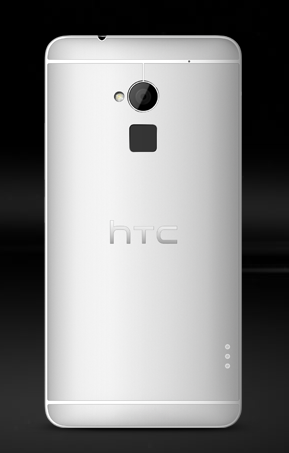
The One Max's defining trait is its 5.9″ Super LCD 3 panel. Packing a 1080p resolution, this equates to approximately 373 ppi. Similarly to the international version of the HTC One, the One Max features a quad-core 1.7 GHz Snapdragon 600 processor. Unlike the original HTC One, however, this device packs a fingerprint reader on the rear of the device that can be used to launch various applications.

The One Max's speedy Snapdragon 600 processor is backed by 2 gigs of RAM and either 16 or 32 gigs of internal storage. The device also features a 4 MP "Ultrapixel" camera sensor backed by an f/2 lens. On the software front, the HTC One Max comes preloaded with Android 4.3 and a serving of Sense 5.5—just like what we recently saw roll out to the international One.

Are you excited about the One Max, or is it simply too big? Is the One Max still a "phone," or would you consider it a small tablet that just happens to make phone calls? Let us know in the comments section below. And don't forget to visit the newly created HTC One Max forum to get in on the discussion.

_________
Want something on the XDA Portal? Send us a tip!Google+

Via xda-developers.com

More aboutForum Added for the Jumbo-Sized HTC One Max